Chapter 6 Perform Post-Setup Tasks
170 Storage Center SC8000 Controller Deployment Guide
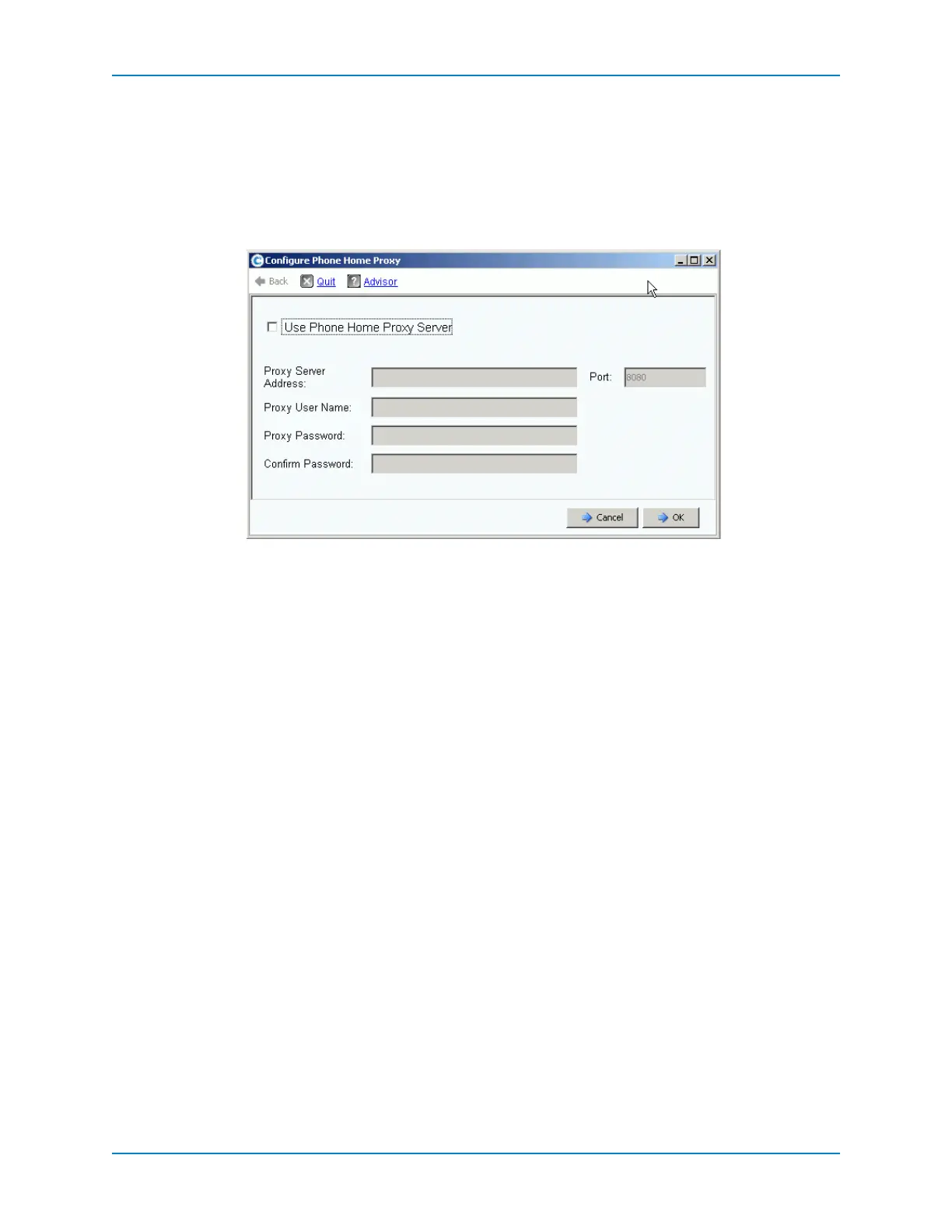
Configure a Phone Home Proxy
Ifrequireshoststouseaproxyservertoreachtheinternet,configurePhoneHometouse
theproxyserverbeforesendingdatawithPhoneHomeorcheckingforStorageCenter
updates.
1 FromtheStorageManagementmenu,selectSystem→PhoneHome→Configure
PhoneHo meProxy.TheConfigurePhoneHome
Proxywizardstarts.
2 SelectUsePhoneHomeProxyServerandenterthefollowing:
ProxyServerAddress:EntertheIPaddressoftheproxyserver.
Port:EntertheTCPportnumberoftheproxy server.
ProxyUserName:Entertheusernamefortheproxyserver.
ProxyPassword/ConfirmPassword:Passwordfortheproxyserver.
3 ClickOK.
Phone Home
CompletesetupbysendingStorageCenterconfigurationinformationtoDellTechnical
SupportServiceswithPhoneHome.
PhoneHomesendsacopyofaStorageCenterconfigurationtoDellTechnicalSupport
ServicestoenablethemtosupportaStorageCenter.TheinitialconfigurationissenttoDell
TechnicalSupportServiceswhenStorage
Centerisinstalled.
Prerequisites
TCPports22and443mustbeallowedoutboundtotheinternet.
Ifthenetworkrequireshoststouseaproxyservertoreachtheinternet,theStorage
CentermustbeconfiguredtouseaPhoneHomeproxy.



 To Next Page