Connect IPC for Dual-Controller Storage Centers
Dell Compellent 57
Connect the Controllers with Ethernet
Inadual‐controllerStorageCenter,theETH1portsofthecontrollersmustbedirectly
connectedtoeachother.
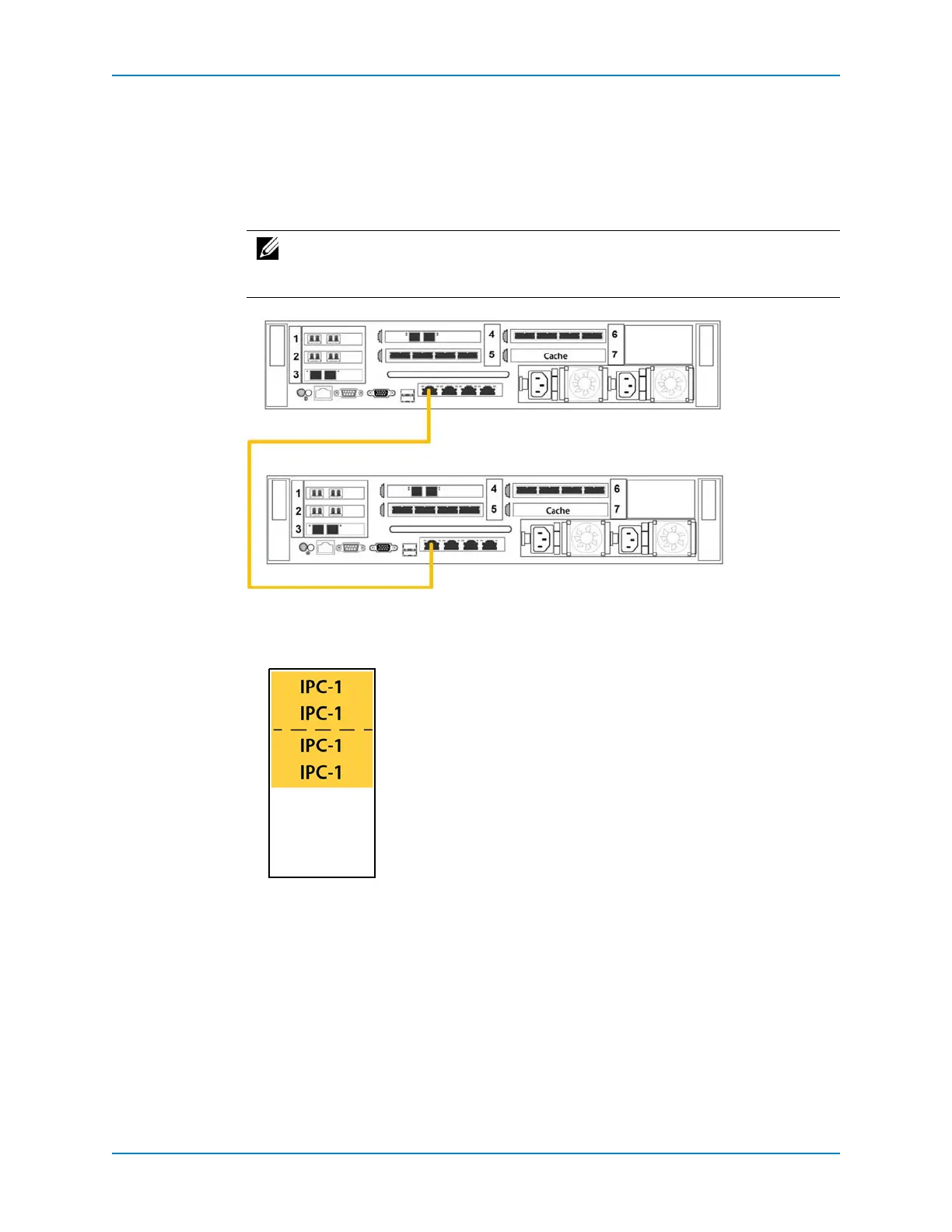
1 ConnecttheETH1(port1)ononecontrollertothesameportonthesecondcontroller.
UseaCat6cableforthisconnection.
Figure 53. Ethernet IPC Connection
2 Labelbothendsofthe
EthernetIPCcable.
a Locate theIPClabelsthatshippedwiththecontroller(s).
Figure 54. IPC Cable Label
b Neartheconnector,alignthelabelperpendiculartothecableandaffixitstarting
withthetopedgeofthelabel.
Note: S torageCentercurrentlyrunsthe10Gbportsat1Gbspeed.UseaCat.6
cabletoensurethatahardwarechangeisunnecessarywhen10Gbratesare
implemented.



 To Next Page