Connect the Ethernet Management and iDRAC Interfaces
Dell Compellent 121
Connect the Ethernet Management and iDRAC Interfaces
TheiDRACandEt hernetmanagementportsmustbeconnectedtoamanagementnetwork.
TheETH0portsupportssystemloginandaccesstothemanagementsoftware.Itisalso
usedtosendemail,alerts,SNMPtraps,andsystemdatausingPhoneHome.
TheiDRACconnectionprovidesaccesstothecontrollerforsysteminformationand
diagnostics.
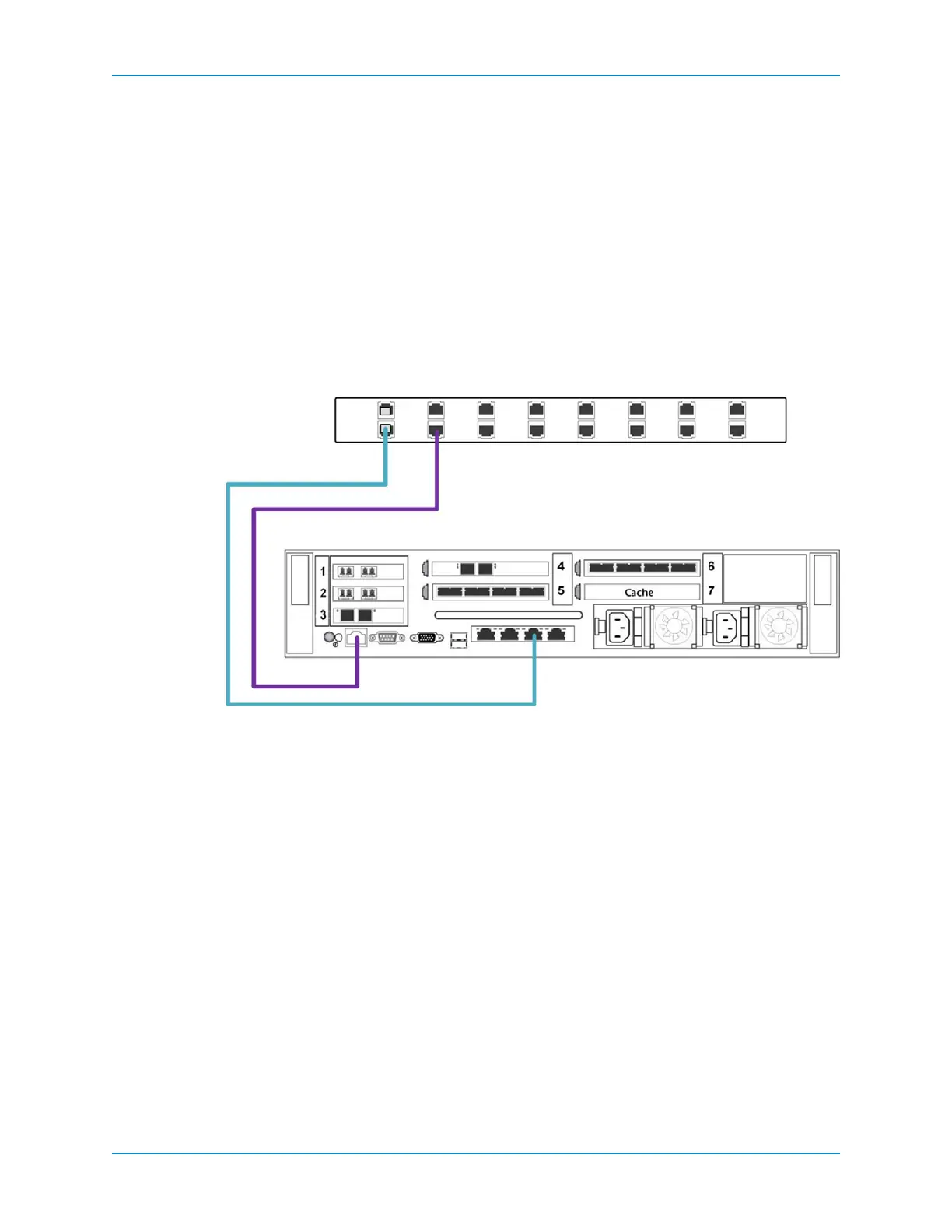
Connect Single-Controller Management Ports
ConnectthecontrollerEthernetmanagementandiDRACportstoamanagementnetwork.
1 Connectthe1GbETH0(port0)toanEthernetswitch.
2 ConnecttheiDRACporttothe Ethernetswitchusinga1GbEthernetcable.
Figure 105. Single Controller Management Connections
Switch (Corporate/Public Network)
Controller
1 Gb ETH 0 Port
iDRAC
3120
IPC MGMT



 To Next Page