Install IO Cards the Controller(s)
Dell Compellent 43
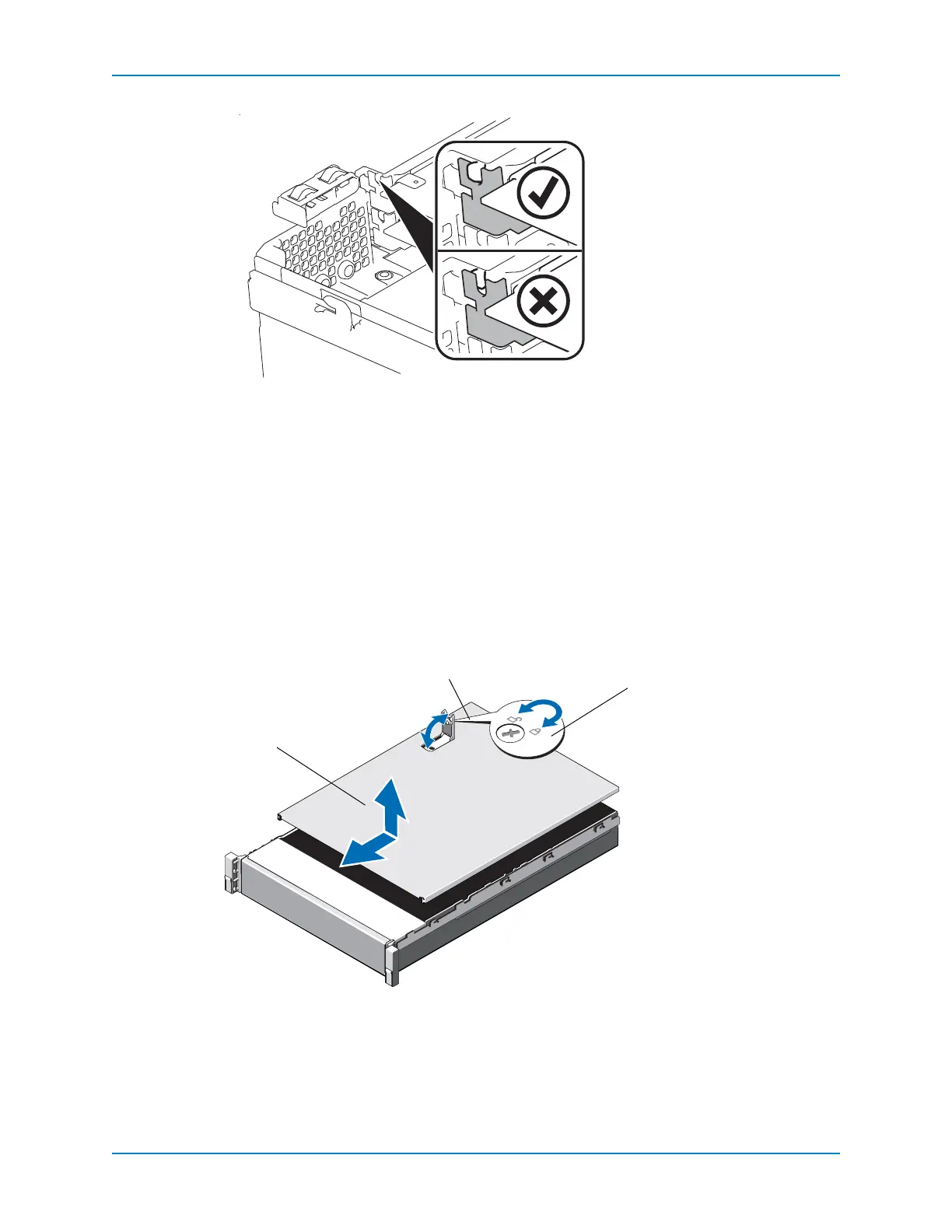
Figure 39. Seating the IO Card
6 ReplacetheIOcardlatch.
7 Pressthetouch‐pointtoreleasethecardretentiontab(notshown)androtatethetab
untilitlocksinplaceovertheIOcard.
Close the Cover
Performthisproceduretoclosethecover.
1 Liftthelatchonthecover.
2 Placethecoverontothechassisandoffsetthecoverslightlybacksothatitclearsthe
chassishooksandlaysflushonthechassis.
3 Pushdownthelatchtomovethecoverintotheclosedposition.
4 Rotate
thelatchreleaselockclockwisetosecurethecover.
Figure 40. Closing the Cover
1 Controller cover
2 Latch
3 Latch release lock



 To Next Page