Chapter 5 Set up the Storage Center Software
130 Storage Center SC8000 Controller Deployment Guide
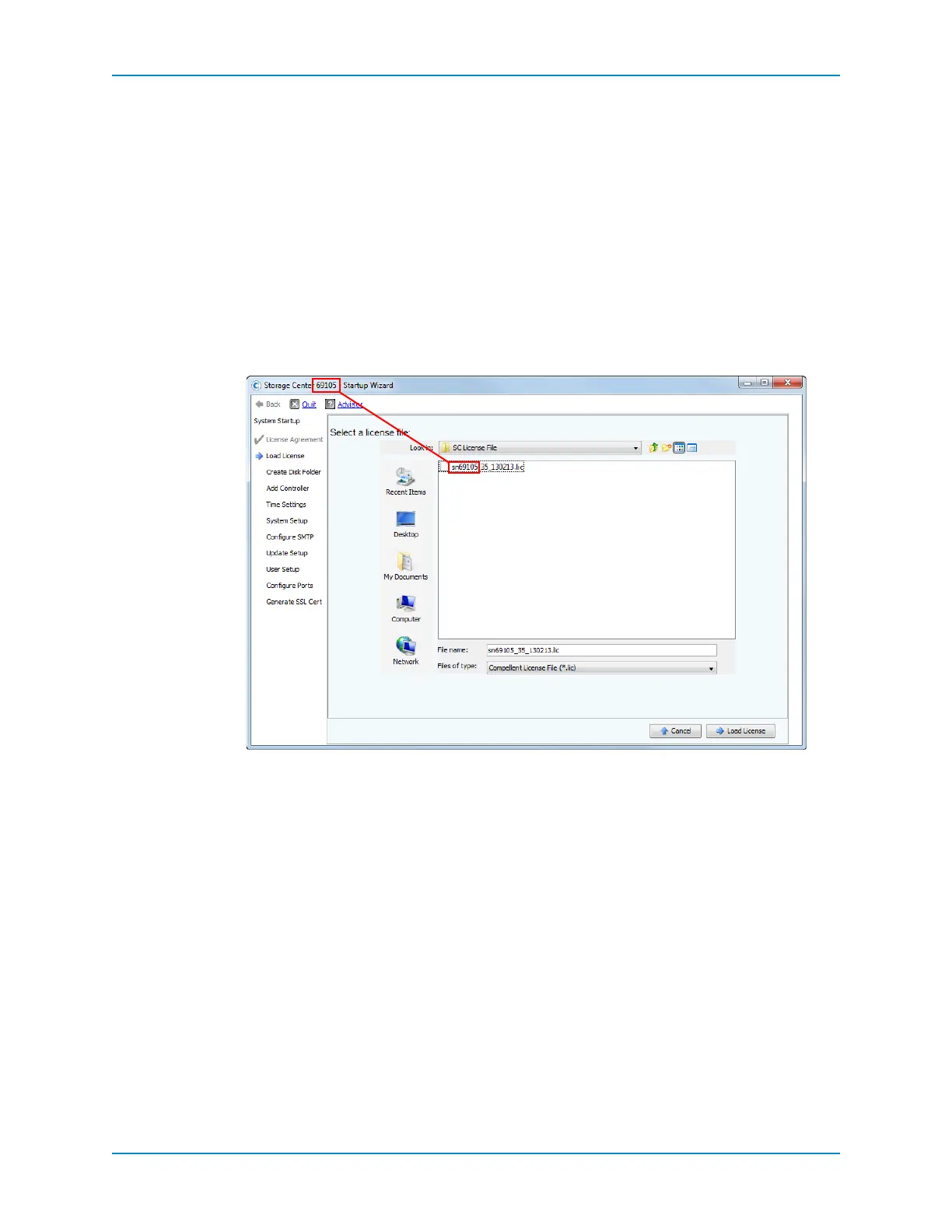
Load the License File
UsetheLoadLicensepagetouploadtheStorageCenterlicensefile.Thelicensefilemakes
settingsavailabledependingonwhatfeatureswerepurchased.
1 Browsetothelocationofthelicensefile.
2 Verifythattheserialnumberofthelicensefilematchestheserialnumberofthe
controllerbycomparingthe
nameofthelicense filetothetitlebaroftheStartupWizard.
Licensefilesusethenamingconventionsnxxx_35_date.lic,where:
snxxxistheserialnumberoftheStorageCenter.
35indicatesthatthesystemrunssoftwarehigherthanversion3.5.
dateshowsthelicensegenerationdateinYYMMDDformat.
.licisthefileextension.
3 Selectthelicensefile,thenclickLoadLicense.TheStartupWizarddisplaysamessage
whenthelicenseissuccessfullyloaded.
Ifthelicenseloadssuccessfully,themessageThelicensesubmissionhascompleted
successfullyappears.
IfthemessageError:Thelicensefileisnotvalidmessageisdisplayed,see
TroubleshootingLicensesonpage 206.
4 ClickContinue.
Ifstandarddrivesaredetected,theCreateDiskFolderpageappears.
IfSelf‐EncryptingDrives(SEDs)thatareFederalInformationProcessingStandard
(FIPS)140‐2certifiedaredetected,StorageCenterformatsthedrivesasifSecure
Datawillbeused,andyouareaskedwhethertocreateaSecureDatafolder.See
AboutSecureDataonpage 131.
IftheNodiskscouldbefoundmessageisdisplayed,seeTroubleshootingEnclosures
onpage 205.



 To Next Page