SC200/220 SAS Enclosures
Dell Compellent 23
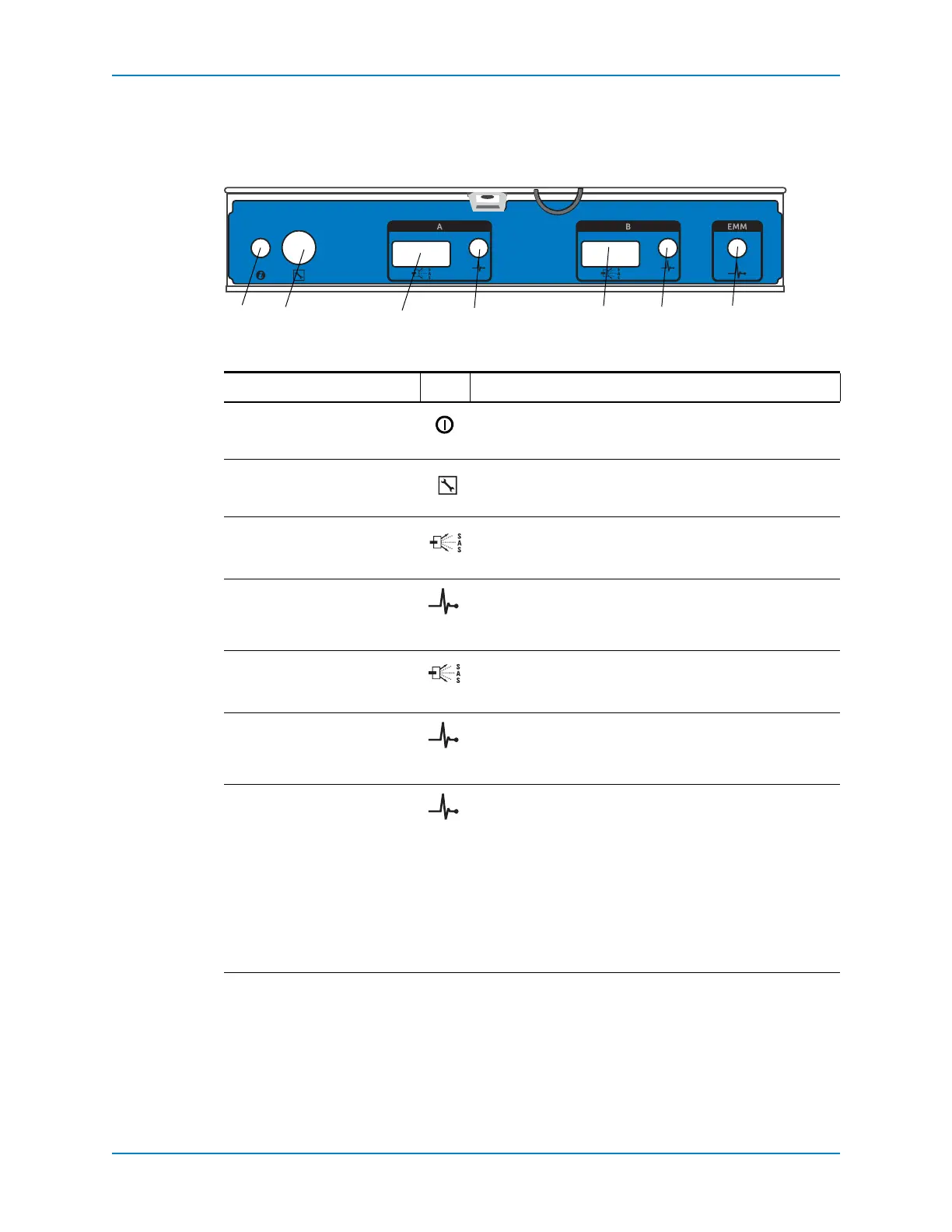
SC200/220 EMM Features and Indicators
SC200andSC220enclosuresincludetwoEnclosureManagementModule(EMM)IO
modulesintwointerfaceslots.
Figure 20. SC200/SC220 EMM Features and Indicators
Item Name Icon Description
1Systemstatusindicator NotusedonSC200/220enclosures
2Debugport Forengineeringuseonly
3SASportA(in) Connectstothecontrollerortootherenclosures.SASports
AandBcanbeusedforeitherinputoroutput,howeverfor
cablingconsistency,useportAasaninputport.
4PortAlinkstatus • Green:
Allthelinkstotheport areconnected
• Amber:Oneormorelinksarenotconnected
• Off:Enclosureisnotconnected
5SASportB(out) Connectstothecontrollerortootherenclosures.SASports
AandBcanbeusedforeitherinputoroutput,howeverfor
cablingconsistency,use
portBasanoutputport.
6PortBlinkstatus • Green:Allthelinkstotheportareconnected
• Amber:Oneormorelinksarenotconnected
• Off:Enclosureisnotconnected
7EMMstatusindicator • SteadyGreen:Normaloperation
• Amber:Enclosuredidnotbootorisnotproperly
configured
• Flashing
Green:Automaticupdateinprocess
• FlashingAmberTwice:Enclosureisunableto
communicatewithotherenclosures
• FlashingAmberFourTimes:Firmwareupdatefailed
• FlashingAmberFiveTimes:Firmwareversionsare
differentbetweenthetwoEMMs
Compellent SC2



 To Next Page