Complete the Startup Wizard
Dell Compellent 141
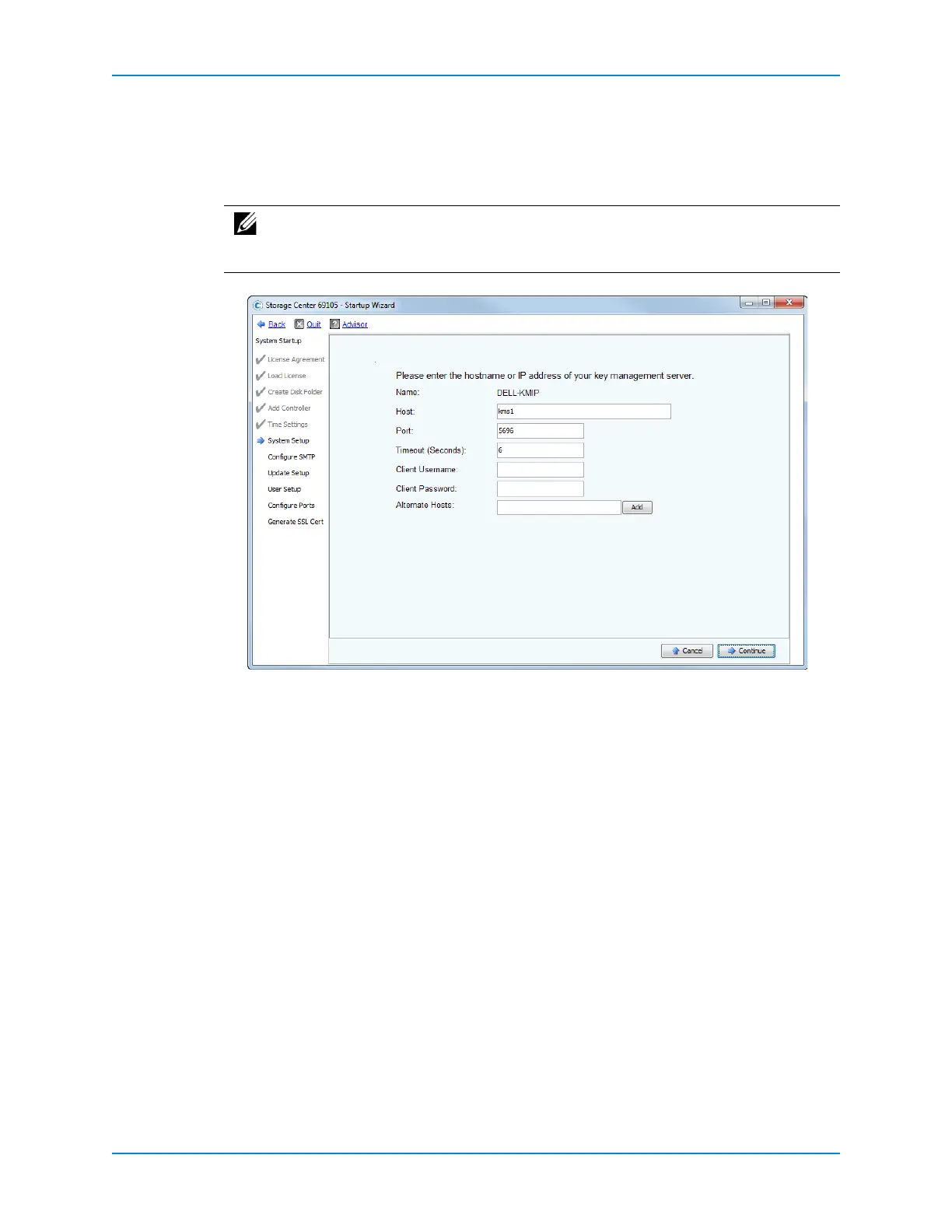
Configure a Key Management Server
UsingSecureDatatomanageSelf‐EncryptingDrives(SEDs)requiresanexternalkey
managementserver.Establishaconnectiontoanexistingkeymanagementserverinthis
step.
1 EntertheHostnameorIPaddressofthekeymanagementserver,theportnumberto
use,andacommunicationtimeoutvalue.
2 (Optional)Enter
thenameofthehostorhoststouseiftheprimaryhostisunavailable.
3 Ifthe keymanagementserverisconfiguredtovalidatetheclientcertificate,enterthe
keymanagementcredentialsintheClientUsernameandClientPasswordboxes.
4 ClickContinue.Thenextpageofthewizardprovidesinformation
abouttheSSL
certificatefilesrequiredtocommunicatewiththekeymanagementserver.Thenext
pageofthewizardprovidesinformationabouttheSSLcertificatefilesrequiredto
communicatewiththekeymanagementserver.Thecertificatefilesaregeneratedby
yoursystemadministrator;theyarenotsuppliedbyDell Compellent.
5 Click
UploadClientCerts.
6 Navigatetoandselecttheexistingpublickey(*.pem)file.
7 ClickContinue.
8 RepeatStep 5throughStep 7forthesecondcontroller(ifpresent).
9 ClickUploadCertstoreCert.
10 Navigatetoandselecttheexistingpublickey(*.pem)file.
11 ClickContinue.Thelastpageofthewizardappears.
12 ClickFinishNow.TheConfigureSMTPpageappears.
Note: The keymanagementservermustbeavailabletomanagenewself‐
encryptingFIPSdisksintoaSecureDatafolderthathasalreadybeenintheSecure
state.



 To Next Page