SC200/220 SAS Enclosures
Dell Compellent 21
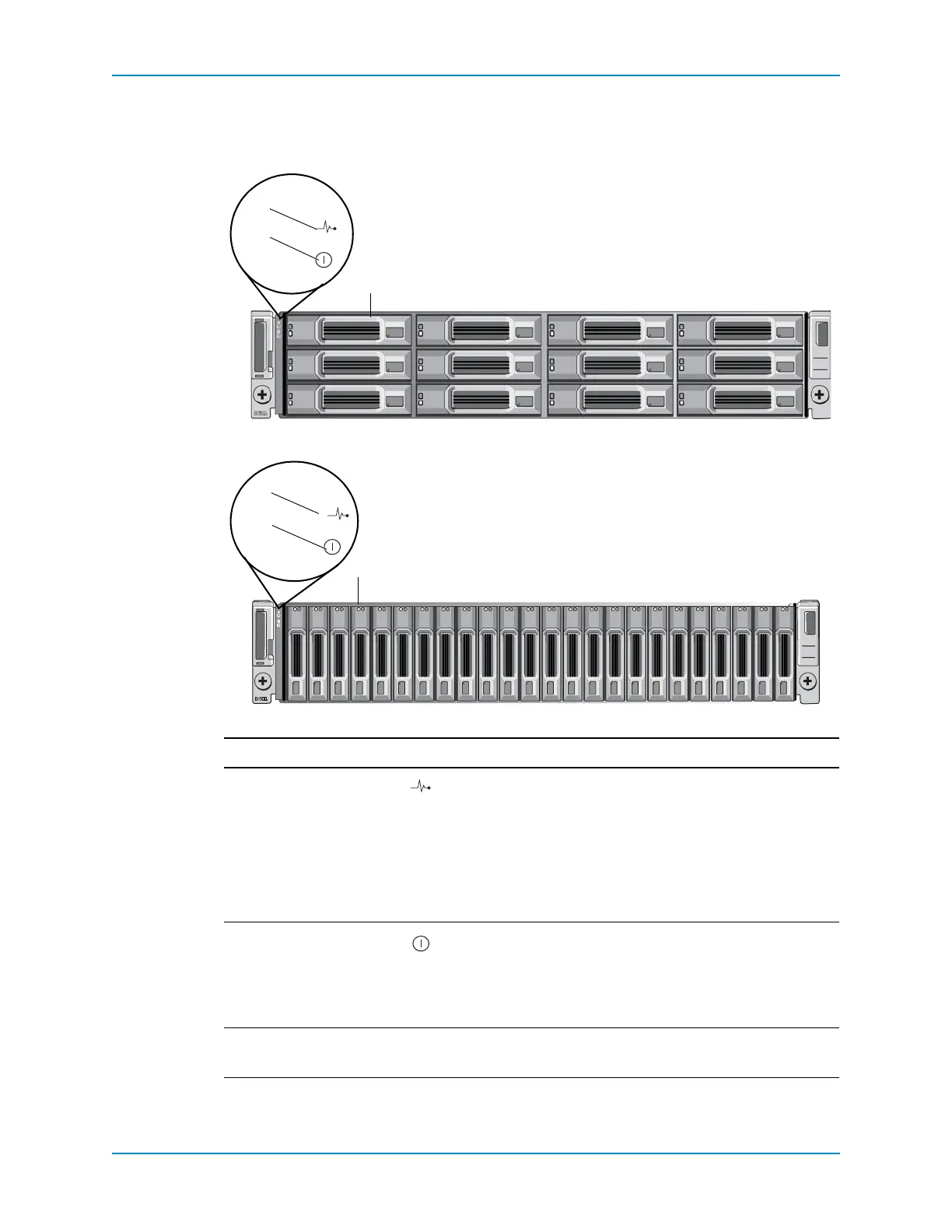
SC200/220 Front-Panel Features and Indicators
Thefrontpanelshowstheenclosureandpowerstatus.
Figure 17. SC200 Front Panel Features and Indicators
Figure 18. SC220 Front Panel Features and Indicators
Item Name Icon Description
1Enclosurestatus
indicator
Lightswhentheenclosurepowerison.
• Off:Nopower.
• Onsteadyblue:Normaloperation.
• Flashingblue:IndicatesthatStorageCenterisidentifying
theenclosure.
• Onsteadyamber:Enclosureisturningonorwasreset.
• Flashingamber:Enclosureisinthefaultstate.
2Powerstatus
indicator
Lights
whenatleastonepowersupplyissupplyingpowerto
theenclosure.
• Off:Bothpowersuppliesareoff.
• Onsteadygreen:Atleastonepowersupplyisproviding
powertotheenclosure.
3 Harddrives — • SC200:Upto123.5‐inchharddrives.
• SC220:Upto242.5‐inchhard
drives.



 To Next Page