Chapter 1 Introduction
26 Storage Center SC8000 Controller Deployment Guide
EN-SASx6x12/24 Enclosures
SASenclosuresholddrivesfordatastorageandconnecttothecontrollersthrough
back‐endports.EN ‐SASX6X12enclosurescanholdupto12‐3.5ʺdrives,andEN‐SASX6X24
canholdupto24‐2.5ʺdrives.
EN‐SASx6x12/24enclosurescannotbeconnectedtothesamechainasSC200orSC220
enclosures.
EN-SASx6x12/24 Front-Panel Features and Indicators
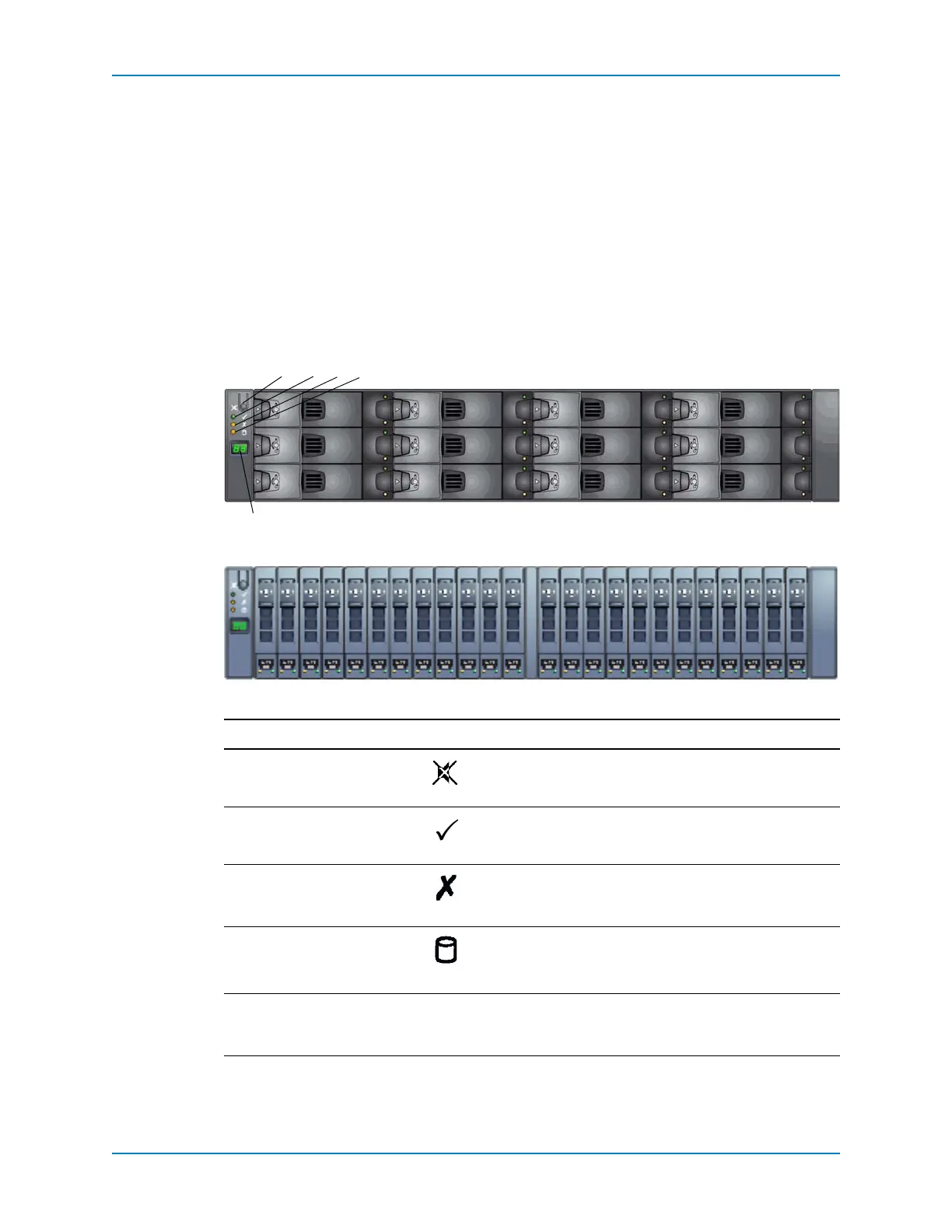
Theenclosurefrontpanelprovidescontrolstopowerupandresettheenclosureand
indicatorstoshowtheenclosurestatus.InserttheenclosureintoaracksothattheLED
displayisontheleftside.
Figure 25. SAS Enclosures Front View — Controls and Indicators
Item Name Icon Description
1Mutebutton Mutesthealarm
2Systempowerindicator • Green:Powerison
• Amber:Unitisonstandby
3Modulefaultindicator Amber:Enclosuremodulefailure(PCMfault,Fanfault,
SSBmodulefault.Checkindicatorsonindividual
modules)
4Logicalfaultindicator • Amber:Drivefailure
• FlashingAmber:UnexpectedenclosureID(Module
Faultalsoflashesamber)
5LED
display — IndicatestheenclosureIDnumber—thesoftwaresetsthis
numberduringinstallation,andmatchestheDiskID
displayedintheStorageCenterSystemManager
134
5
2
EN-SASX6X12 Enclosure
EN-SASX6X24 Enclosure



 To Next Page