Complete the Startup Wizard
Dell Compellent 139
2 Setthe systemtimeusingoneofthefollowingmethods.
Toconfiguretimemanually,selectConfigureTimeManually,thenenterthedate
andtime.
ToconfiguretimeusingaNetworkTimeProtocol(NTP)server,selectUseNTP
TimeServer,thenenterthefullyqualifieddomainname(FQDN)orIPaddressof
anNTPserver.
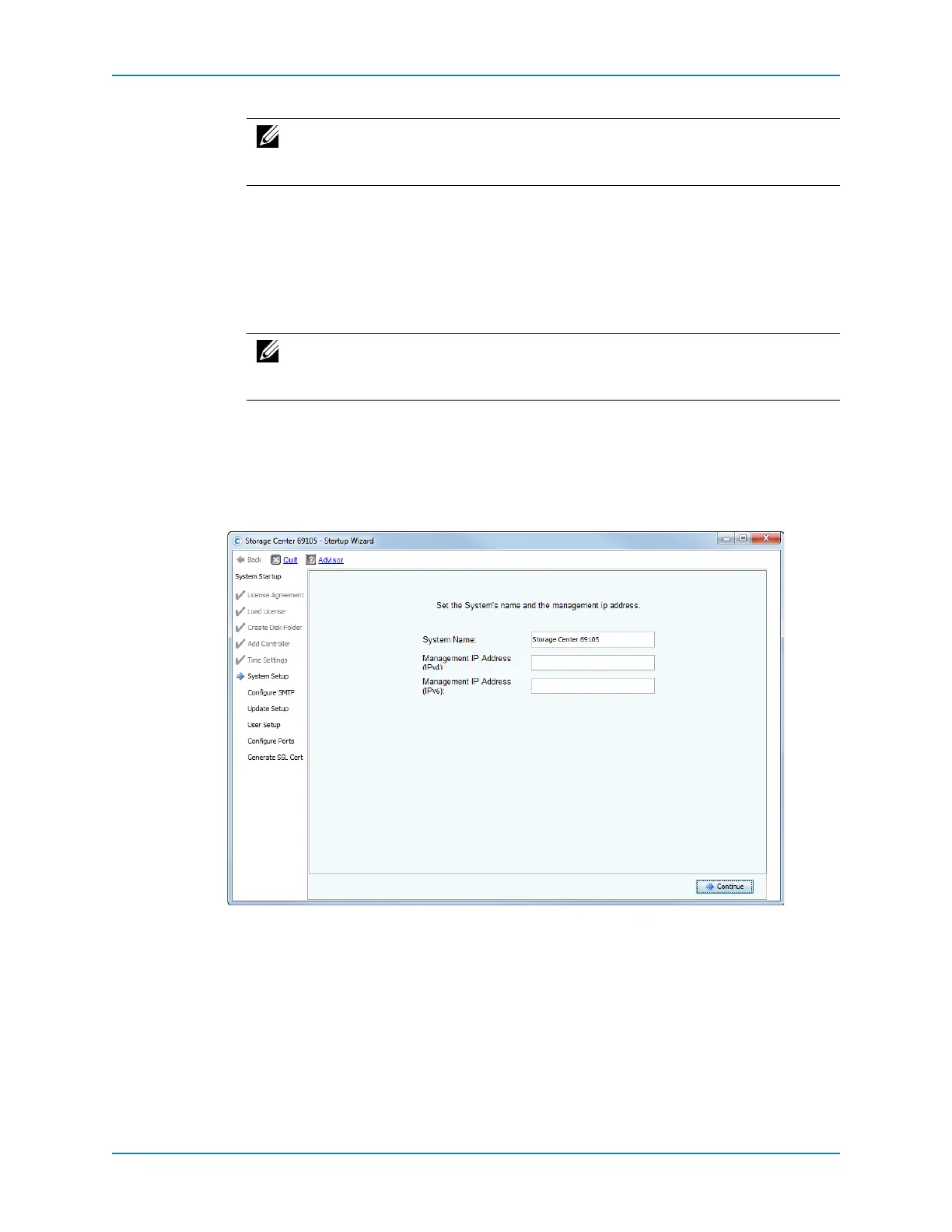
3 Whenthesystemtimehasbeenset,clickContinue.TheSystemSetuppageappears.
Set the System IP Address
UsetheSystemSetuppagethesystemnameandmanagementIPaddressfortheentire
StorageCenter(oneormorecontrollersandoneormoreenclosures).
1 IntheSystemNamefield,enteranamefortheStorageCenter.Thisistypicallythe
serialnumberofController1.
2 (Du al‐controlleronly)
IntheManagementIPAddressfield,enterthemanagementIP
addressspecifiedinthepre‐installationdocuments.(Onsingle‐controllersystems,this
fieldisnotdisplayedandthemessageatthetopofthepanereadssimply,Setthe
System’sname.)
ThemanagementIPaddressisdistinctfromthecontroller1
andcontroller2addresses.
Itistheaddressthatmanagesadual‐controllerStorageCenterasawhole.Ifeither
controllerfails,themanagementIPaddressremainsvalid.
Note: ForlocationsintheUnitedStates,eitherselectUSastheregionandselect
atimezonename,orselectAmericaastheregionandselectacitywithinthe
sametimezone.
Note: Accuratetimesynchronizationiscriticalforreplications.DellCompellent
recommendsusingNTPtosetthesystemtime.Formoreinformation,see:
support.ntp.org/bin/view/Support/WebHome.



 To Next Page