Chapter 1 Introduction
14 Storage Center SC8000 Controller Deployment Guide
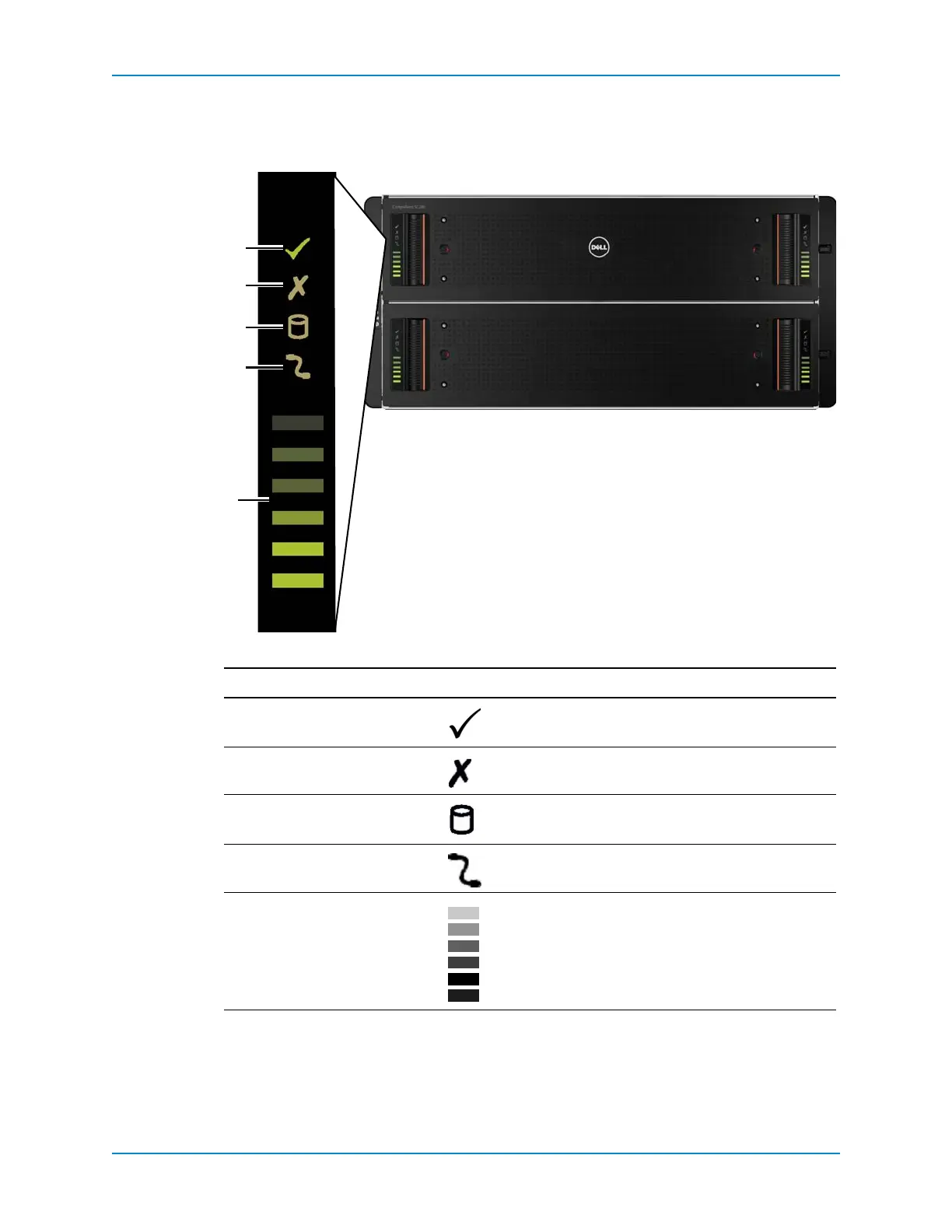
SC280 Drawer Front-Panel Features and Indicators
EachsideofeachdrawershowsstatususingLEDindicators.
Figure 10. SC280 Drawer Front Panel Features and Indicators
Item Feature/Indicator Icon Description
1SideplaneOK/Power • Off:Sideplanecardorcablefault.
• Green:Sideplanecardandcablearefunctional.
2DrawerFault Amber:Sideplanecardfaultordrivefailurecausing
lossofavailabilityorredundancy.
3Logicalfaultindicator • Amber:Hostindicateddrivefault.
• FlashingAmber:Array(s)inimpactedstate.
4CableFault Amber:Cablefault.
5ActivityBarGraph Six
variable‐intensityLEDsdynamicallydisplaydrive
accessintheenclosuredrawer.



 To Next Page