Connect the Front End for a Dual-Controller Storage Center
Dell Compellent 105
Virtualportmode:CreateonefaultdomainforeachfabricordirectlyconnectedFC
server.
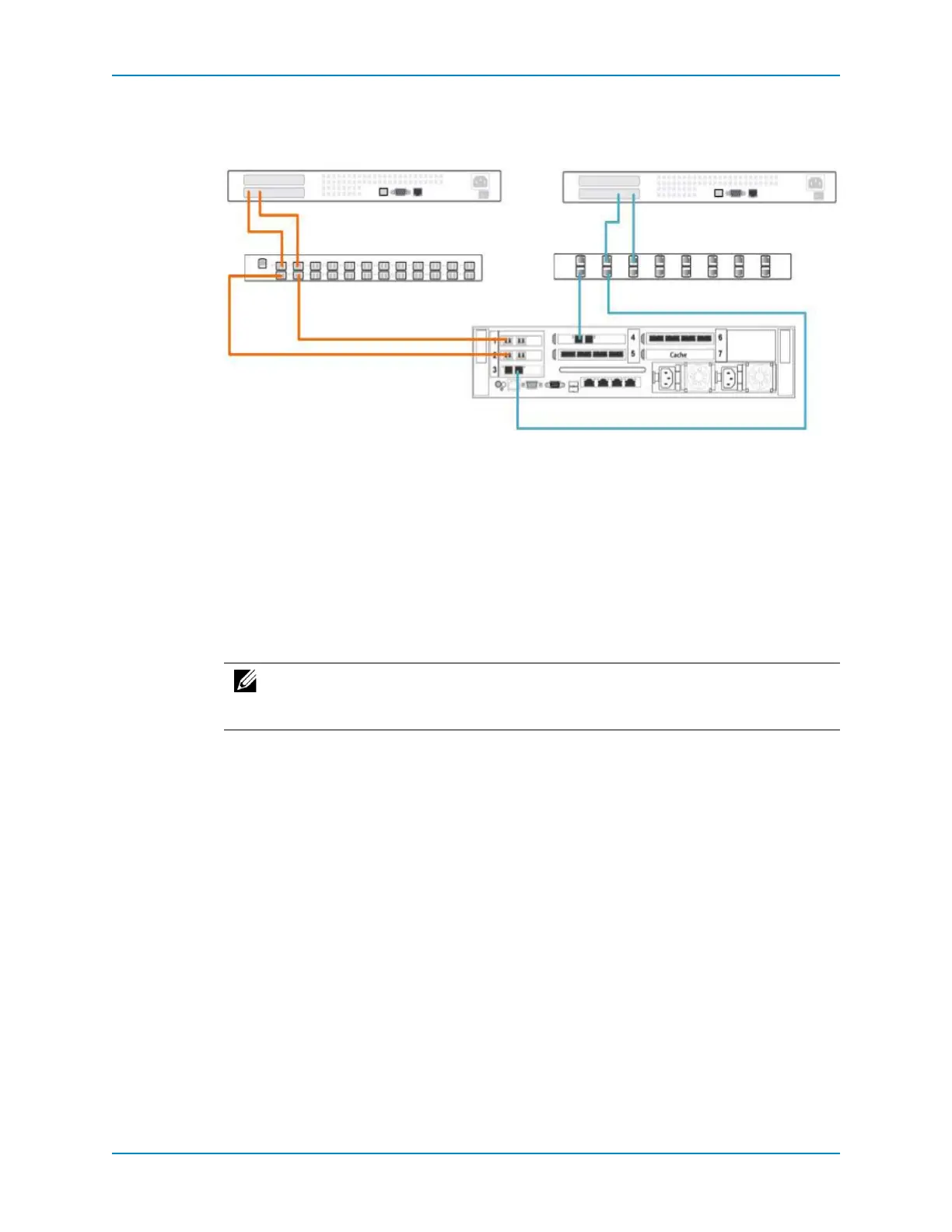
Figure 91. Single Controller With Front-End Redundancy
See Also
FibreChannelZoningonpage 10 2
Connect the Front End for a Dual-Controller Storage Center
UseFibreChannelandiSCSItoconnectserverstotheStorageCenter.Foreachtransport
type,chooseafront‐endconnectivitymode(legacymodeorvirtualportmode),andthen
connecttheserversinawaythatmeetstherequirementsofthechosenconnectivitymode.
Applycablelabelstobothends
ofeachcable.
Connect Fibre Channel Servers
ChoosetheFibreChannelconnectivityoptionthatbestsuitsthefront‐endredundancy
requirementsandnetworkinfrastructure.
LegacyModewithSingle‐FabricFibreChannelonpage 105
LegacyModewithDual‐FabricFibreChannelonpage 107
VirtualPortModewithSingle‐FabricFibreChannelonpage 108
VirtualPortModewithDual‐FabricFibreChannelonpage 110
Legacy Mode with Single-Fabric Fibre Channel
ConnectlegacymodeFibreChanneltoasinglefabricifonlyoneFCswitchisavailableand
youwanttoprotectagainstcontrollerfailure.
Inthisconfiguration,twofaultdomainsarespreadacross bothcontrollers.Eachfault
domaincontainssetsofprimaryandreservepaths(P1‐R1andP2‐R2).The
reservedpaths
provideredundancyforsinglecontrollerfailure.Thisconfigurationisvulnerabletosw itch
failure.
FC Server SCSI Server
FC Switch Ethernet Switch
Controller
Note: The cablinginstructionsanddiagramsinthissectionarevalidforaparticular
IOcardconfiguration.If thecontrollersyouareinstallingcontaindifferentIOcards,
adjustthecablingaccordingly.



 To Next Page