Label SC200 and SC220 Enclosures
Dell Compellent 163
Label SC200 and SC220 Enclosures
SC200andSC220enclosuresdonothavedisplaystoindicatetheenclosureIDassignedby
StorageCentersoftware.Tofacilitateeasyidentificationintherack,useStorageCenter
SystemManagertomatcheachenclosureIDtoaService Tag.LocatetheServiceTagonthe
backofeachenclosureandthen
labelitwiththecorrectenclosureID.
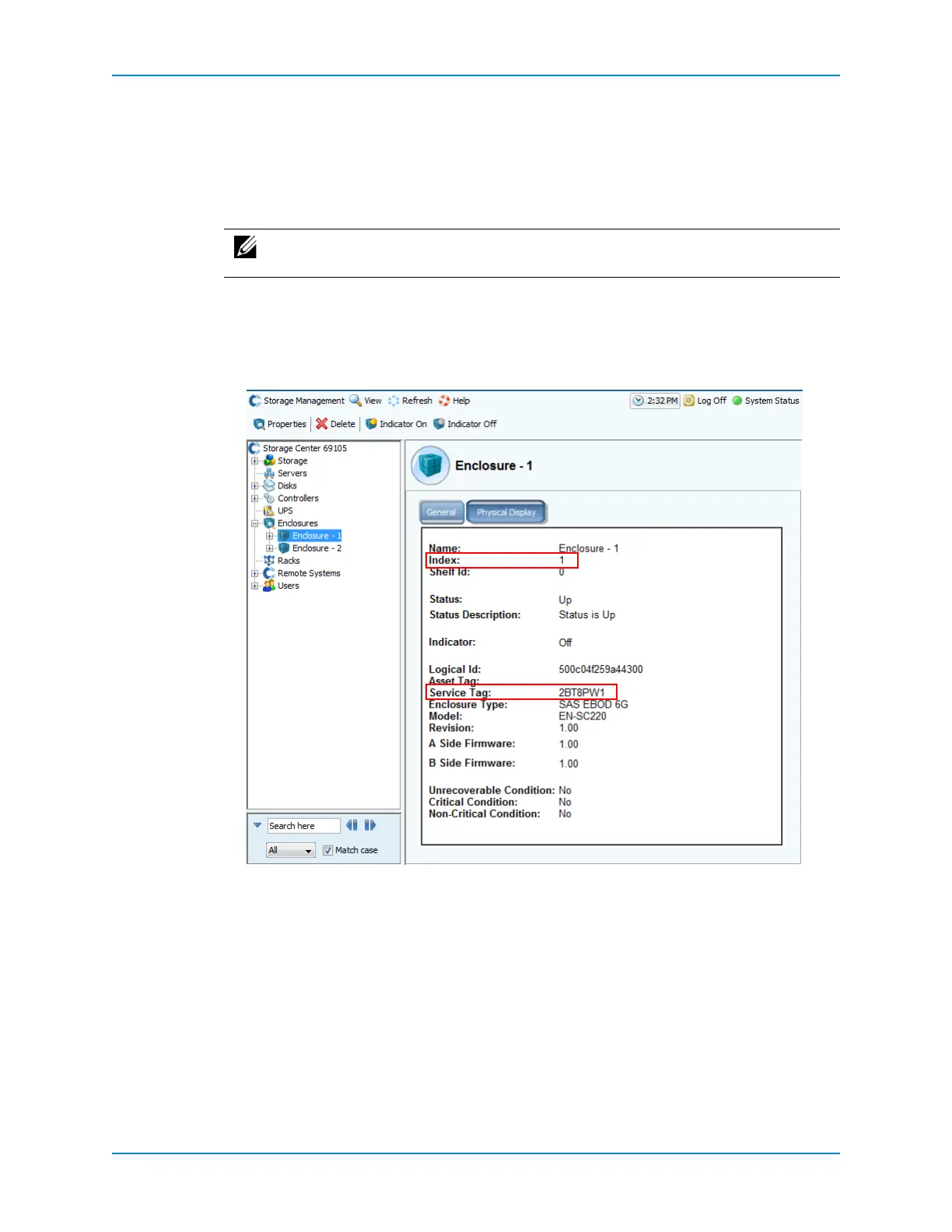
1 UsetheStorageCenterSystemManagertomapeachenclosureIDtoaService Tag.
a FromtheSystemTree,expandtheEnclosuresnode.
b Selectanenclosure.
c OntheGeneraltab,locateandrecordtheIndexandServiceTag.
2 Create alabelforeach
SC200/SC220enclosurewiththeenclosureIDnumber.
Note: IftheenclosureisdeletedfromSystemManager,andthenaddedbackin,it
isassignedanewindexnumber,requiringalabelchange.



 To Next Page