Chapter 2 Install the Hardware
44 Storage Center SC8000 Controller Deployment Guide
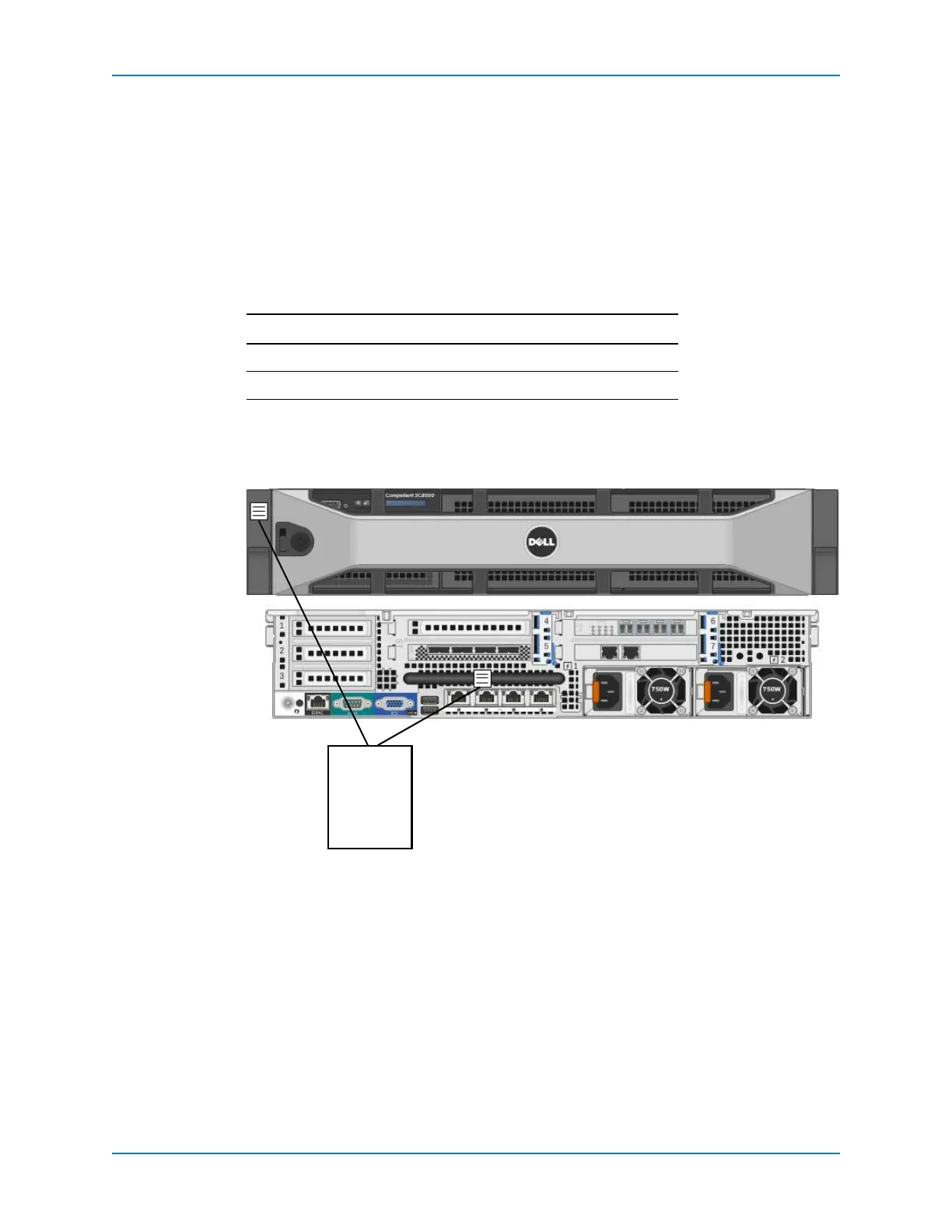
Label the Controllers
Createtwolabelsforeachcontrollertofacilitateidentificationintherack.Applylabelsto
thefrontandbackofeachcontroller.
Prerequisites
Youmusthavealabelmaker,orfourblanklabelsandawritingutensil.
Steps
1 Create twolabelsforeachcontroller.Eachlabelshouldcontainthecontrollernumber
andSystemSerialNumber(SSN).
2 Applytwolabelstoeachcontroller.
a Applyonelabeltothefrontofthecontrolleronthetop‐leftcorner.
b Applyonelabeltotherearofthe controlleronthemiddle
ofthehandle.
Figure 41. SC8000 Controller Labels
Line Label Information Example
1 Controllernumber CONTR1orCONTR2
2SystemSerialNumber 10011



 To Next Page