Chapter 6 Perform Post-Setup Tasks
168 Storage Center SC8000 Controller Deployment Guide
Change Administrative Passwords
StorageCenterandtheiDRACshipwithdefaultadministrativecredentials.Asasecurity
measure,changethembeforeputtingtheStorageCenterintoproduction.
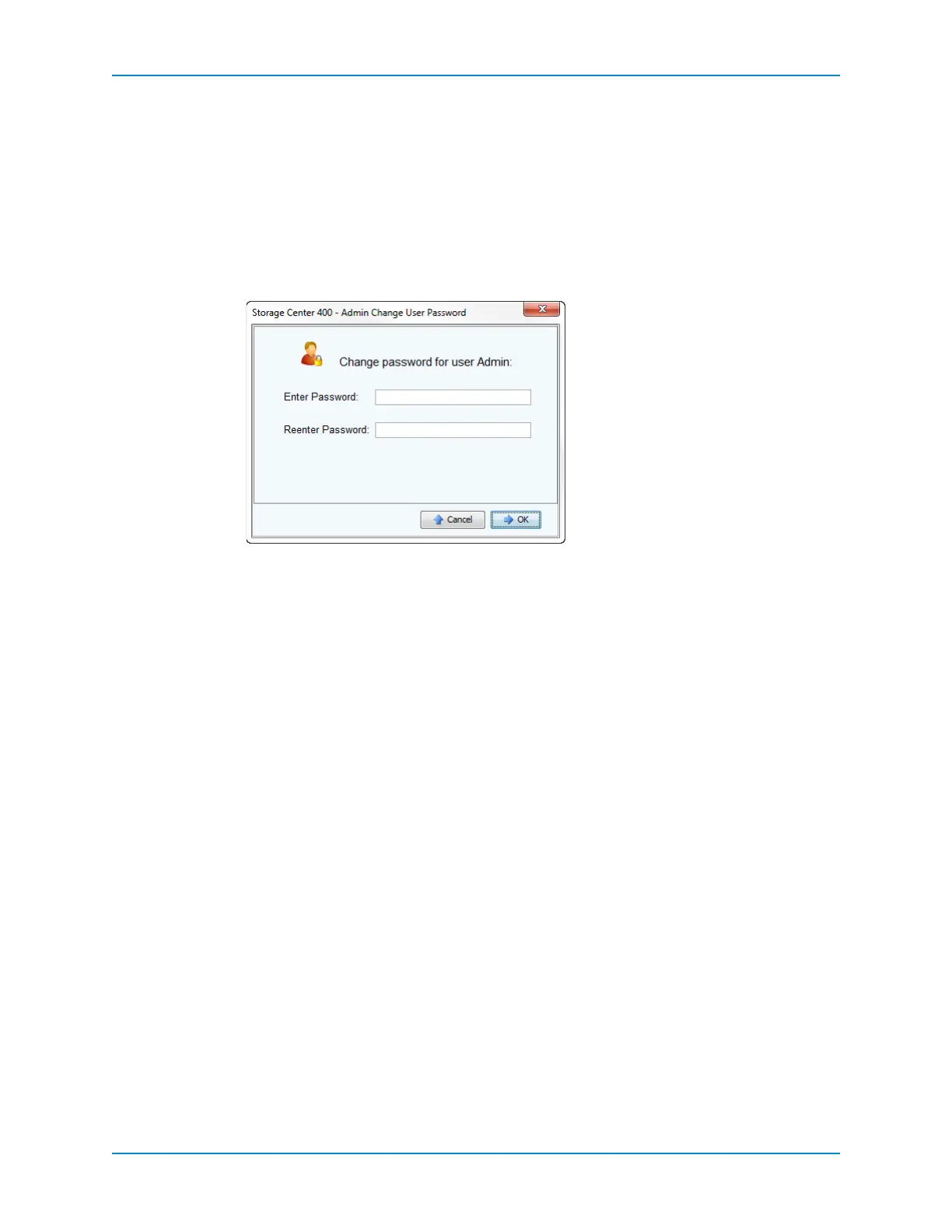
Change Storage Center Administrative Password
Changetheadministrativepasswordtosomethingotherthanthedefault.
1 FromtheStorageManagementmenu,selectUser→ChangeUserPassword.
2 SelectAdminandclickContinue.
3 EnteranewpasswordintheEnterPasswordandReenterPasswordfields.
4 ClickOK.
Change iDRAC Administrative Password
ChangetheiDRACadministrativepasswordtosomethingotherthanthedefault.
1 UseawebbrowsertonavigatetotheIPaddressoftheiDRACincontroller1.The
iDRAClog inpageappears.
2 EntertheiDRACusername(root)andpassword(calvin)andclickSubmit.TheiDRAC
webinterface
appears.
3 IntheleftpaneoftheiDRACwebinterface,clickUserAuthentication.
4 ClicktheLocalUserstabifnecessary.LocatetheAdministratoruserrowandclickthe
number(probably2)inthefirstcelloftherow.



 To Next Page