Chapter 1 Introduction
22 Storage Center SC8000 Controller Deployment Guide
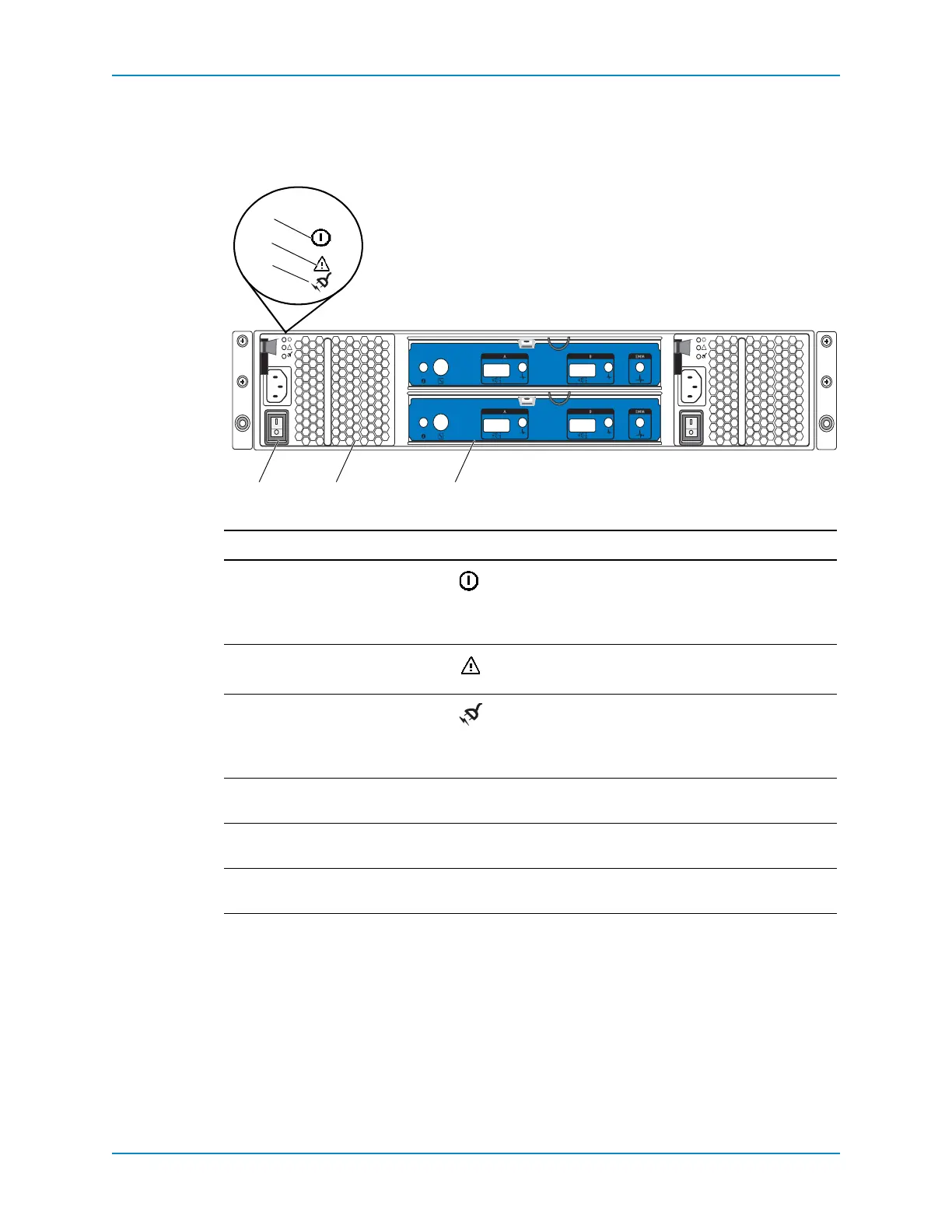
SC200/220 Back-Panel Features and Indicators
Theenclosurebackpanelprovidescontrolstopowerupandresettheenclosure,indicators
toshowtheenclosurestatus,andconnectionsforback‐endcabling.
Figure 19. SC200/SC220 Back Panel Features and Indicators
Item Name Icon Description
1DCpowerindicator • Green:Normaloperation.Thepowersupply
moduleissupplyingDCpowertotheenclosure.
• Off:Powerswitchisoff,thepowersupplyisnot
connectedtoACpower,orthereisafaultcondition
2Powersupply/cooling
fanindicator
• Amber:Powersupply/coolingfanfaultisdetected
• Off:Normal
operation
3ACpowerindicator • Green:Powersupplymoduleisconnectedtoa
sourceofACpower,whetherthepowerswitchison
• Off:Powersupplymoduleisdisconnectedfroma
sourceofACpower
4Powerswitches(2) — Controlspowerfortheenclosure.Thereisoneswitch
foreachpowersupply/coolingfanmodule.
5Powersupply/cooling
fanmodules(2)
—Containsa700Wpowersupplyandfansthatprovide
coolingfortheenclosure
6EnclosureManagement
Modules(2)
— EMMsprovidethedatapathandenclosure
managementfunctionsfortheenclosure
!
!
Compellent SC2
Compellent SC2



 To Next Page