Chapter 4 Connect the Front End
104 Storage Center SC8000 Controller Deployment Guide
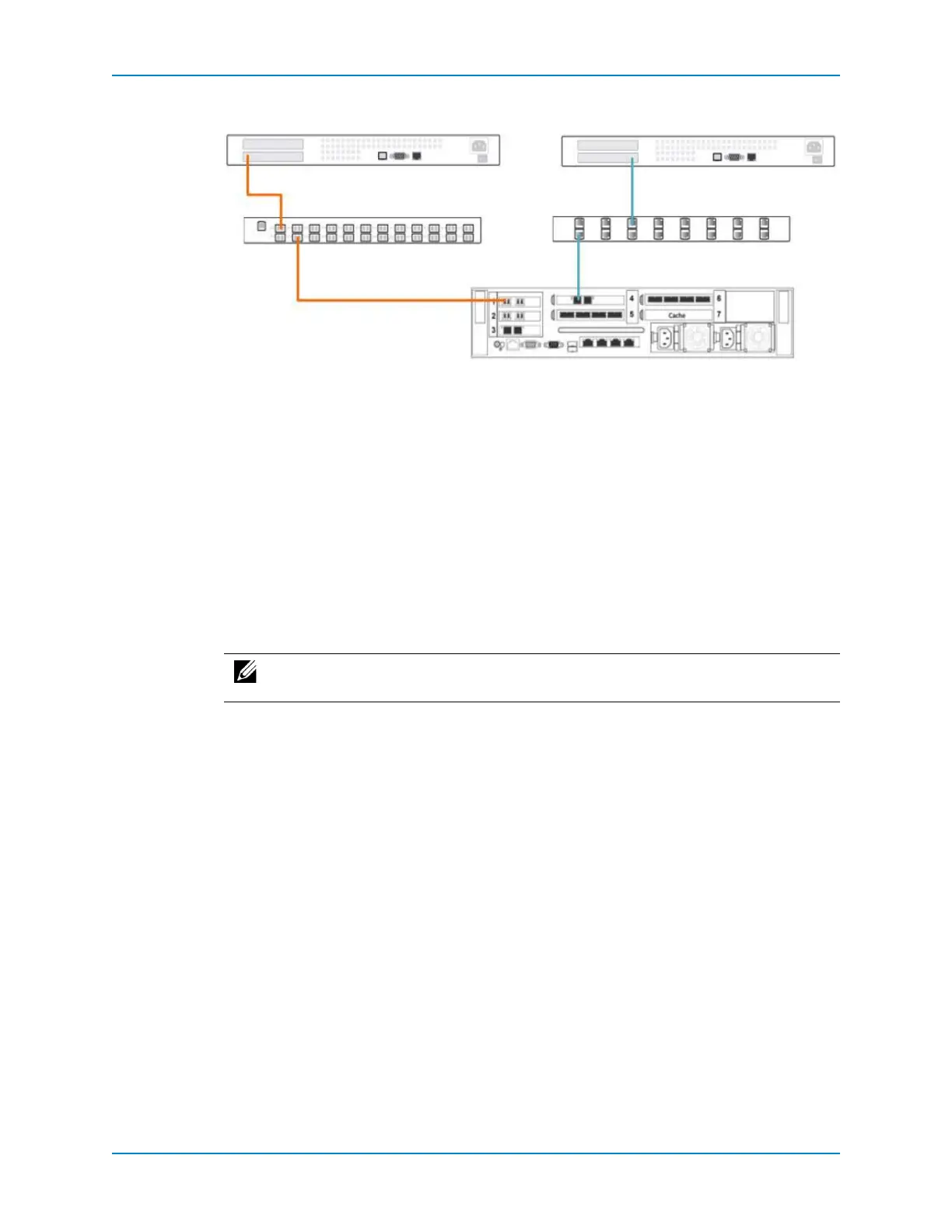
Figure 90. Single Controller Without Front-End Redundancy
See Also
FibreChannelZoningonpage 10 2
Connect Servers to a Single Controller with Redundancy
Connectserverstoasinglecontrollerusingredundancyifyouwanttoprotectagainstport
failureonthecontroller,switch,orserver.Inlegacymode,faulttoleranceisprovidedby
MPIOontheconnectedservers.Invirtualportmode,faulttolerancecanbeprovidedby
MPIOorcontrollerportfailoverwithin
eachfaultdomain.
Prerequisites
Thecontrollermusthavetwoavailablefront‐endportsforeachFCfabric,Ethernetswitch
(iSCSInetwork),andstandaloneFCserverthatyouwanttodirectlyconnect.
Steps
1 ConnecttheFCfabrics.
a ConnecttwocontrollerFCportstoeachFCfabric.
b ConnectoneormoreFCserverstoeachFCfabric,makingtwoconnectionsfrom
eachservertothefabric.
c ConfigureFCzoningtomeetthezoningrequirements.
IfyouareplanningtoconfigureFCinlegacymode,configurezoningtomeetthe
legacymodezoningrequirements.
IfyouareplanningtoconfigureFCinvirtualportmode,configurezoningto
meetthevirtualportmodezoningrequirements.
2 ConnecttheiSCSInetworks.
a ConnecttwocontrolleriSCSIportstoeachiSCSInetwork.
b ConnectoneormoreiSCSIserverstoeachiSCSInetwork,makingtwoconnections
fromeachserverto
thenetwork.
3 Duringthesoftwaresetupprocess,configurefaultdomainsbasedontheconnectivity
mode:
Legacymode:Createonefaultdomainforeachtransporttype(FCandiSCSI).
Note: iSCSIserversmustbeconnectedtoEthernetswitches. AniSCSIservercannot
bedirectlyconnectedtoafront‐endiSCSIportonthecontroller.
FC Server SCSI Server
FC Switch Ethernet Switch
Controller



 To Next Page