Chapter 5 Set up the Storage Center Software
144 Storage Center SC8000 Controller Deployment Guide
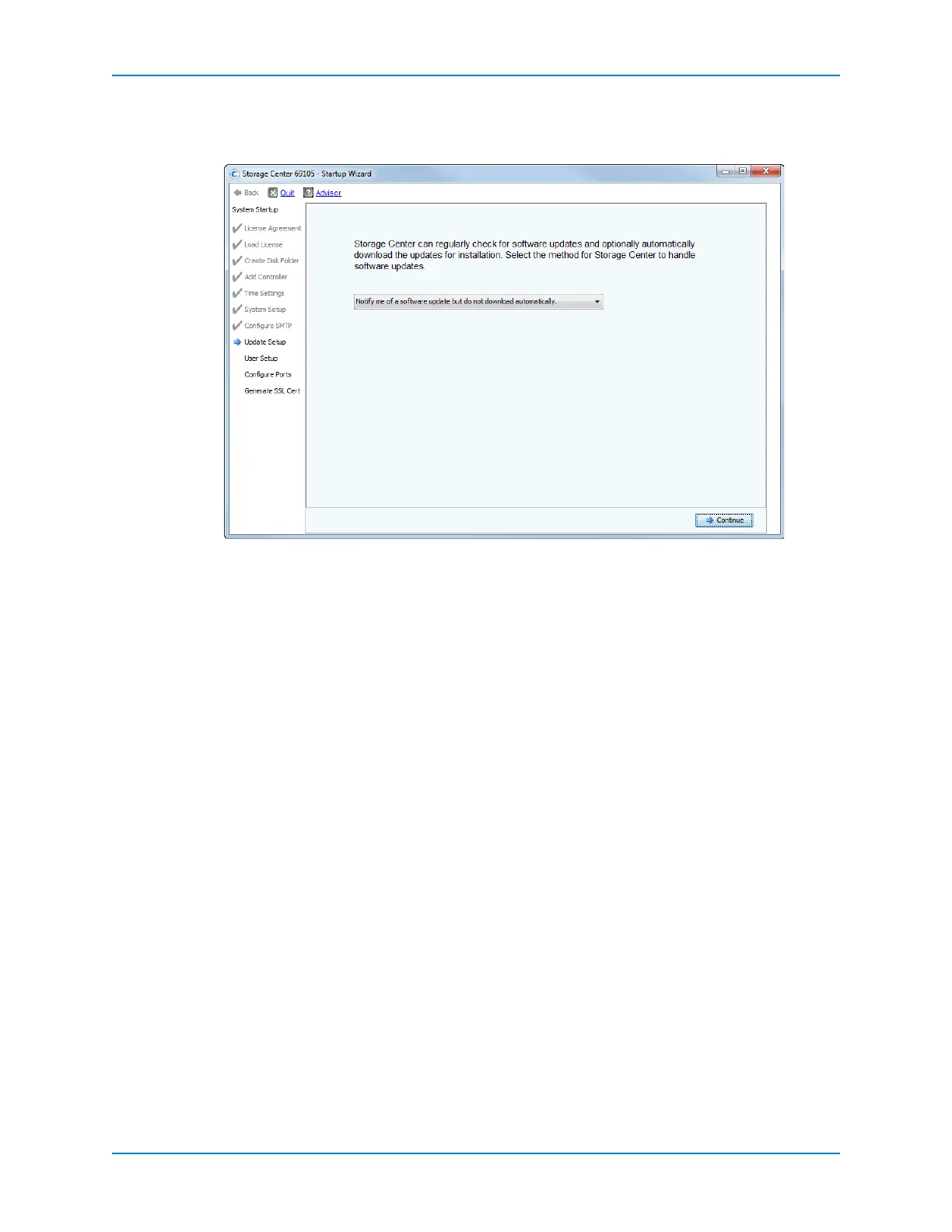
Select Update Option
UsetheUpdateSetuppagetoconfigurehowStorageCenterhandlessoftwareupdates.
1 Selectanupdateoptionfromthedrop‐downmenu:
Donotautomaticallycheckforsoftwareupdates:Selectthisoptiontodisable
automaticcheckingforupdates.Ifthisoptionisselected,thefollowi ngisstill
available:
ManuallycheckforupdatesbyselectingStorageManagement→System→
Update→CheckforUpdateasdescribedintheStorageCenterSystemManager
Administrator’sGuide.
ChangeupdateoptionsbyselectingStorageManagement→System→
Update→ConfigureAutomaticUpdatesasdescribedintheStorageCenter
SystemManagerAdministrator’sGuide.
Notifymeofasoftwareupdatebutdonotdownloadautomatically:Selectthis
optiontoautomaticallycheckforupdatesandreceivenotificationwhenanupdate
isavailable.Updatesarenotdownloadeduntilyouexplicitlydownloadtheupdate.
(Thisisthedefaultsetting.)
Downloadsoftwareupdatesautomaticallyandnotifyme:Selectthisoptionto
automaticallydownloadupdatesandreceivenotificationwhenthedownloadis
complete.
Nevercheckforsoftwareupdates(PhoneHomenotavailable):Selectthisoption
topreventthesystemfromeverchecking forupdates.Thisoptionisforsecuresites
atwhichPhoneHomeisnotavailable.
2 ClickContinue.TheUserSetuppageappears.



 To Next Page