Complete the Startup Wizard
Dell Compellent 143
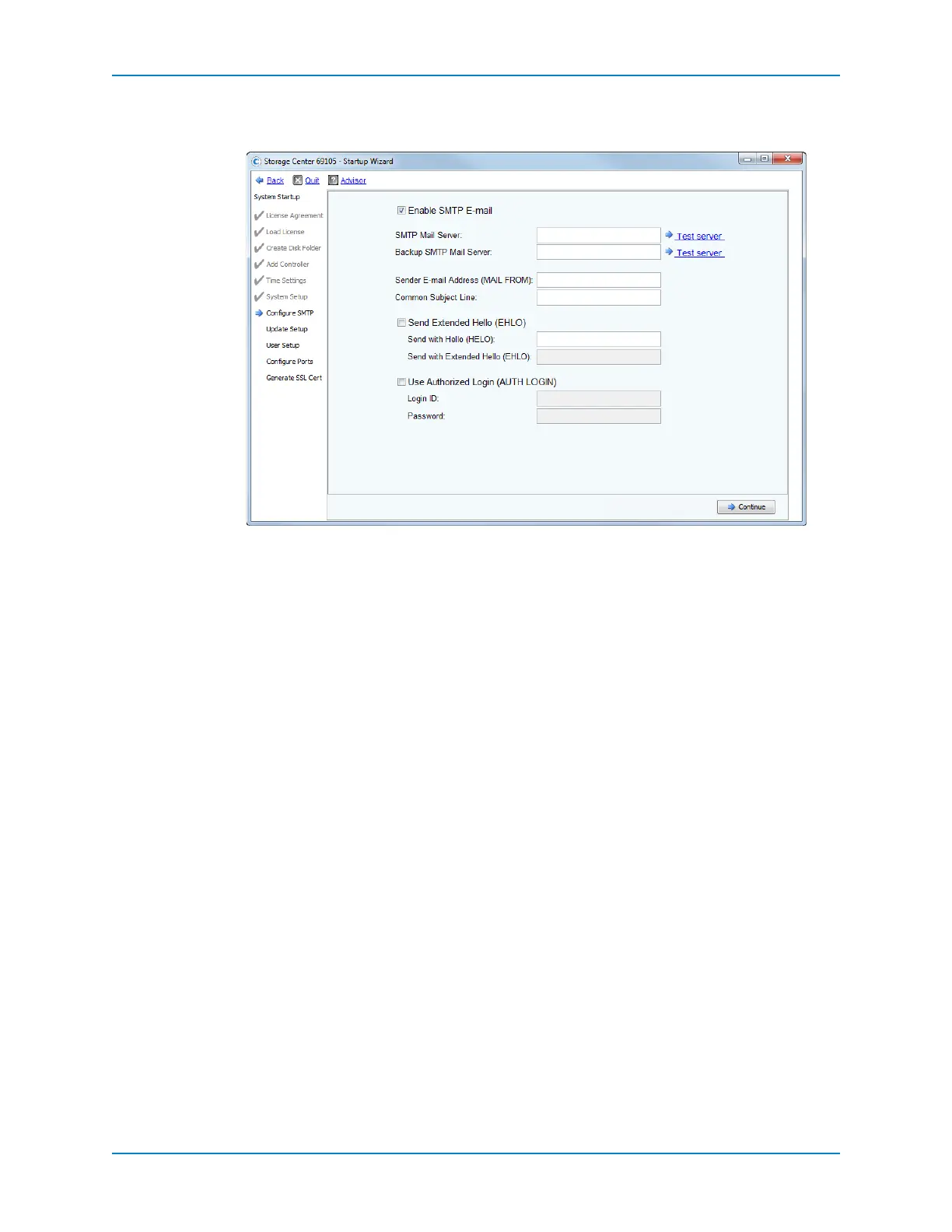
3 (Optional)ClickAdvancedtoconfigureadditionalSMTPsettingsforsitesthatusean
advancedSMTPconfiguration.Thepageforadvancedoptionsappears.
a VerifythattheEnableSMTPE‐mailcheckboxisselected.
b IntheSMTPMailServerfield,verifytheIPaddressorfullyqualifieddomainname
ofthe
SMTPmailserverthatyouenteredinStep 1onpage 142.Modifythisfieldif
necessary.
c IntheBackupSMTPMailServerfield,entertheIPaddressorfullyqualified
domainnameofthebackupSMTPmailserver.
d ClickTestservertotesttheconnection(s).
e IntheSenderE‐mailAddress
(MAILFROM)field,verifytheemailaddressofthe
senderthatyouenteredinStep 2onpage 142.Modifythisfieldifnecessary.
f IntheCommonSubjectLinefield,enteracommonsubjectlineforallemailsfrom
StorageCenter.
g (Optional)SelectSendExtendedHello(EHLO)toconfigureuseofextended
hello
formailsystemcompatibility.
Insteadof beginningthesessionwiththeHELOcommand,thereceivinghostissues
theHELOcommand.Ifthesendinghostacceptsthiscommand,thereceivinghost
thensendsitalistofSMTPextensionsitunderstands,andthesendinghostthen
knowswhichSMTPextensionsit
canusetocommunicatewiththereceivinghost.
ImplementingExtendedSMTP(ESMTP)requiresnomodificationoftheSMTP
configurationforeithertheclientorthemailserver.
h (Optional)SelectUseAuthorizedLogin(A UTHLOGIN)andentertheLoginID
andPasswordiftheemailsystemrequirestheuseofanauthorized
login.
4 ClickContinue.TheUpdateSetuppageappears.



 To Next Page