Complete the Startup Wizard
Dell Compellent 147
Configure Ports
UsetheConfigurePortspagetoconfigurethefront‐endandback‐endports.
Select the Front-End Connectivity Mode(s)
Selectthefront‐endconnectivitymodeforeachtransporttype(FCand/oriSCSI).Ifvirtual
portmodeislicensed,thetransporttypescanbeconfiguredtousedifferentmodes.If
virtualportmodeisnotlicensed,alltransporttypesmustuselegacymode.
Configure Ports When Virtual Port Mode Is Not Licensed
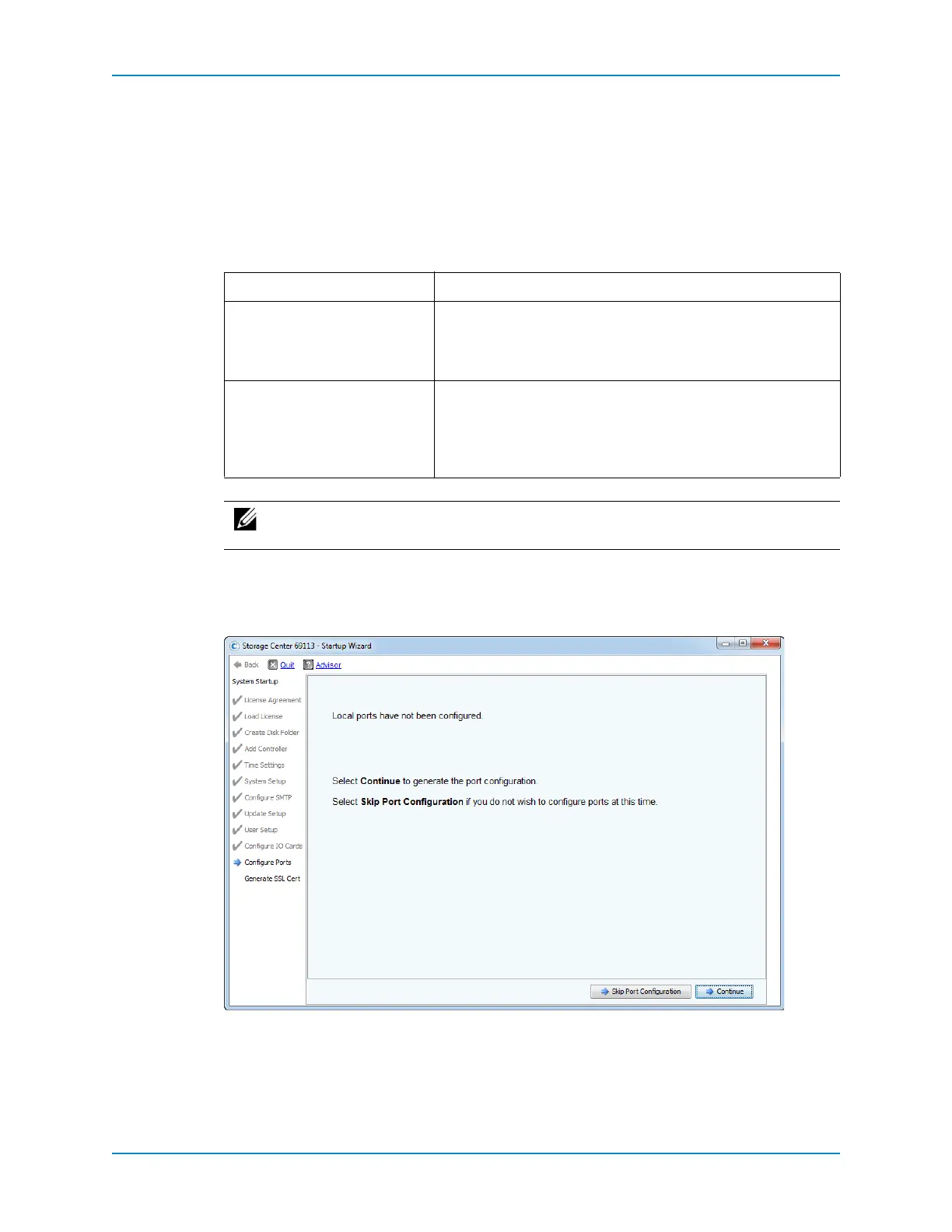
IfVirtualPortsisnotlicensed,thewizardinformsyouthatthelocalportshavenotbeen
configured.
1 ClickContinuetogeneratetheinitialportconfiguration.
Whiletheinitialportconfigurationisbeinggenerated,theStartupWizarddisplaysa
pageshowingprogress.Aftertheconfigurationhasbeengenerated,itisautomatically
validated.
If … Then …
VirtualPortsisNotLicensed AlltransporttypesuseLegacyMode.Inthiscase,theStartup
WizarddisplaystheInitialPortConfigurationpage.To
continue,gotoConfigurePortsWhenVirtualPortModeIsNot
Licensedonpage 147.
VirtualPortsisLicensed FCandiSCSItransporttypescanuselegacymodeorvirtual
port
mode.Inthiscase,theStartupWizarddisplaysanoperational
modechoicepagethatallowsforthechoicebetweenmodesfor
eachsupportedtransporttype.Tocontinue,gotoConfigure
PortsWhenVirtualPortModeIsLicensedonpage 149.
Note: Toskipportinitializa tionorifthereisnoFCswitchsetup,clickSkipPort
Initialization.



 To Next Page