Chapter 5 Set up the Storage Center Software
148 Storage Center SC8000 Controller Deployment Guide
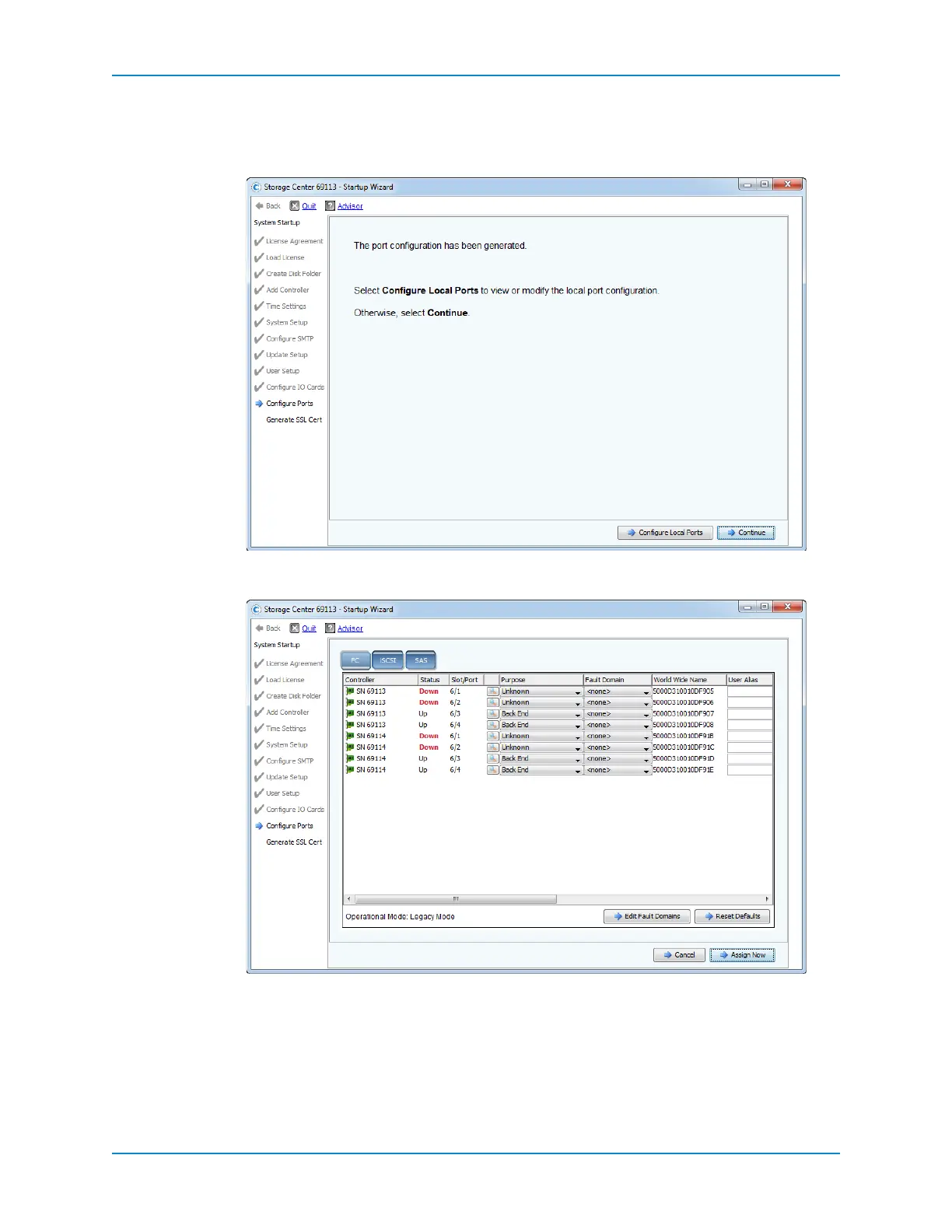
Ifthevalidationissuccessful,aconfirmationpageappearsstating thattheport
configurationhasbeengenerated.
Ifthevalidationfails,apagedisplayingwarningsappears.
2 ClickConfigureLocalPorts.ThewizarddisplaysatabforeachtypeofIOcardthatis
installedinthe StorageCenter(F C,iSCSI,andSAS).
3 ConfigurethePurpose,FaultDomain, andUserAliasforalltransporttypes.See
Configure
LocalPortsonpage 154.
4 Whenyouarefinishedconfiguringthelocalports,clickAssignNow.Thewizard
informsyouthattheportconfigurationhasbeengenerated.



 To Next Page