Install Drives in EN-SASx6x12/24 Enclosures
Dell Compellent 51
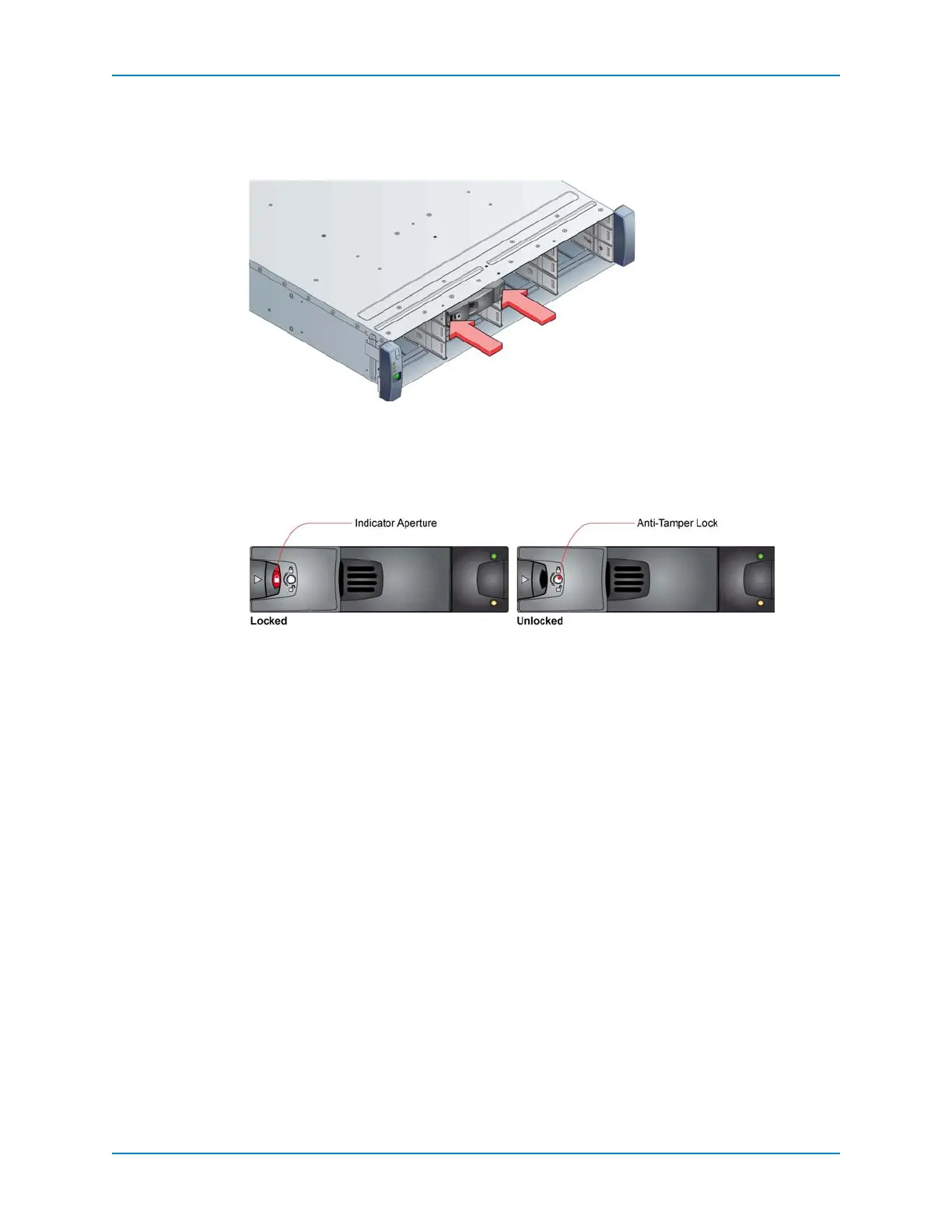
5 Rotatethehandleuntilitfullyengagesandclicksintoplace.
6 Makesurethatalldrivecarriersarefullyengagedintheenclosurebyfirmlypushing
eachoneintotheslot.
Figure 47. Engaging a Drive Carrier Module in an Enclosure
7 Activatetheanti‐tamperlocksbyinsertingthekeyintothecutoutinthehandle.
8 Rotatethekeyclockwise
untiltheindicatorisvisibleintheaperturebesidethekey.
9 Removethekey.
Figure 48. Activating the Anti-tamper Lock
10 Whentheenclosureisturnedonandthedrivesspinup,makesurethatthedriveLEDs
areon(green),indicatingnormalconditions.
See Also
EN‐SASx6x12/24StandardSASDrivesonpage 29



 To Next Page