Chapter 2 Install the Hardware
36 Storage Center SC8000 Controller Deployment Guide
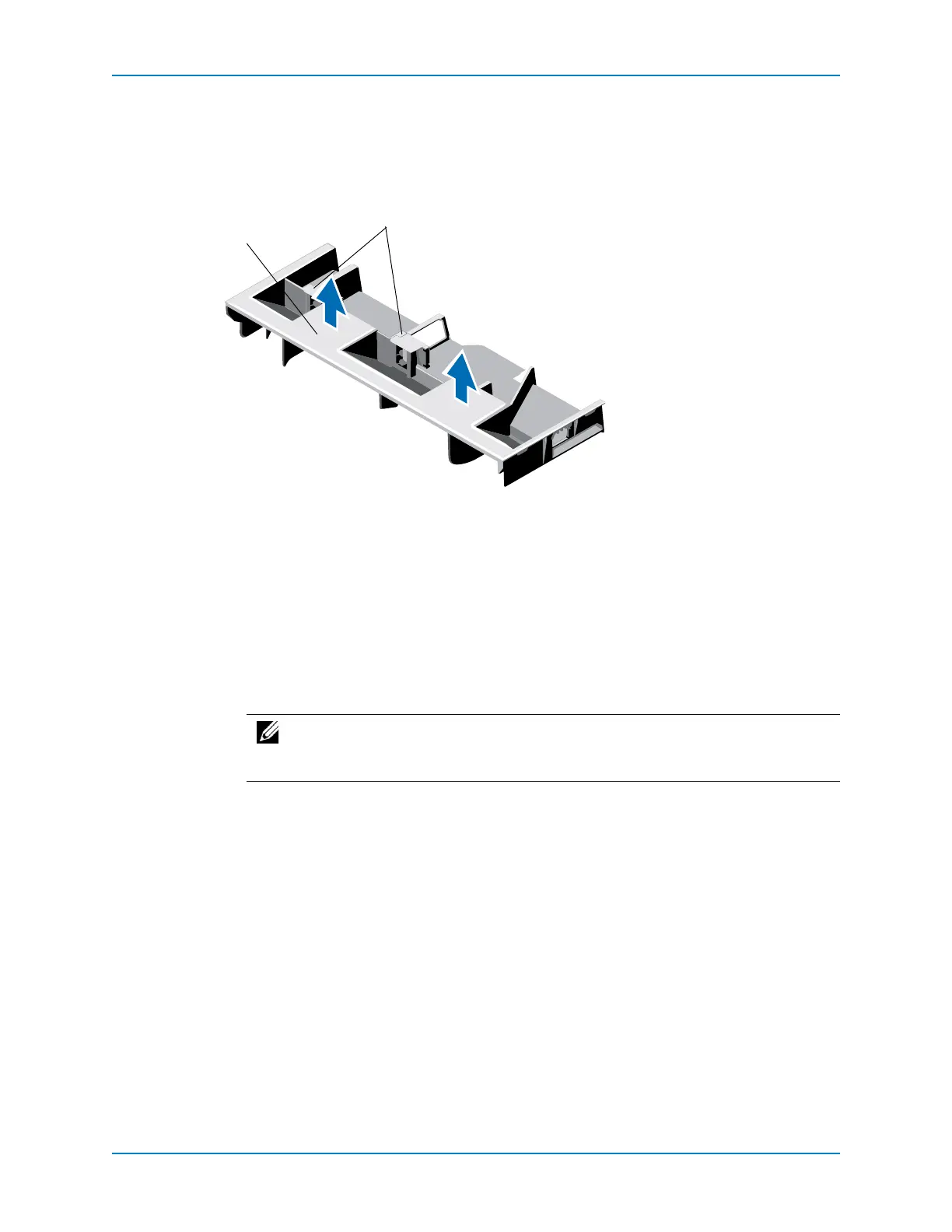
Remove the Cooling Shroud
Removethecoolingshroudtogainaccesstothememorysockets.
1 Holdontothetwotouchpointsofthecoolingshroud.
2 Liftthecoolingshroudawayfromthecontroller.
Figure 33. Removing and Inserting the Cooling Shroud
Insert the Cooling Shroud
Usethisproceduretoinstallthe coolingshroud.
1 Alignthetabsonthecoolingshroudwiththesecuringslotsonthechassis.
2 Lowerthecoolingshroudintothechassisuntilitisfirmlyseated.
1 Cooling shroud
2 Touch points
Note: Forproperseatingofthecoolingshroudinthechassis,ensurethatthe
cablesinsidethecontrollerareroutedalongthechassiswallandsecuredusing
thecablesecuringbracket.



 To Next Page