96
BHT-1300B series
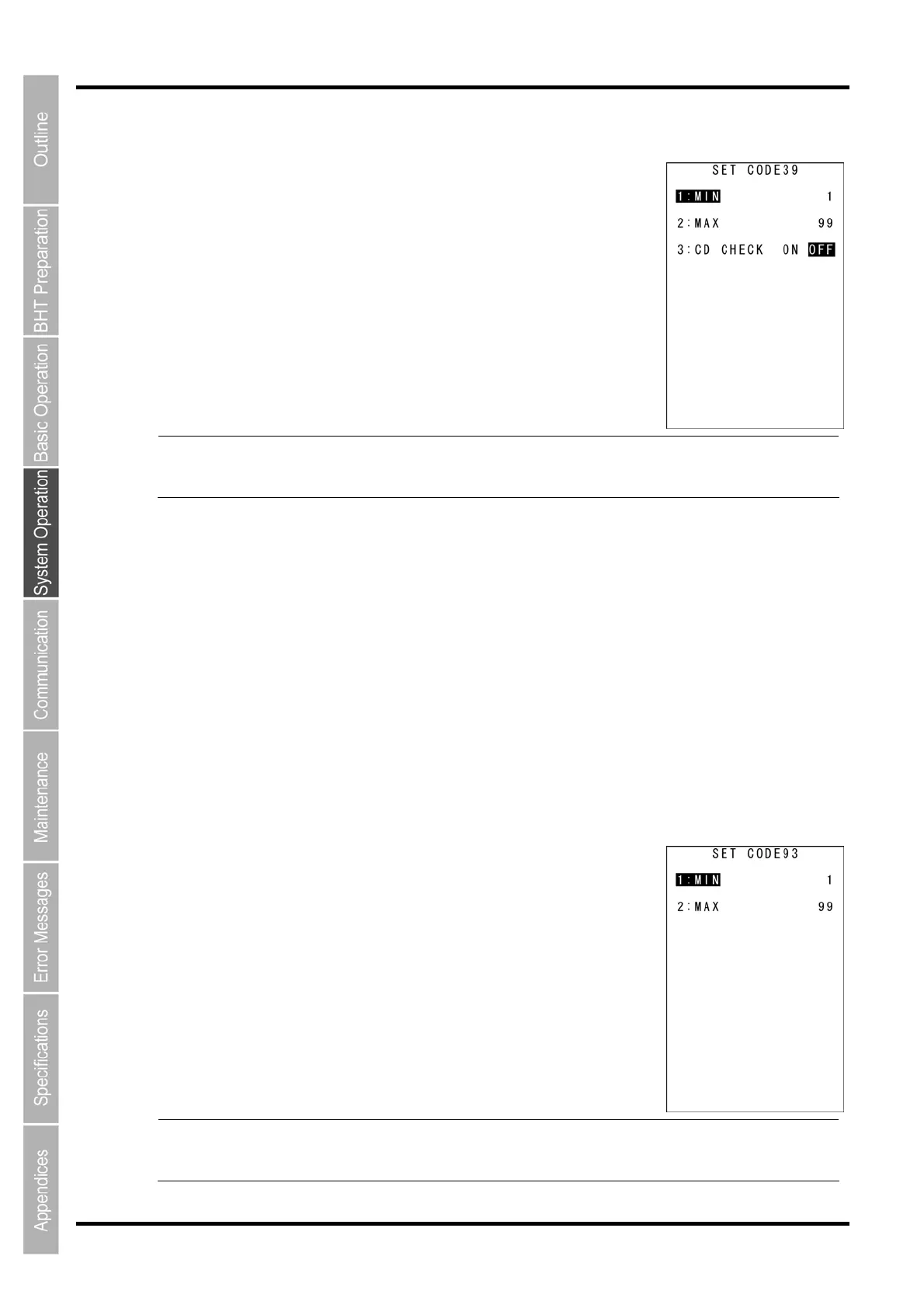
“4: CODE39”: Detailed settings for Code 39
1. Select “4: CODE39” at the SET BARCODE menu and then press the
ENT key.
The SET CODE39 screen is displayed.
“1: MIN”:
Set minimum number of digits of Code 39
Setting range: 1–99
“2: MAX”:
Set maximum number of digits of Code 39
Setting range: 1–99
- Point - Make sure that the minimum number of digits is less than the maximum number of digits. I
the value of minimum number of digits is larger than the maximum number of digits, erro
occurs during the reading.
“3: CD CHECK”:
“ON” : Reading is impossible when check digits are incorrect or missing.
“OFF”: Reading is performed regardless of the use of check digits.
2. Use the cursor keys ([▲] [▼]) or numerical keys ([1] [2] [3]) to select the item to be set.
3. Use the cursor keys ([◄] [►]) to select settings value.
4. Press the ENT key or BS/C key for the settings value to be valid and then return to the SET
BARCODE screen.
“5:CODE93”: Detailed settings for Code 93
1. Select “5: CODE93” at the SET BARCODE menu and then press the
ENT key.
The SET CODE93 screen is displayed.
“1: MIN”:
Set minimum number of digits of Code 93
Setting range: 1–99
“2: MAX”:
Set maximum number of digits of Code 93
Setting range: 1–99
- Point - Make sure that the minimum number of digits is less than the maximum number of digits. I
the value of minimum number of digits is larger than the maximum number of digits, erro
occurs during the reading.



 To Next Page