195
Barcode Handy Terminal
[2] Uploading the BHT system parameter file
1. Use the cursor keys ([▲] [▼]) or numerical key ([2]) to highlight
[2: UPLOAD] and then press the ENT key.
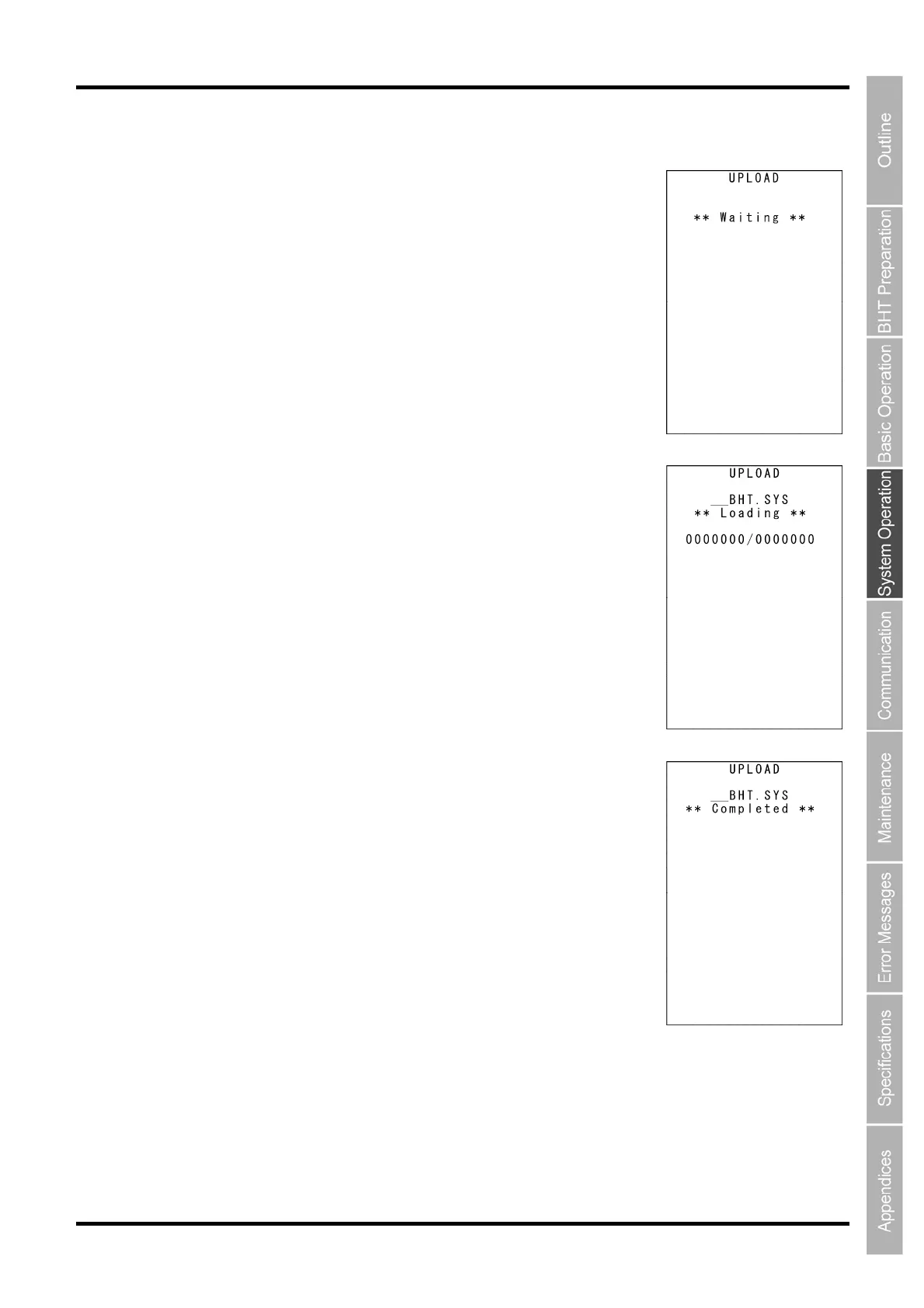
The screen on the right indicating that the BHT is waiting for the system
parameter file to be uploaded is displayed.
2. While the upload is in progress, the screen on the right indicating
the file name and the number of sent records/the total number of
records is displayed.
Press the BS/C key to abort the upload and return to the SYSTEM
PARAMETER menu.
3. Upon completion of uploading, the screen shown on the right is
displayed and the speaker beeps once.
Press and hold the BS/C key to return to the SYSTEM PARAMETER
menu.
The speaker sounds three times if an error occurs during uploading, and
an error screen is displayed.
Refer to Chapter 7 “Error Messages” - 7.2 “System Mode Errors” and
remedy the error.



 To Next Page