80
BHT-1300B series
4.5.6 System Environment Settings (SET SYSTEM Menu)
Use the following procedure to set the system environment.
1. Select “4: SET SYSTEM” at the SYSTEM MENU and then press the
ENT key.
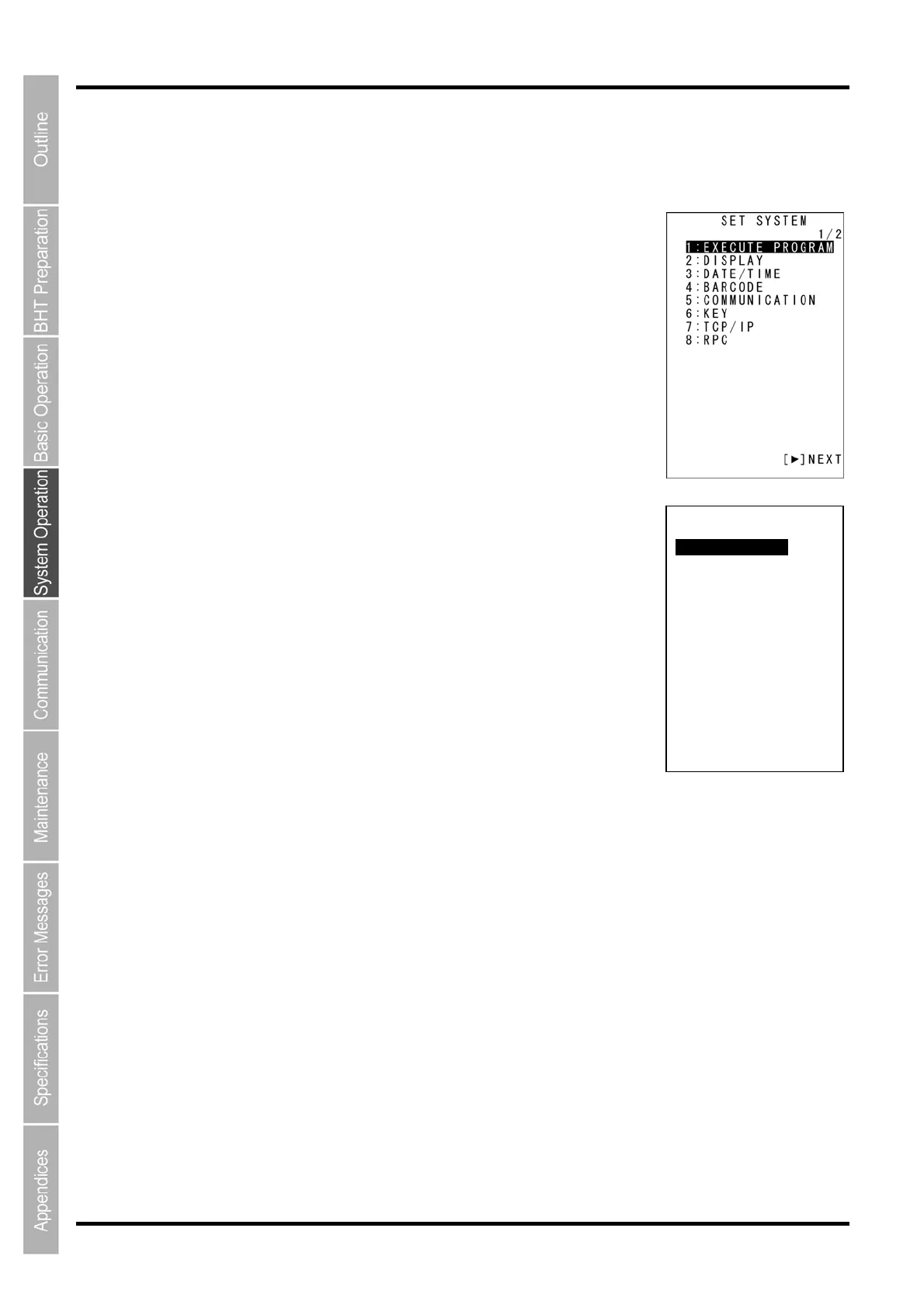
The SET SYSTEM menu screen on the right is displayed.
SYSTEM MENU 1/2
“1: EXECUTE PROGRAM”:
Sets the auto-start execution program to be executed when the power is
turned ON.
“2: DISPLAY”:
Sets the message version (English or Japanese).
“3: DATE/TIME”:
Sets the calendar clock (date and time).
“4: BARCODE”:
Sets the code scanning conditions (black/white inverted label scanning
function, decode label), minimum number of scan digits for scan codes
(ITF, STF, Codabar).
“5: COMMUNICATION”:
Sets the communication environment (interface port and communication
parameters).
“6: KEY”:
Defines the functions of the shift key and magic keys.
“7: TCP/IP”:
Displays the TCP/IP, FTP, and DHCP settings menu.
“8: RPC”:
Sets the communication method with the BHT Manager.
SYSTEM MENU 2/2
“1: EXEC PROG OPT”:
Sets the resume function.
“2: DRIVE TOOL”:
Performs the drive related operation.
“3: OPERATION LOG”:
Sets whether or not to create a log from data collected by the BHT Manager.
“4: IME”:
Sets the Japanese language.
Refer to the following section for details of the above items.
Press the BS/C key to return to the SYSTEM MENU.
SET SYSTEM
2/2
1:EXEC PROG OPT
2:DRIVE TOOL
3:OPERATION LOG
4:IME
[◀] BACK



 To Next Page