164
BHT-1300B series
13. Use the cursor keys ([▲] [▼]) or numerical key ([2]) to
highlight [2: WPA CIPHER] and then press the ENT key.
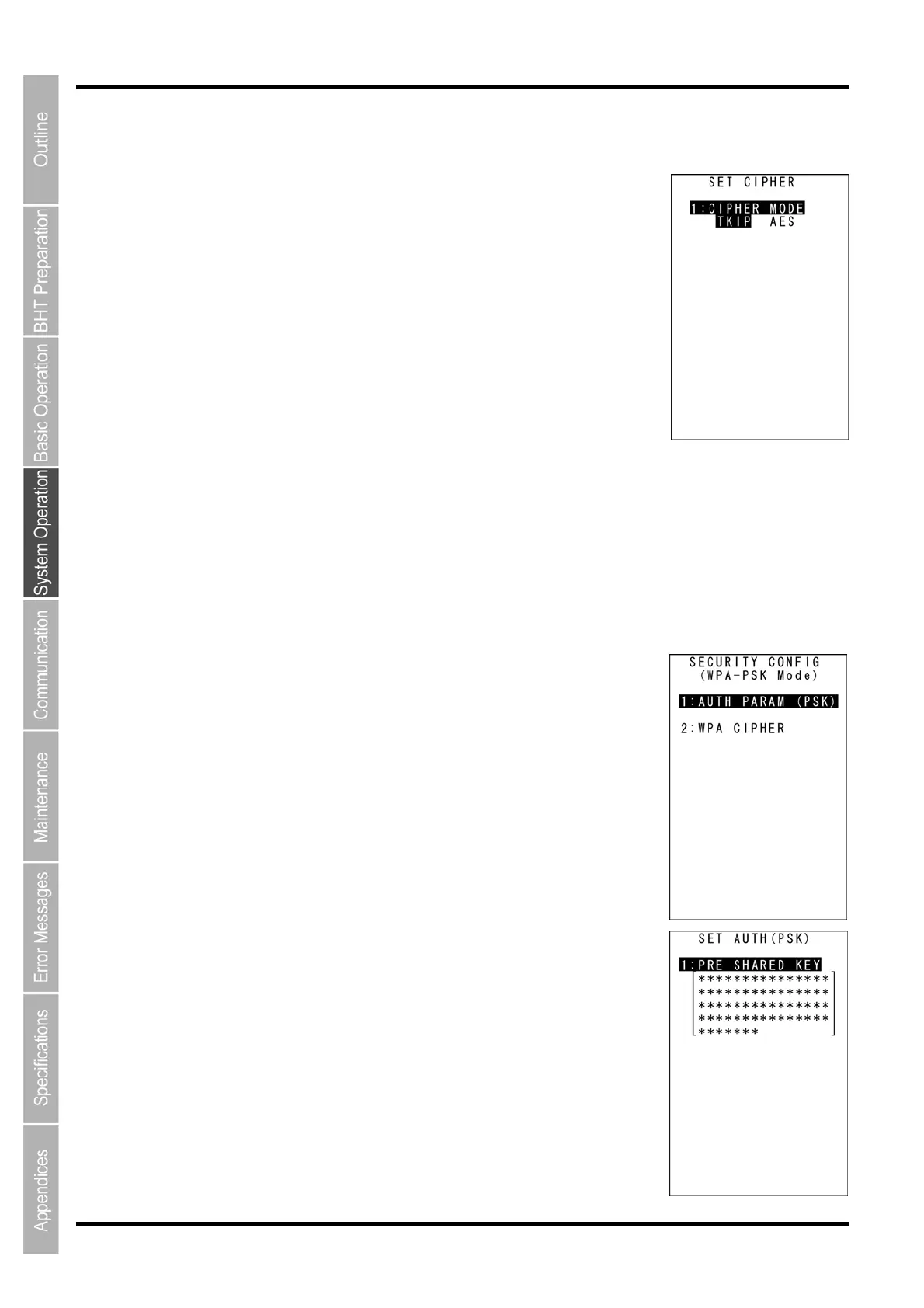
The screen on the right is displayed.
[1: CIPHER MODE]: Selects TKIP or AES.
14. Ensure that [1: CIPHER MODE] is highlighted and then select
TKIP or AES.
Select TKIP to use TKIP.
Select AES to use AES.
15. Press the ENT key or BS/C key to return to the SECURITY
CONFIG menu.
Wireless Security WPA-PSK Mode
PSK authentication and an encryption system can be used with wireless security WPA-PSK mode.
1. Select “2: CONFIGURATION” at the SET SECURITY menu and then
press the ENT key.
The screen on the right is displayed.
[1: AUTH PARAM (PSK)]: PSK authentication parameter setting
[2: WPA CIPHER]: Encryption system setting
Press and hold the BS/C key to return to the SET SECURITY menu.
2. Use the cursor keys ([▲] [▼]) or numerical key ([1]) to highlight [1:
AUTH PARAM (PSK)] and then press the ENT key.
The screen on the right is displayed.
[1: PRE SHARED KEY]: Sets the shared key.



 To Next Page