21
Barcode Handy Terminal
2.4 Initial Setup
Turn ON the power after inserting the fully charged battery cartridge into the BHT.
The clock will not have been set at the time of purchase, and therefore it is necessary to set the date and time when
turning ON the power for the first time.
1. Press the Power key ( ) to turn ON the BHT power.
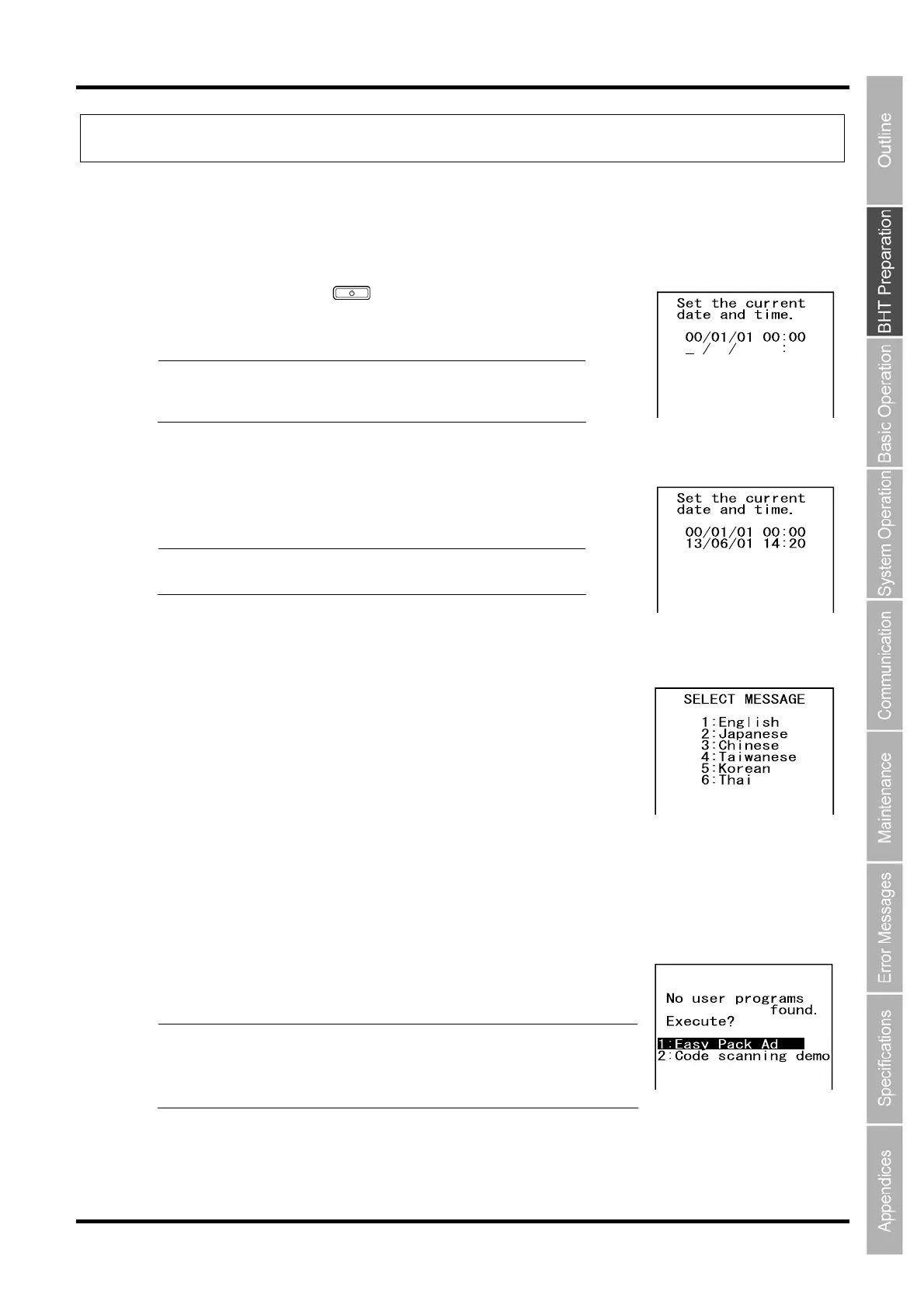
The screen on the right is displayed.
Point Press the Power key at least 1 second after data
backup. Refer to “Turning OFF the Power” on data
backup.
2. Enter the date and time using the numeric keys.
[Ex.] : June 1, 2013, 14:20
Point Enter the last two digits for the year, and enter the
time in 24-hour clock format.
3. Press the Enter key to set the date and time.
The screen on the right is displayed when the data and time are set.
Press the numerical key of the desired message language.
1: English Displays the message in English.
2: Japanese Displays the message in Japanese.
3: Chinese Displays the message in Chinese (Simplified Chinese).
4: Taiwanese Displays the message in Chinese (Traditional Chinese).
5: Korean Displays the message in Korean.
6: Thai Displays the message in Thai.
4. Press the ENT key to fix the message language you want to display.
The screen on the right is displayed when the message language is
determined.
Point Any font files other than the specified language file are
removed.
The font files can be downloaded from our QBdirect website
for free of charge.



 To Next Page