116
BHT-1300B series
[8] Setting the RPC
The BHT-1300 series is compliant with the BHT Manager software (host-side tool). The RPC screen
displays the settings used to communicate with the BHT Manager software.
For details, refer to the “BHT Manager User’s Manual”. The following explains only the operation of this
menu and an outline of the settings.
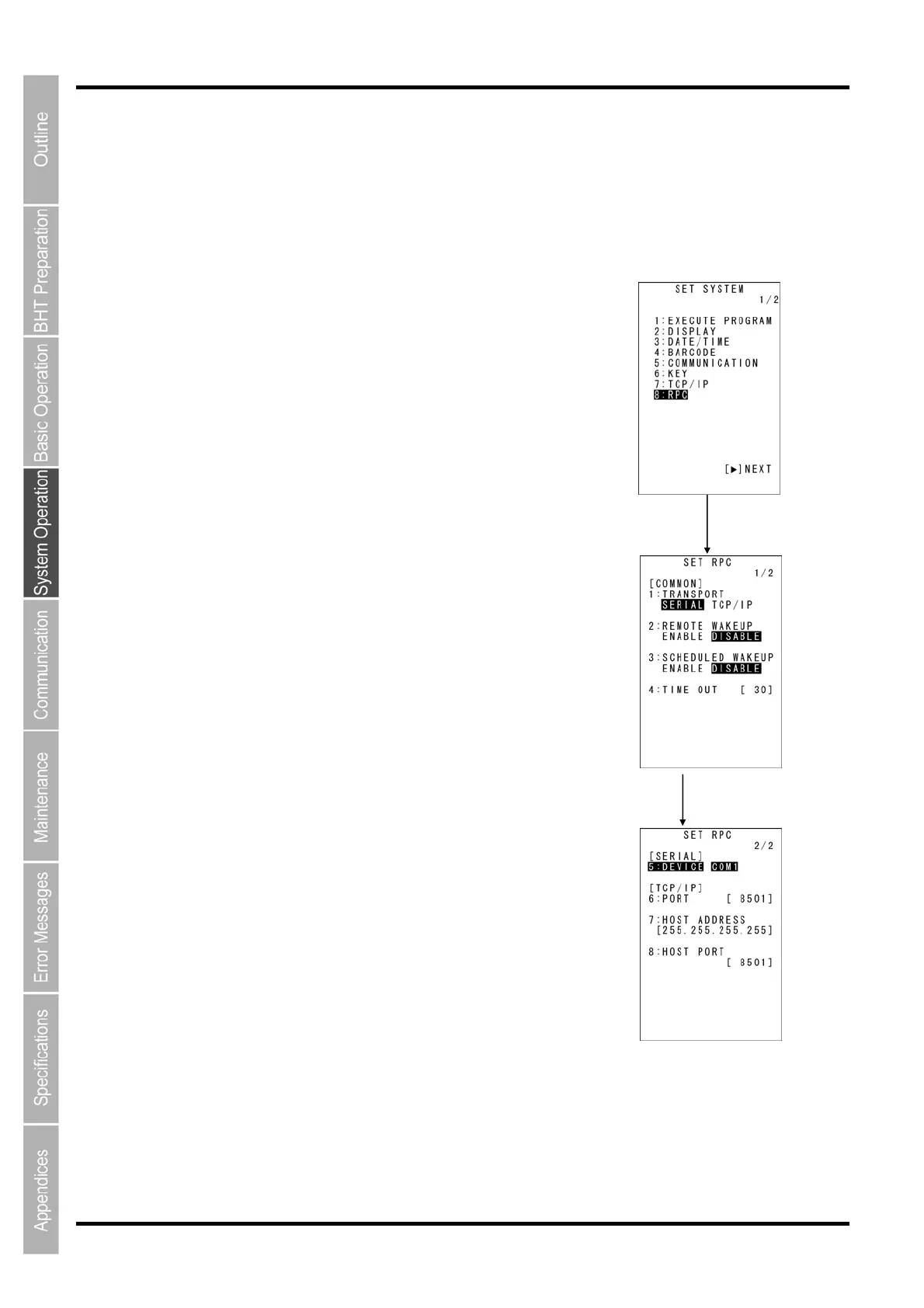
1. Select “8: RPC” from the SET SYSTEM Menu 1/2 and then press
the ENT key.
The SET RPC screen on the right will display.
The highlighted setting is the current setting.
“1: TRANSPORT”:
Selects the communication path for communicating with the BHT
Manager.
“2: REMOTE WAKEUP”:
Sets the PRC remote wakeup.
“3: SCHEDULED WAKEUP”:
Sets the scheduled wakeup.
“4: TIMEOUT”:
Sets the communication time out interval.
“5: DEVICE COM1”:
Sets the COM port when a serial communication path is used.
“6: PORT”:
Sets the port number for RPC.
“7: HOST ADDRESS”:
Sets the BHT Manager HOST-IP.
“8: HOST PORT”:
Sets the port number for the BHT Manager line connection notification.
The selected value will then be set.
2. Use the cursor keys ([◄] [►]) to select each setting value.
3. Press the ENT key.
Select items with
the [▲] and [▼] keys.
ENT key



 To Next Page