135
Barcode Handy Terminal
◆ Other files (*.DAT, *.TXT, etc.)
1. Use the cursor keys ([▲] [▼]) to select a file, and then press the ENT key.
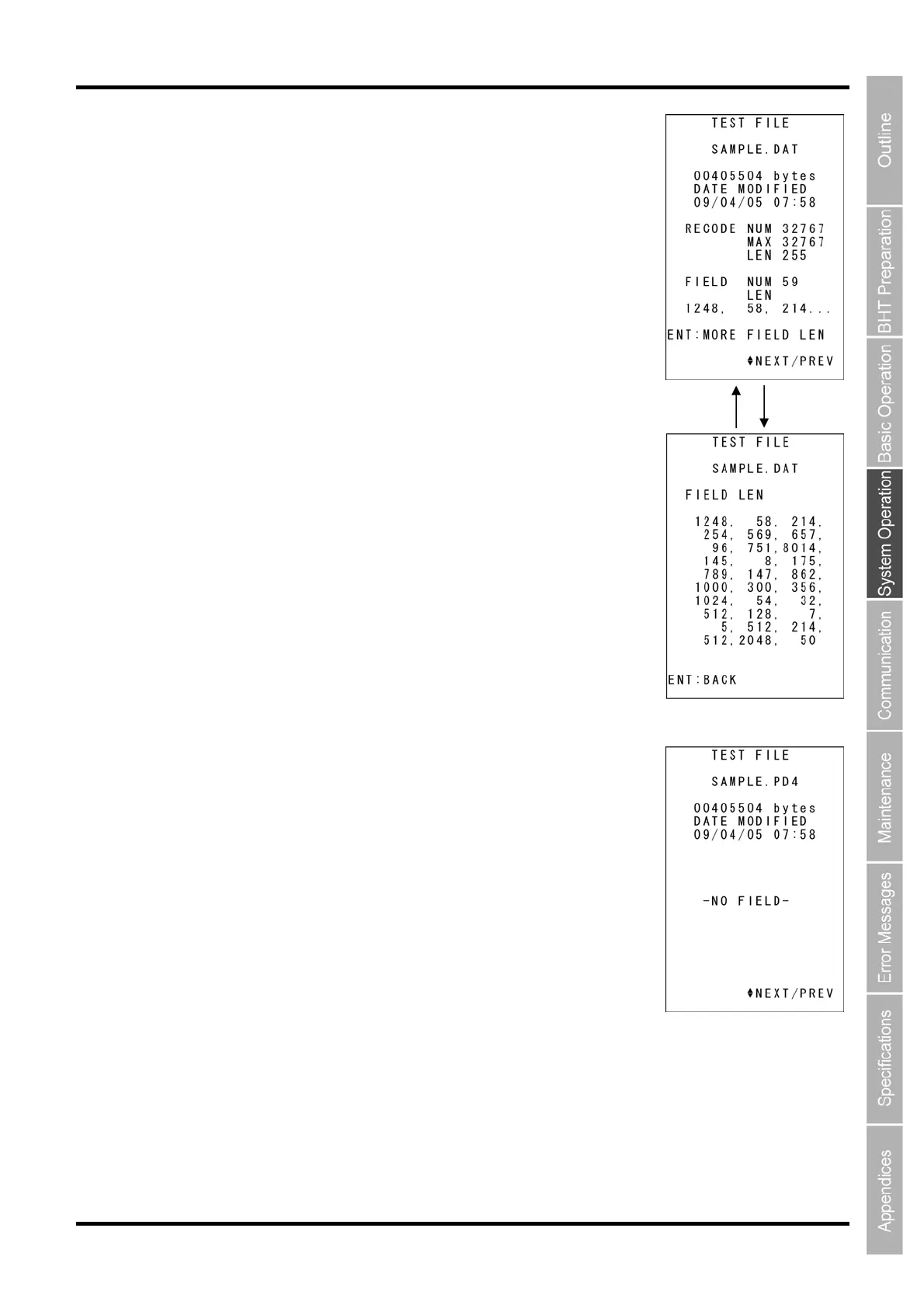
If field information is available, press the F1 key to display the next screen. To
return to the previous screen, press the F1 key again, or press the BS/C key.
In addition, when there are four or more fields, “MORE FIELD LEN” and a
guide will display.
If field information is not available, the screen on the right will display.
Press and hold the BS/C key to return to the previous screen.
Switch with the F1 key



 To Next Page