155
Barcode Handy Terminal
Press and hold the BS/C key to return to the SET RF PARAMETER screen.
Wireless Network Parameter Settings
1. Select “1: NETWORK PARAMETER” at the SET RF NETWORK menu
and then press the ENT key.
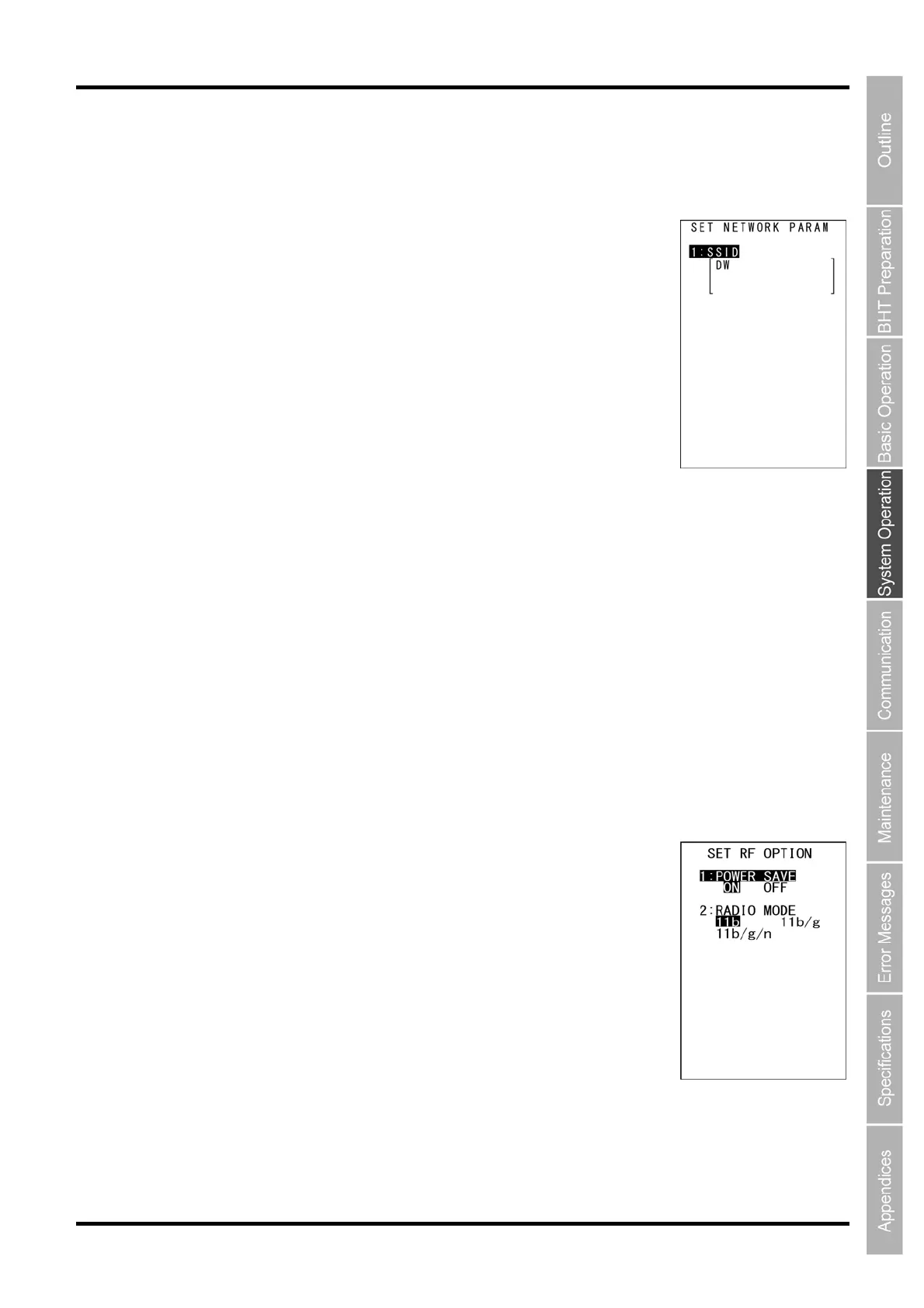
The screen on the right is displayed.
[1: SSID]: Displays the current Service Set ID.
Refer to Chapter 5 “Communication” – 5.2 “Wireless Communication” for
details on the Service Set ID.
2. Ensure that [1: SSID] is highlighted and press the ENT key.
The mode changes to entry mode and the cursor is displayed.
3. Use the numerical keys and dot key to enter the Service Set ID.
Press the SF and the BS/C key to change the entry mode (numerical entry (no guidance display) and
alphabet entry).
To delete a single character, press the BS/C key. To delete the entire entry,
press and hold the BS/C key, or press the SF key and BS/C key simultaneously.
4. Enter the Service Set ID and press the ENT key.
The entered Service Set ID is set.
5. Press and hold the BS/C key to return to the SET RF NETWORK screen.
Wireless Network Option Settings
1. Select “2: RF OPTION” at the SET RF NETWORK menu and then
press the ENT key.
The screen on the right is displayed.
The highlighted settings are the current settings.
[1: POWER SAVE]: Sets the power saving mode.
[2: RADIO MODE]: Sets the the wireless mode.
2. Use the cursor keys ([▲] [▼]) or numerical keys ([1] [2]) to highlight the
item to be set.
3. Use the cursor keys ([◄] [►]) to highlight each setting value.
4. Press the ENT key or BS/C key to return to the SET RF NETWORK menu.



 To Next Page