156
BHT-1300B series
Refer to Chapter 5 “Communication” – 5.2 “Wireless Communication” for details of the above setting
items.
Wireless Security Settings
1. Select “2: SECURITY” at the SET RF PARAMETER menu and
then press the ENT key.
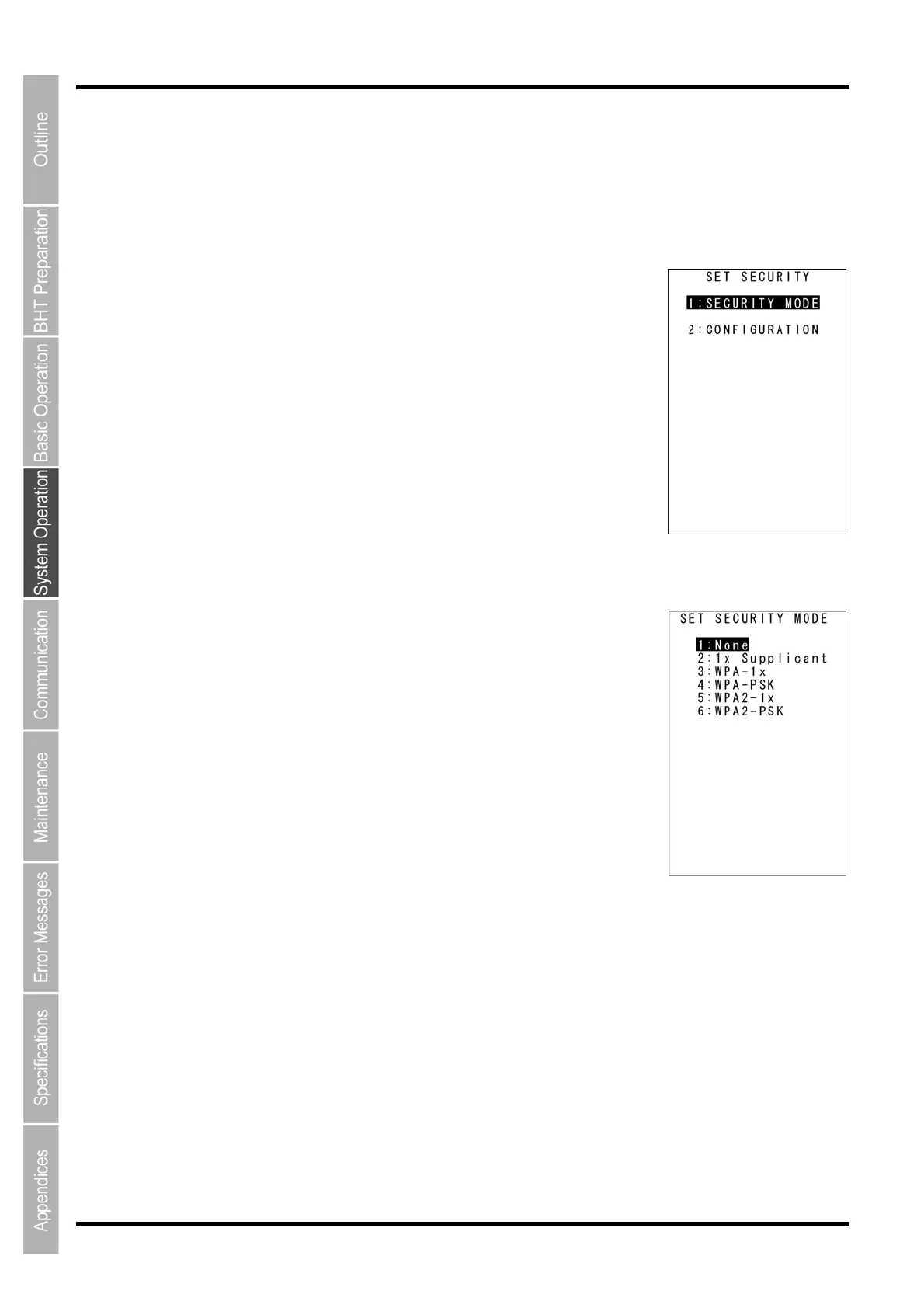
The screen on the right is displayed.
[1:SECURITY MODE]: Sets up the wireless security mode.
[2:CONFIGURATION]: Sets up the wireless security parameters.
Refer to the following section for details of the above items.
Press and hold the BS/C key to return to the SET RF PARAMETER
screen.
Wireless Security Mode Settings
1. Select “1: SECURITY MODE” at the SET SECURITY menu and
then press the ENT key.
The screen on the right is displayed.
The highlighted setting is the current setting.
[1: None]: None mode
[2: 1x Supplicant]: 1x Supplicant mode
[3: WPA-1x]: WPA 1x mode
[4: WPA-PSK]: WPA-PSK mode
[5: WPA2-1x]: WPA2-1x mode
[6: WPA2-PSK]: WPA2-PSK mode
2. To change the settings, use the cursor keys ([▲] [▼]) or numerical
keys ([1] [2] [3] [4] [5] [6]) to highlight each setting value.
3. Press the ENT key or BS/C key to return to the SET SECURITY menu.



 To Next Page