63
Barcode Handy Terminal
When communication is complete, the screen will return to the CLONE MENU (the previous screen.)
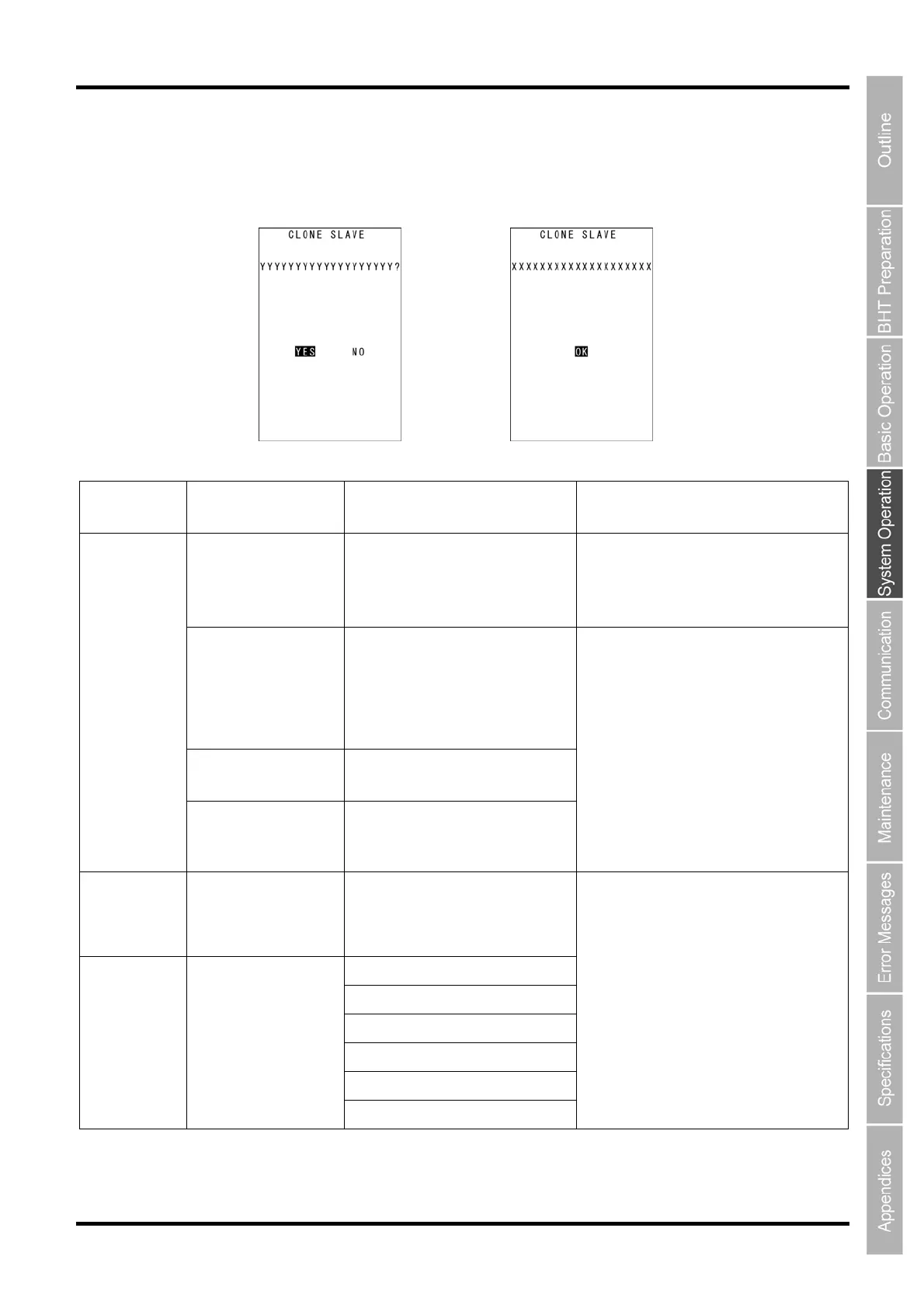
In the event of a communication error, “Screen 2” below will appear.
Screen 1: Error occurrence Screen 2: Error/correctly completed
List of possible errors when cloning
Processing
Phase
Outline Displayed Message Operations Following Error
BHT models are
different.
Different model on master side
(slave side).
Continue?
When screen 1 appears, select Yes/No.
Y: Continue processing (OS and OS
settings will not be copied.)
N: Suspend processing
OS update not
possible (when
HT-HT copy mode
designations, and
initialization are
required.)
OS cannot be updated.
Cloning will be stopped.
Number of files
exceeded
Too many files.
Cloning will be stopped.
Directly After
Clone Start
Memory capacity
exceeded
Insufficient memory on
slave side.
Cloning will be stopped.
Screen 2 appears, and processing is
suspended.
When Clone is
Complete
OS settings cannot
be performed. (No
item/outside value
range.)
Some items could not be set on
slave side. (N items)
Out of memory
File mismatch
Too many files
File error
Program file error
During
Communication
Communication error
Communication error
Screen 2 appears, and processing is
complete.



 To Next Page