7
Barcode Handy Terminal
1.2.2 Keypad
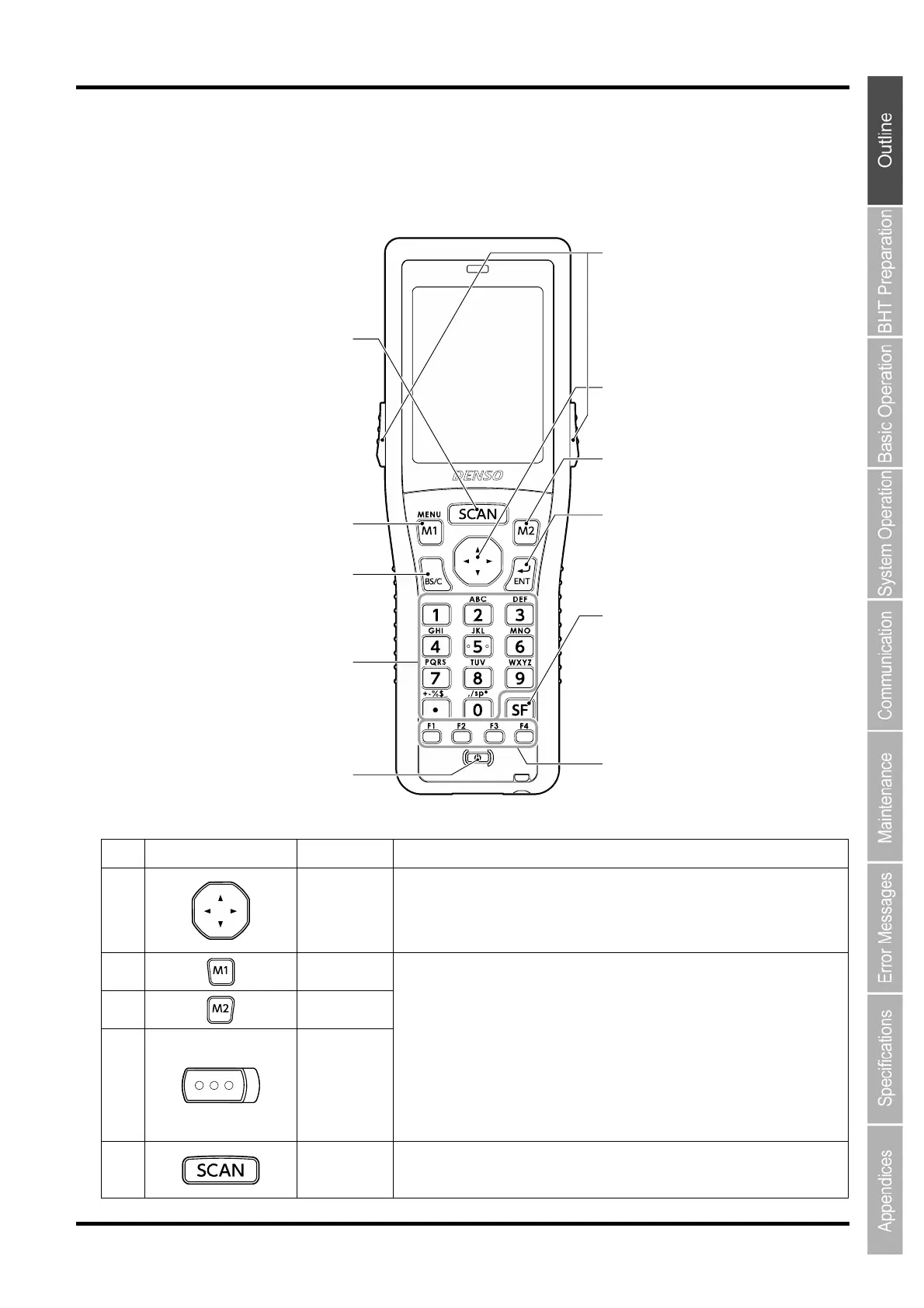
The BHT key functions can be set at user programs.
The diagram below shows an example of settings for each key function.
No.
Key Name Function and Description
(1)
Cursor keys
Used to move the cursor and select menus.
(2)
Magic key
[M1]
(3)
Magic key
[M2]
(4)
Magic key
[M3]
Magic key
[M4]
Each of the M3 and M4 keys is assigned a trigger switch by default.
The SF, ENT, Backlight, MENU or C key functions can be assigned to these
magic keys by making settings at the SYSTEM MENU.
Character strings can be assigned at user programs.
Hold down the M1 key to display the following setting screens when set to the
default.
- Volume
- Vibrator
- LCD display brightness
- Power save
(5)
Scan key
Used to read a code. Equipped with the same function with the trigger key.
(4)
(9)
(6)
3
(8)
(5)
(7)
(1)
2
(10)
(11)



 To Next Page