150
BHT-1300B series
[2] Uploading by FTP
1. Select “2: UPLOAD” at the FTP MENU and then press the ENT key.
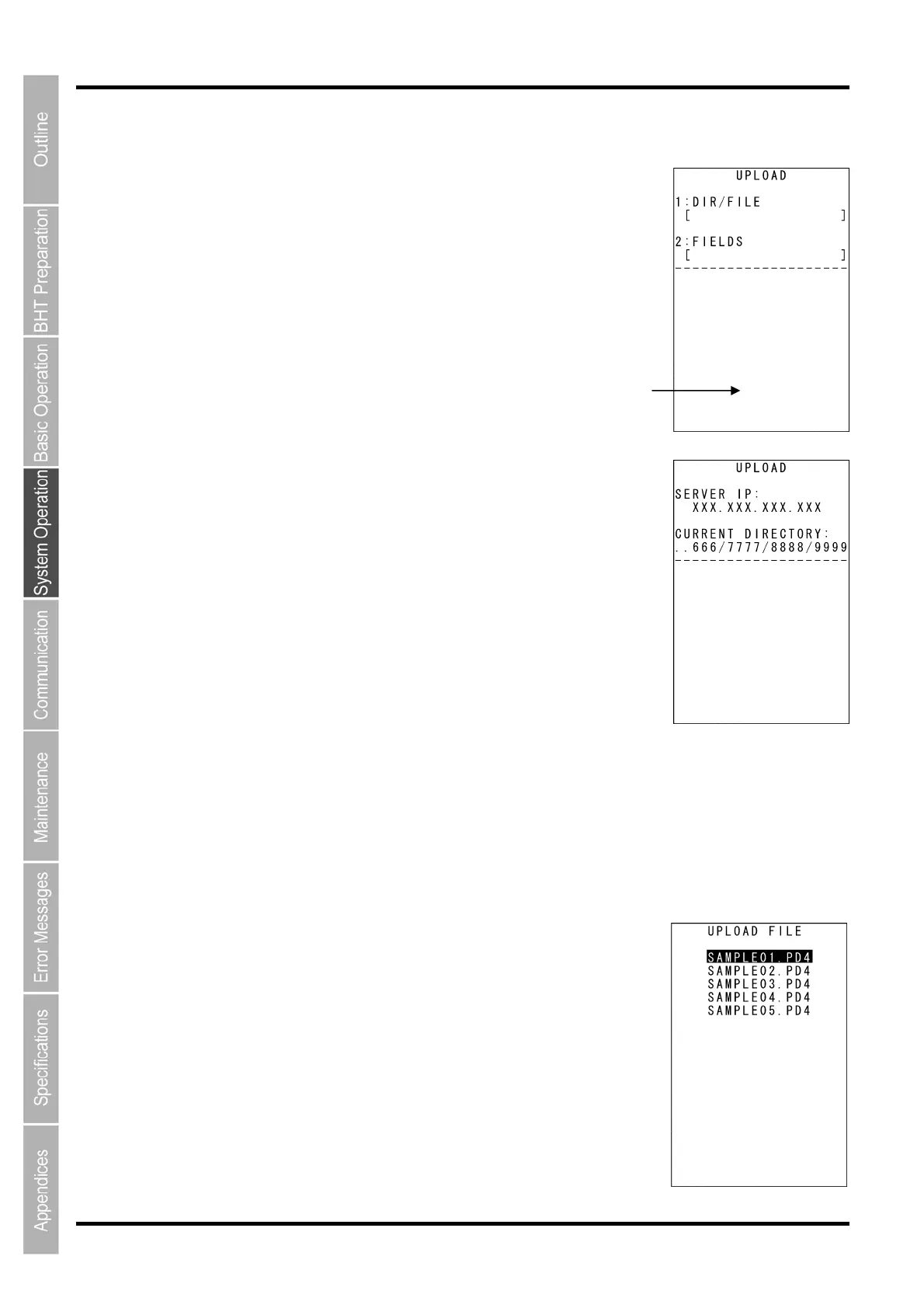
The screen on the right is displayed if uploadable files exist.
[1: DIR/FILE]:
Entry box for the directory and/or file name
[2: FIELDS]:
File name currently selected (Nothing is displayed at the FTP client
initial status.)
A message indicating the status is displayed at the bottom of the screen.
Press the M2 key to display the screen on the right.
[SERVER IP]: Set IP address
[CURRENT DIRECTORY]: Acquired current directory
Press the M1 key to return to the previous screen.
2. Use the cursor keys ([▲] [▼]) to highlight the item to be set, and then
press the ENT key.
When “1: DIR/FILE” is Selected
The mode changes to entry mode and the cursor is displayed, allowing
directory and file names to be entered using the numerical keys and dot
key.
Press the SF and the BS/C key to change the entry mode (numerical entry
(no guidance display) and alphabet entry).
To delete a single character, press the BS/C key. To delete the entire entry,
press and hold the BS/C key, or press the SF key and BS/C key simultaneously.
When “2: SELECT FILE” is Selected
The screen on the right is displayed.
Use the cursor keys ([▲] [▼]) to highlight the upload file and then press the
ENT key.
Return to the previous screen to display the selected file name in [2:
FIELDS]



 To Next Page