160
BHT-1300B series
Wireless Security 1x Supplicant Mode
EAP authentication can be used with wireless security 1x Supplicant mode.
1. Select “2: CONFIGURATION” at the SET SECURITY menu and
then press the ENT key.
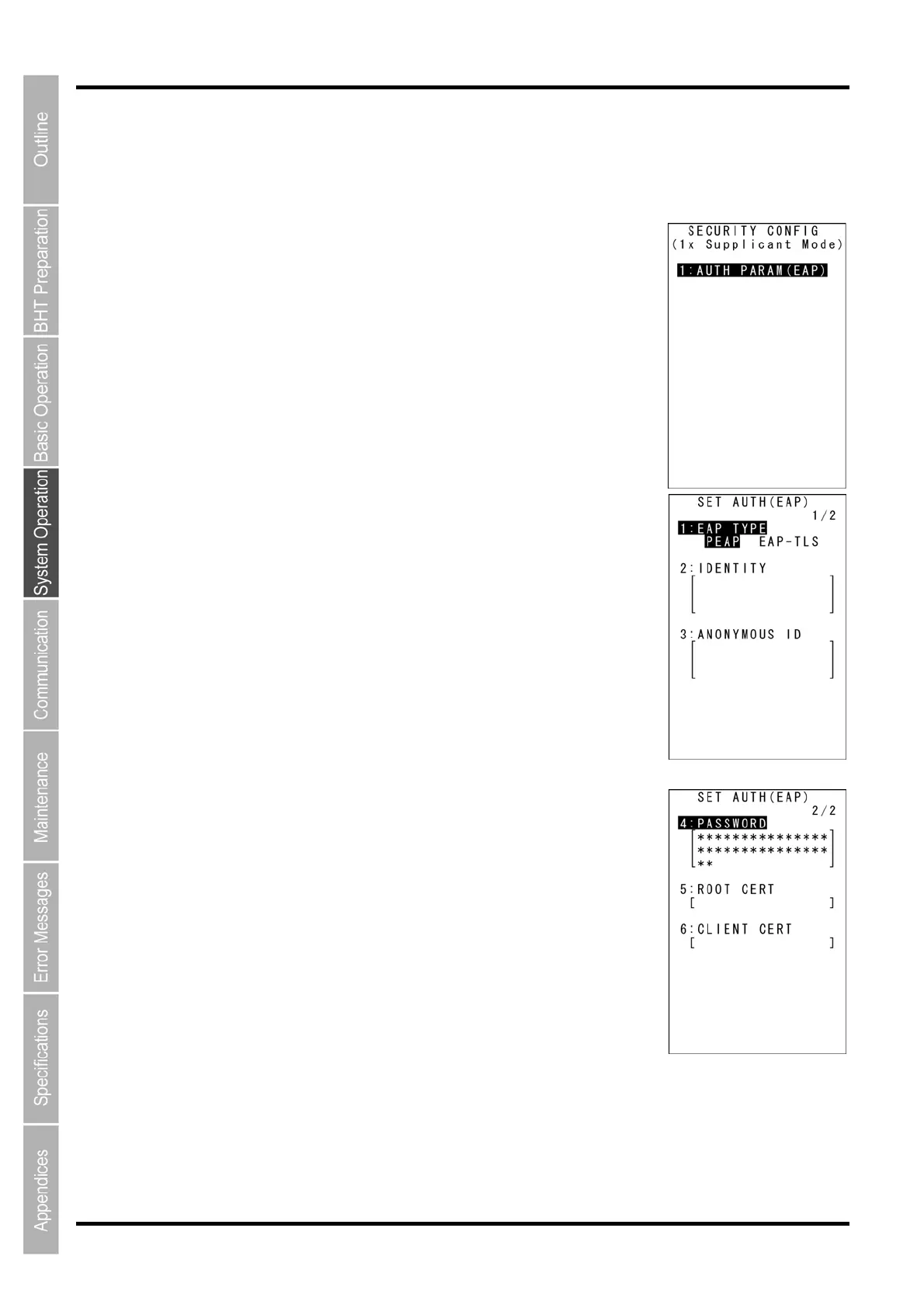
The screen on the right is displayed.
[1: AUTH PARAM (EAP)]: EAP authentication parameter setting
Press and hold the BS/C key to return to the SET SECURITY menu.
2. Ensure that [1: AUTH PARAM (EAP)] is hightlighted and then press
the ENT key.
The screen on the right is displayed.
[1: EAP TYPE]: Selects PEAP or EAP-TLS.
[2: IDENTITY]: ID
[3: ANONYMOUS ID]: Anonymous ID
[4: PASSWORD]: Password
[5: ROOT CERT]: Root certificate
[6: CLIENT CERT]: Client certificate
3. Use the cursor keys ([▲] [▼]) or numerical key ([1]) to highlight [1:
EAP TYPE], and then use the cursor keys ([◄] [►]) to select PEAP
or EAP-TLS.
If PEAP is selected, a root certificate is used.
If EAP-TLS is selected, a root certificate and client certificate are used.
4. Use the cursor keys ([▲] [▼]) or numerical key ([2]) to highlight [2:
IDENTITY] and then press the ENT key.
The mode changes to entry mode and the cursor is displayed.
[▲] key / [▼] key



 To Next Page