113
Barcode Handy Terminal
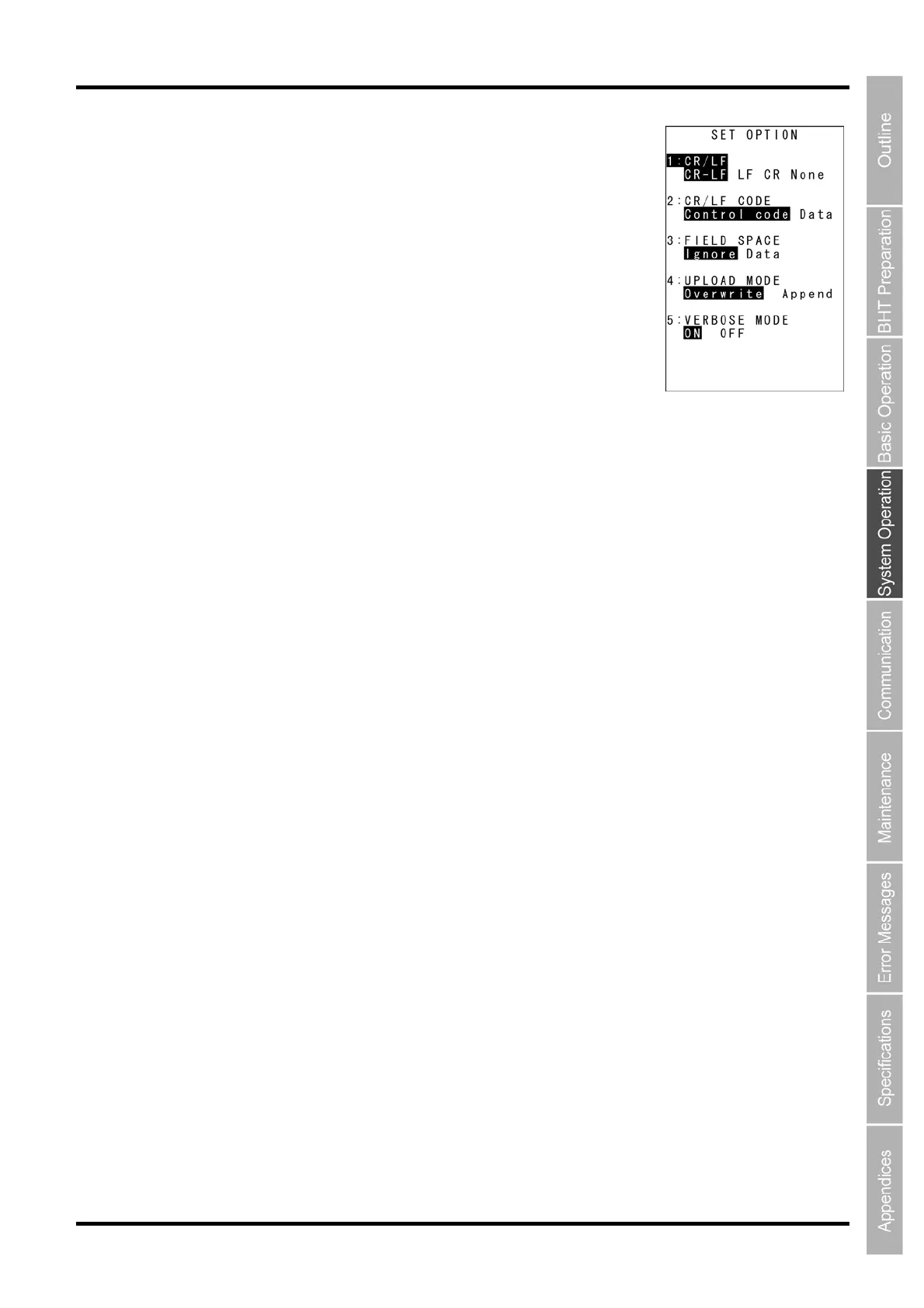
“2: OPTION”: Setting the FTP options
Select “2: OPTION” at the SET TCP/IP menu to display the screen on the
right where the current settings are displayed.
“1: CR/LF”:
Specifies line delimiters that should match ones used in the server OS.
“2: CR/LF CODE”:
Specifies the treatment of line delimiters in records when data files are
downloaded.
“Control code”: Does not handle line-break codes as data.
(Handles as record delimiters.)
“Data”: Handles line-break codes as data.
“3: FIELD SPACE”:
Specifies the treatment of trailing spaces in fields.
“Ignore”: Trims trailing spaces in fields.
“Data”: Retains trailing spaces as data.
“4: UPLOAD MODE”:
Specifies handling for trailing spaces in fields.
”Overwrite”: Uploaded files will be written over the existing files
“Append”: Uploaded files will be appended to the existing files.
“5: VERBOSE MODE”:
Specifies the command response display when using FTP.
“ON”: Displays a message to the response (number) from the FTP server when the BHT (FTP
client) outputs a message.
“OFF”: Displays only messages output by the BHT (FTP client).
Refer to “FTP Download/Upload Messages” at Chapter 4.5.9 “Downloading/Uploading Files by FTP (FTP
MENU)” for messages output by the BHT (FTP client).
Refer to “Response Messages from the FTP Server” at Chapter 4.5.9 “Downloading/Uploading Files by
FTP (FTP MENU)” for messages to responses (numbers) from the FTP server.
To change the setting:
(1) Use the cursor keys ([▲] [▼]) or numerical keys ([1] [2] [3] [4] [5]) to
highlight the item to be set and press the ENT key.
(2) Use the cursor keys ([◄] [►]) to highlight each setting value.
(3) Press the ENT key.
Press and hold the BS/C key to return to the SET FTP menu.



 To Next Page