173
Barcode Handy Terminal
Setting up the device detection parameters
1. Select “2: INQUIRY” at the SET BLUETOOTH menu and then press
the ENT key.
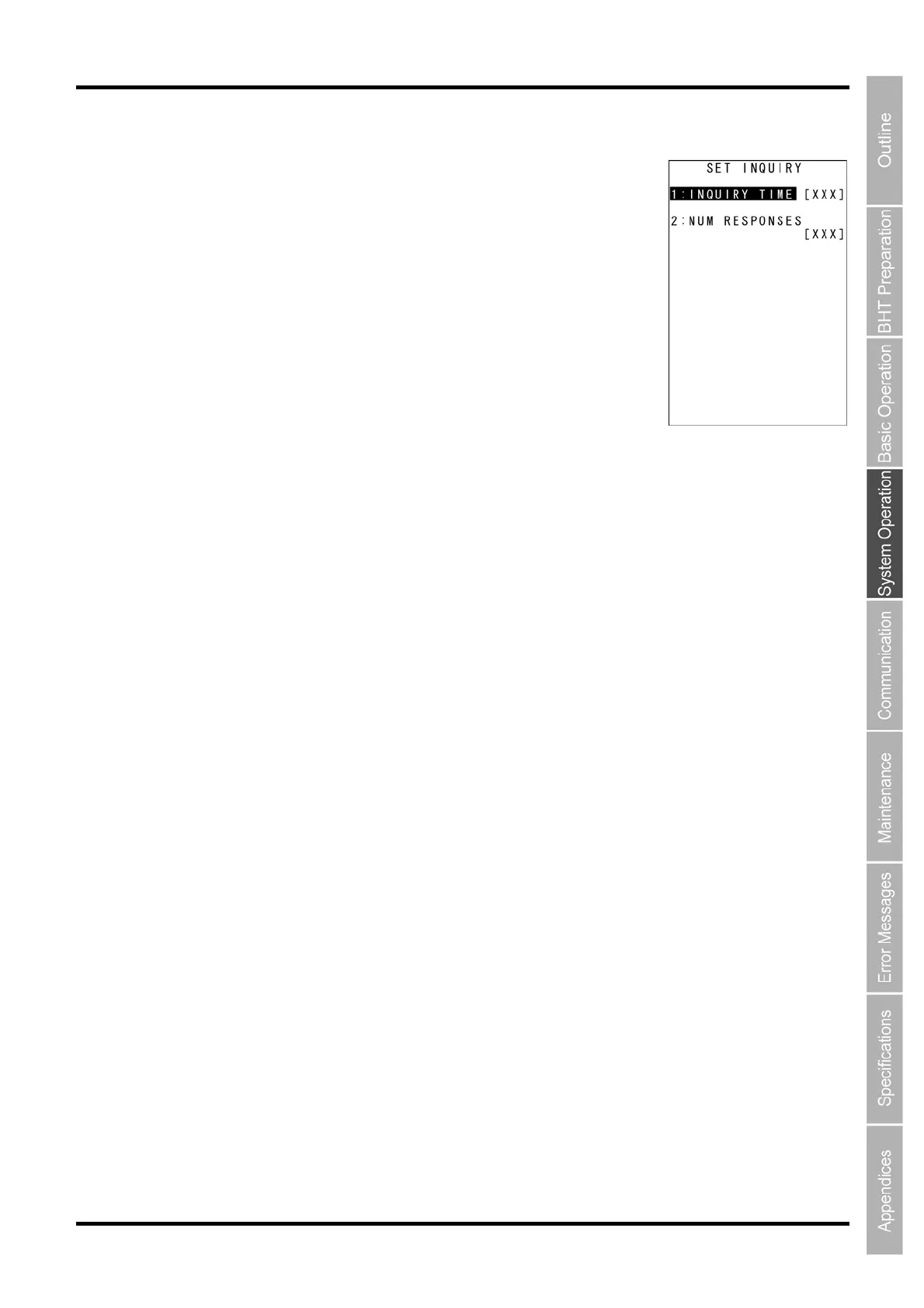
The current settings are displayed.
[1: INQUIRY TIME]:
Sets up the duration of device detection in seconds.
[2: NUM RESPONSES]:
Sets up the number of devices to be detected.
Press and hold the BS/C key to return to the SET BLUETOOTH menu.
2. Use the cursor keys ([▲] [▼]) or numeric keys ([1] [2]) to select the
menu and then press the ENT key.
Entry mode is activated and the cursor is displayed.
3. Use the numeric keys to enter the desired value.
“INQUIRY TIME”: Valid Range: 0–255, Default: 10 seconds
“NUM RESPONSES”: Valid Range: 0–8, Default: 0
Detects a maximum of 8 devices when “0” is set. Default: 0
To delete a single character, press the BS/C key. To delete the entire entry, press and hold the BS/C key
or press the SF and BS/C keys simultaneously.
4. Press the ENT key.
5. Press and hold the BS/C key to return to SET BLUETOOTH menu.



 To Next Page