131
Barcode Handy Terminal
[6] File test
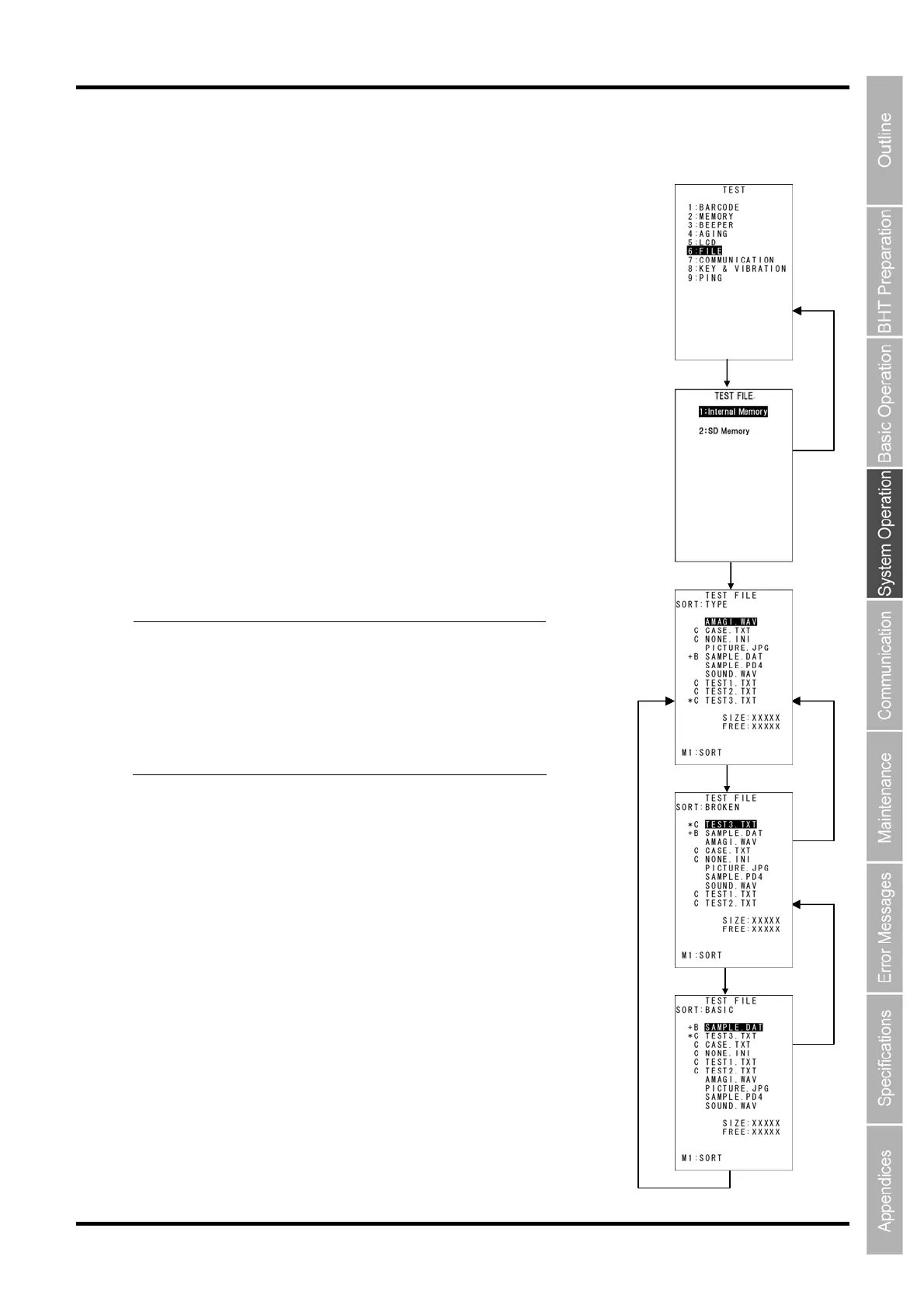
The file test allows detailed information on program files, data files, audio files (*.WAV), and image
files(*.JPG) to be checked. In addition, pressing the M1 key sorts the
files.
1. Select “6: FILE” at the TEST menu and then press the ENT key.
The right screen is displayed. If any of the stored files are broken, an
asterisk (*) or plus sign (+) is prefixed to the name of the defective file
(s).
Refer to [About “$$BRKLST.SYS”] of “2.6.4 If the BHT Is Shut Down
Abnormally” for details about the (*) and (+).
“SIZE: bbbbb”: Used memory size
“FREE: yyyyy”: Available memory size
Files can be sorted each time the M1 key is pressed.
“TYPE”: Sorts files by type.
“BROKEN”: Displays broken files in descending order.
“BASIC”: Displays files in the following order: “B: BASIC files”, “C: C
data files”, “None: Shared files and program files.”
2. Select a file, and then press the ENT key.
The selected file will be set, and then the menu will return to the
previous screen.
Press and hold the BS/C key to return to the previous screen.
When returning to the previous screen, the selected item will be
highlighted.
━
Point
━
・ When a file contains an abnormality, the
file must be deleted, or overwritten with a
file of the same name.
・ Even files containing abnormalities can
be uploaded with the upload menu. It is
recommended to delete important files
after uploading.
[M1] Key
[BS/C] Key
[M1] Key
[ENT]Key
[BS/C] Key
[M1] Key
[ENT] Key
[BS/C] Key



 To Next Page