233
Barode Handy Terminal
7.2 System Mode Errors
When error messages display while running System Mode, refer to the following table and take appropriate
measures.
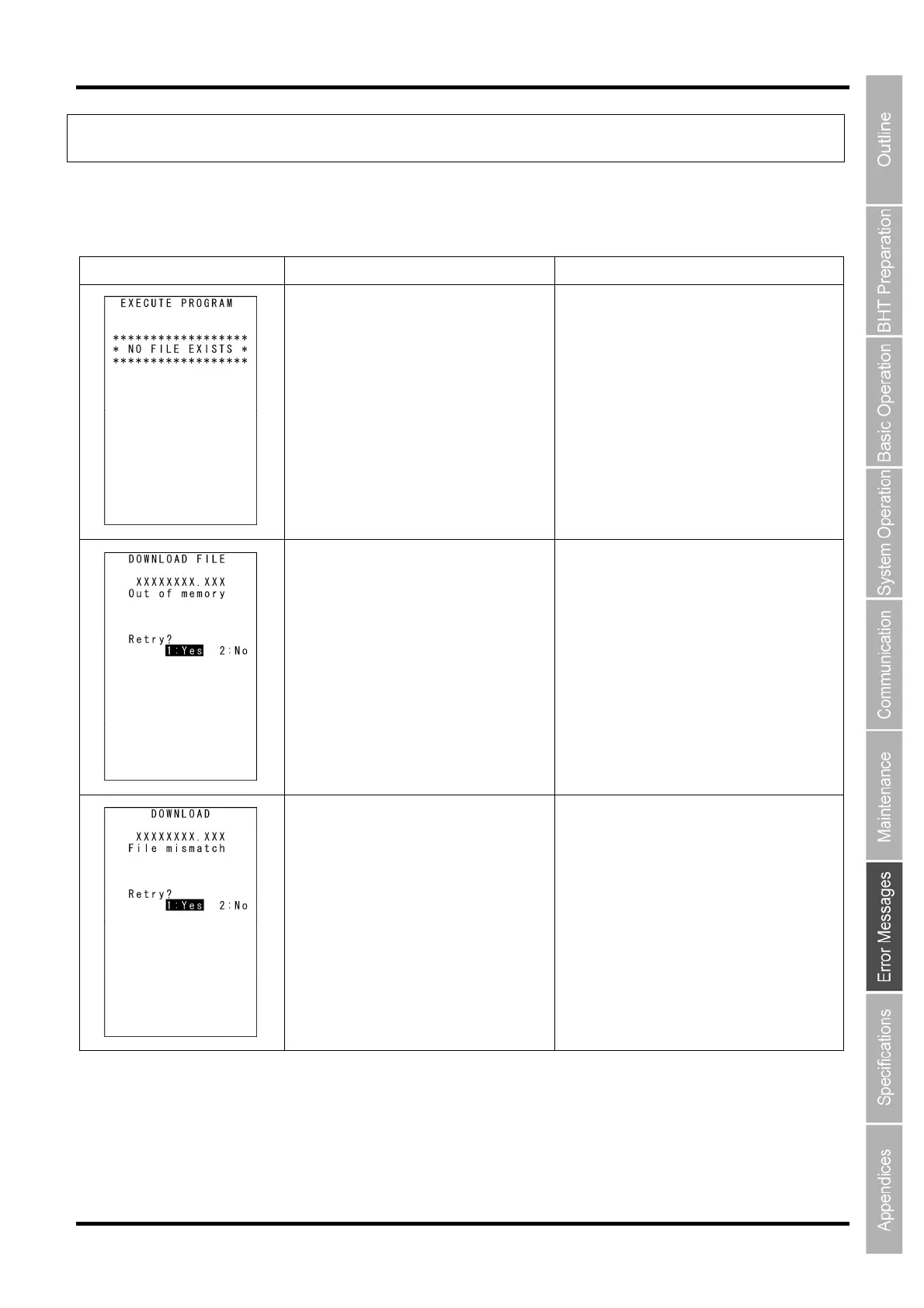
Message BHT Response Countermeasure
You attempted to execute a user
program in the EXECUTE PROGRAM
menu, but no user program files had
been stored in the memory.
Press and hold the BS/C key to return to the
SYSTEM MENU, then download user
programs.
The memory is insufficient for storing files
to be downloaded.
Press the 2 key to return to the SYSTEM
MENU, then delete unnecessary files in the
memory or decrease the size of the file to be
downloaded.
In the SYSTEM PARAMETER transfer
menu, you attempted to download a file
other than the BHT system parameter
file. Or in the SYSTEM MESSAGE
transfer menu, you attempted to
download a file other than the system
message file.
Check the file you attempted to download
and then download the file in the appropriate
menu (DOWNLOAD menu, SYSTEM
PARAMETER transfer menu, or SYSTEM
MESSAGE transfer menu).



 To Next Page