85
Barcode Handy Terminal
System Status Indication
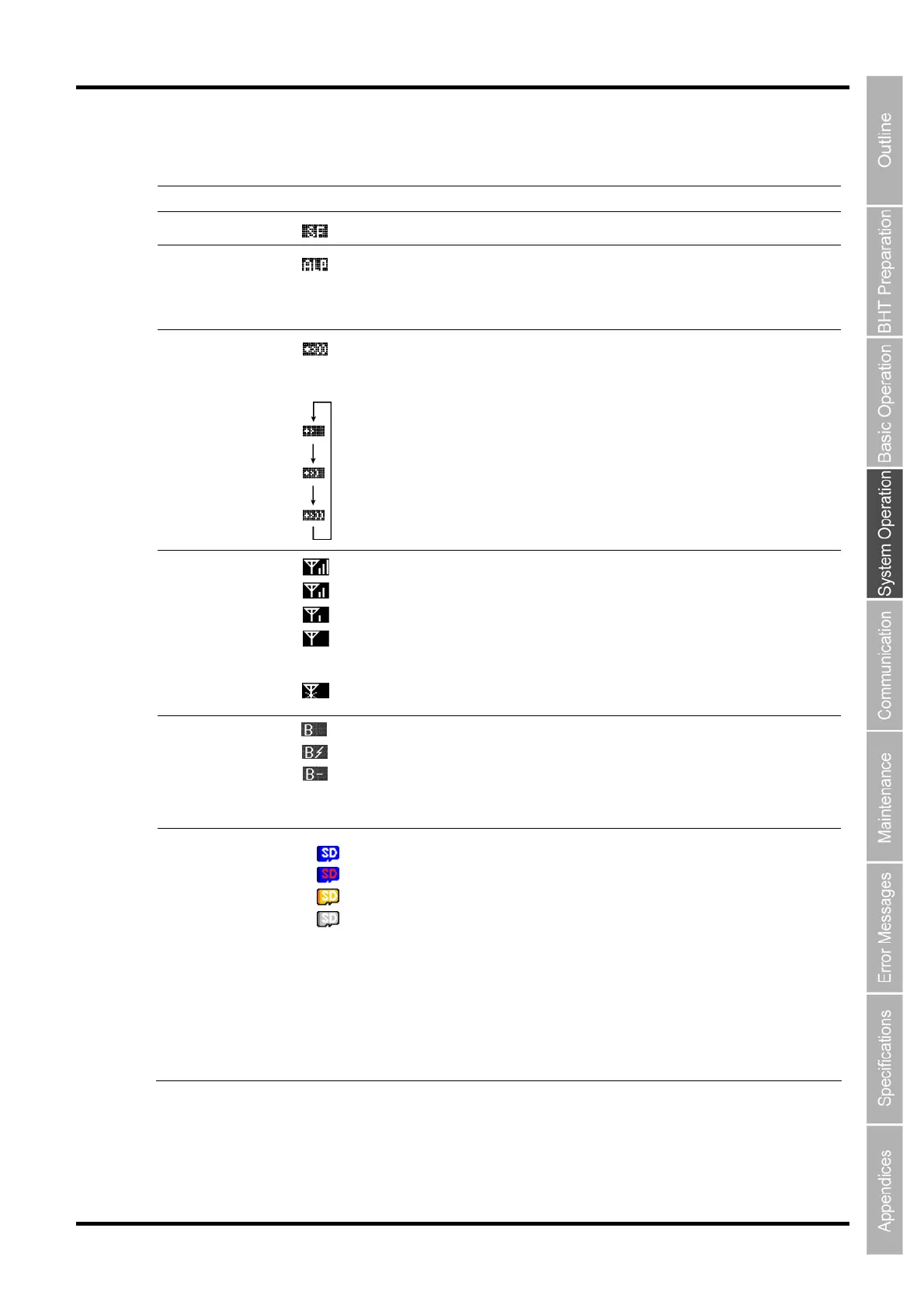
Turning ON the system status indication displays the following icons at the bottom of the screen.
Indication Icon Description
Key Shift status
Displays when the keys on the keypad are in Shift mode.
Alphabet
entry mode
Displays when the BHT is set to alphabet entry mode.
(If the alphanumeric entry system has been selected in user programs,
pressing the SF key switches from the numeric entry mode to alphabet
entry mode.)
Displays when a communication link is established with the CU-1311.
Flashes when the BHT tries to communicate with a CU-1311 that has
not been linked with the BHT.
Communication link
with the CU-1311
Displays cyclically when the BHT receives no response from the
CU-1311, or when it is waiting for the link to be established with or
severed from the CU-1311.
Radio link with
access point
If synchronization with the access point is established during wireless
communication, the overall quality of communication with the access
point is displayed incrementally. These respective icons indicate how
good the communication environment is.
Displays when synchronization with the access point has not been
established, or when authentication fails.
Bluetooth device
status
Appears when the Bluetooth device power in on.
Appears when the Bluetooth wireless link is established.
Appears when the Bluetooth is in the power-saving mode.
microSD card
status
Appears when the correct card is inserted.
The SD part of the icon turns to red while the card is being accessed.
Appears when the card whose format is other than FAT32 *.
Accessible as a read-only memory**
* Use a card in the FAT32 format.
** The card is broken and reading only is accepted. To write data,
reformat the card.



 To Next Page