172
BHT-1300B series
[2] Setting up the Bluetooth Parameters
1. Select “2: SET BLUETOOTH” at the DEVICE MENU and then press
the ENT key.
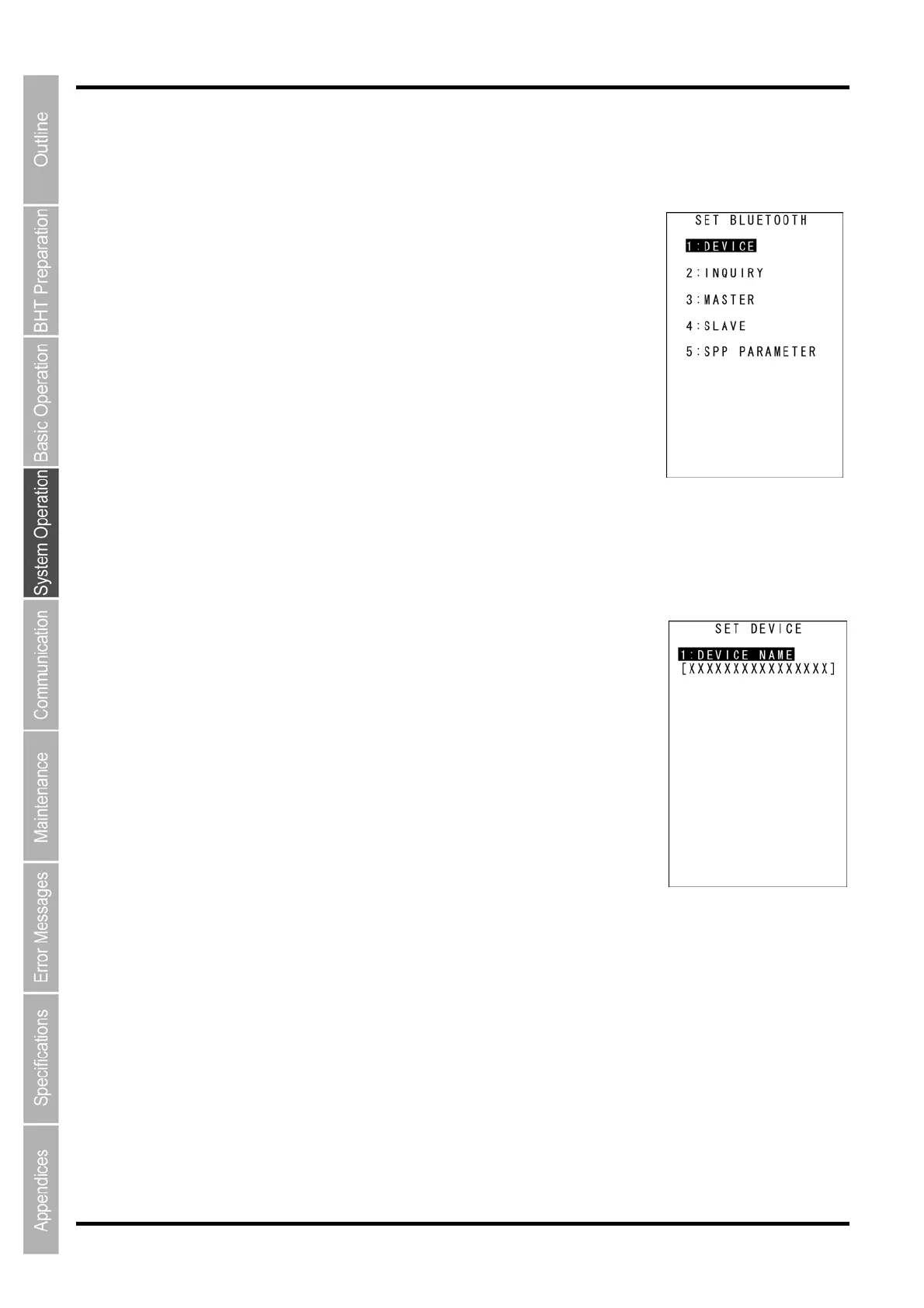
The SET BLUETOOTH screen on the right is displayed.
[1: DEVICE]: Sets up the device.
[2: INQUIRY]: Sets up the device detection.
[3: MASTER]: Sets up the master station.
[4: SLAVE]: Sets up the slave station.
[5: SPP PARAMETER]: Sets up the protocol options for transferring files
via the serial port profile.
Refer to the following sections for each of the above menus.
Press and hold the BS/C key to return to the BLUETOOTH MENU.
Setting up the device name
1. Select “1: DEVICE” at the SET BLUETOOTH menu and then press
the ENT key.
The current setting is displayed.
[1: DEVICE NAME]: Sets up the Bluetooth
®
device name.
Press and hold the BS/C key to return to the SET BLUETOOTH menu.
2. Press the ENT key.
Entry mode is activated and the cursor is displayed.
3. Use the numeric and period (.) keys to enter the Bluetooth
®
device
name.
The Bluetooth
®
device name can be up to 16 characters long. The default setting is DENSO-BHT.
To switch the entry mode (between numeric and alphabet entries), press the SF key.
Refer to Chapter 5 “Communication” – 5.3 “Bluetooth
®
wireless communications” for the Bluetooth
®
device
name.
To delete a single character, press the BS/C key. To delete the entire entry, press and hold the BS/C key
or press the SF and BS/C keys simultaneously.
4. Press the ENT key.
5. Press and hold the BS/C to return to the SET BLUETOOTH menu.



 To Next Page