184
BHT-1300B series
[4] File transfer with serial port profile
1. Select “4: SERIAL PORT” at the BLUETOOTH MENU and then
press the ENT key.
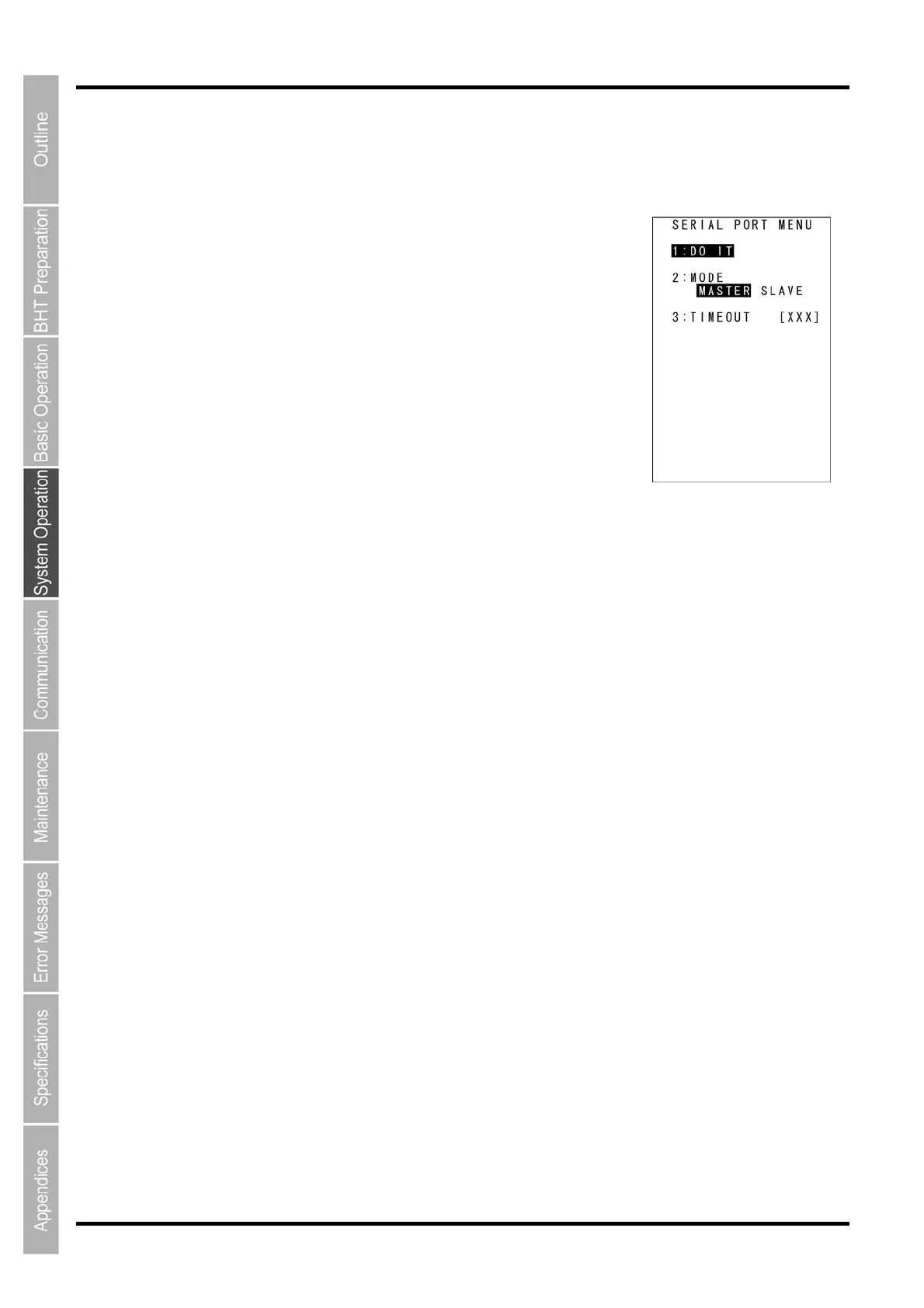
The screen on the right is displayed.
[1: DO IT]: Connects via the serial port profile for transferring files.
[2: MODE]: Sets up the connection mode.
[3: TIMEOUT]: Sets up the connection timeout period.
Press and hold the BS/C key to return to the BLUETOOTH MENU.
2. Use the cursor keys ([▲] [▼]) or numeric key ([2]) to selectt the [2:
MODE].
3. Use the cursor keys ([◄] [►]) to highlight and set the desired setting.
Set up the connection mode.
The connection mode is used only for transferring files ([1: DO IT] menu).
Note that the setting specified here will not be saved.
4. Use the cursor keys ([▲] [▼]) or numeric key ([3]) to highlight [3: TIMEOUT] and then press the
ENT key.
Entry mode is activated and the cursor is displayed.
5. Use the numeric keys to enter the desired value.
Set up the timeout period.
The timeout period is used only for transferring files ([1: DO IT] menu).
Valid Range: 1 – 255, Default: 255 seconds.
Note that the setting specified here will not be saved.
To delete a single character, press and hold the BS/C key. To delete the entire entry, press and hold the
BS/C key or press the SF and BS/C keys simultaneously.
6. Press the ENT key.



 To Next Page