178
BHT-1300B series
[3] Detecting remote devices
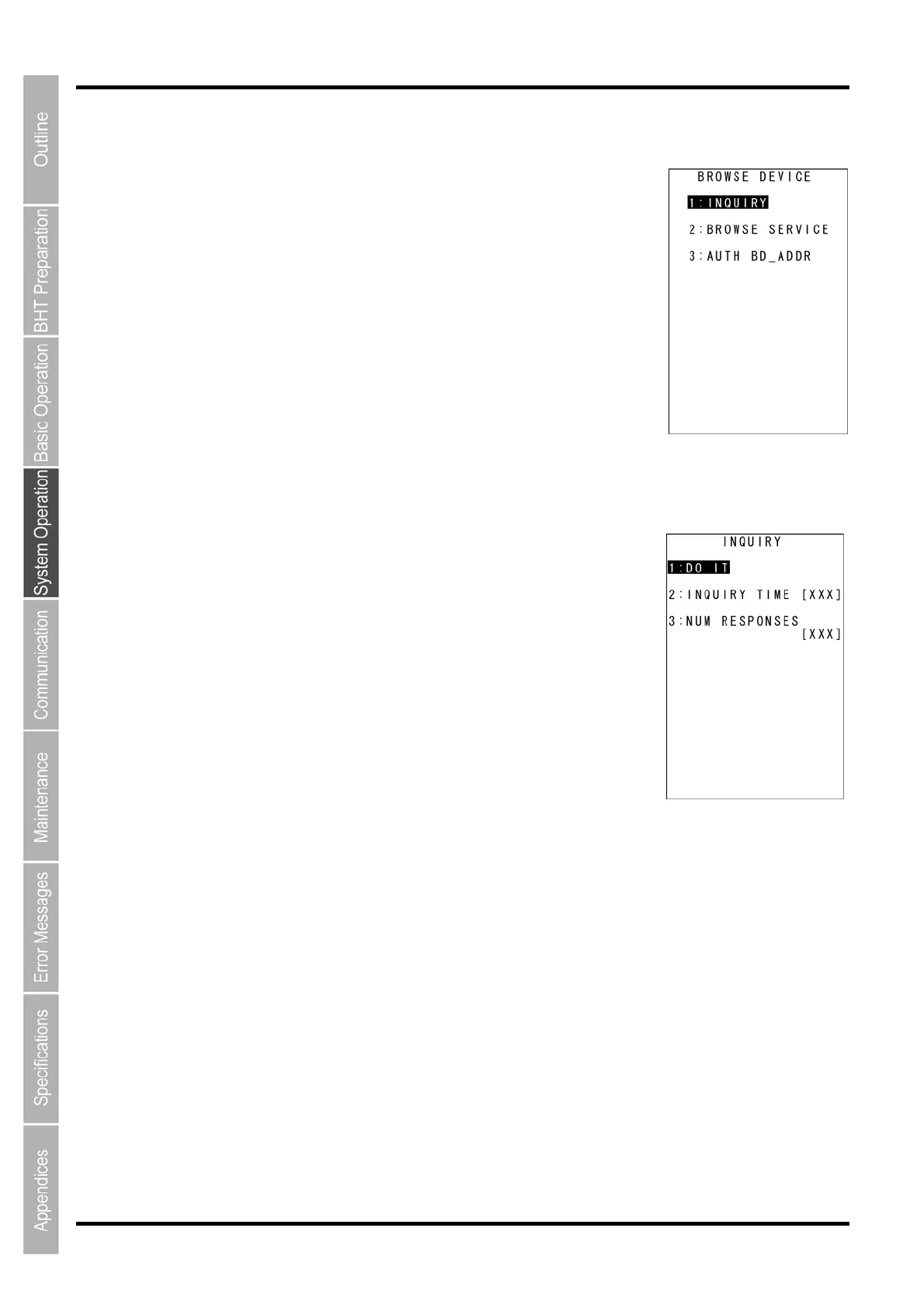
1. Select “3: BROWSE DEVICE” at the BLUETOOTH MENU and then
press the ENT key.
The screen on the right is displayed.
[1: INQUIRY]: Sets up the device detection.
[2: BROWSE SERVICE]: Searches the Bluetooth services.
[3: AUTH BD_ADDR]: Displays a list of authenticated remote device
addresses.
Refer to the following sections for each of the above menus.
Press and hold the BS/C key to return to the BLUETOOTH MENU.
Detecting devices
1. Select “1: INQUIRY” at the BROWSE DEVICE menu and then press
the ENT key.
The screen on the right is displayed.
[1: DO IT]: Starts device detection.
[2: INQUIRY TIME]: Sets up the device inquiry time.
[3: NUM RESPONSES]: Sets up the number of devices to detect.
Press and hold he BS/C key to return to the BROWSE DEVICE menu.
2. Use the cursor keys ([▲] [▼]) or numeric key ([2]) to highlight [2:
INQUIRY TIME] and then press the ENT key.
Entry mode is activated and the cursor is displayed.
3. Use the numeric keys to enter the desired value.
Set up the device inquiry time to detect devices.
The device inquiry time is used only for the device detection ([1: DO IT] menu).
Valid Range: 0 -255, Default: 10 seconds
Note that the setting specified here will not be saved.
To delete a single character, press the BS/C key. To delete the entire entry, press and hold the BS/C or
press the SF and BS/C keys simultaneously.
4. Press the ENT key.



 To Next Page