9
Barcode Handy Terminal
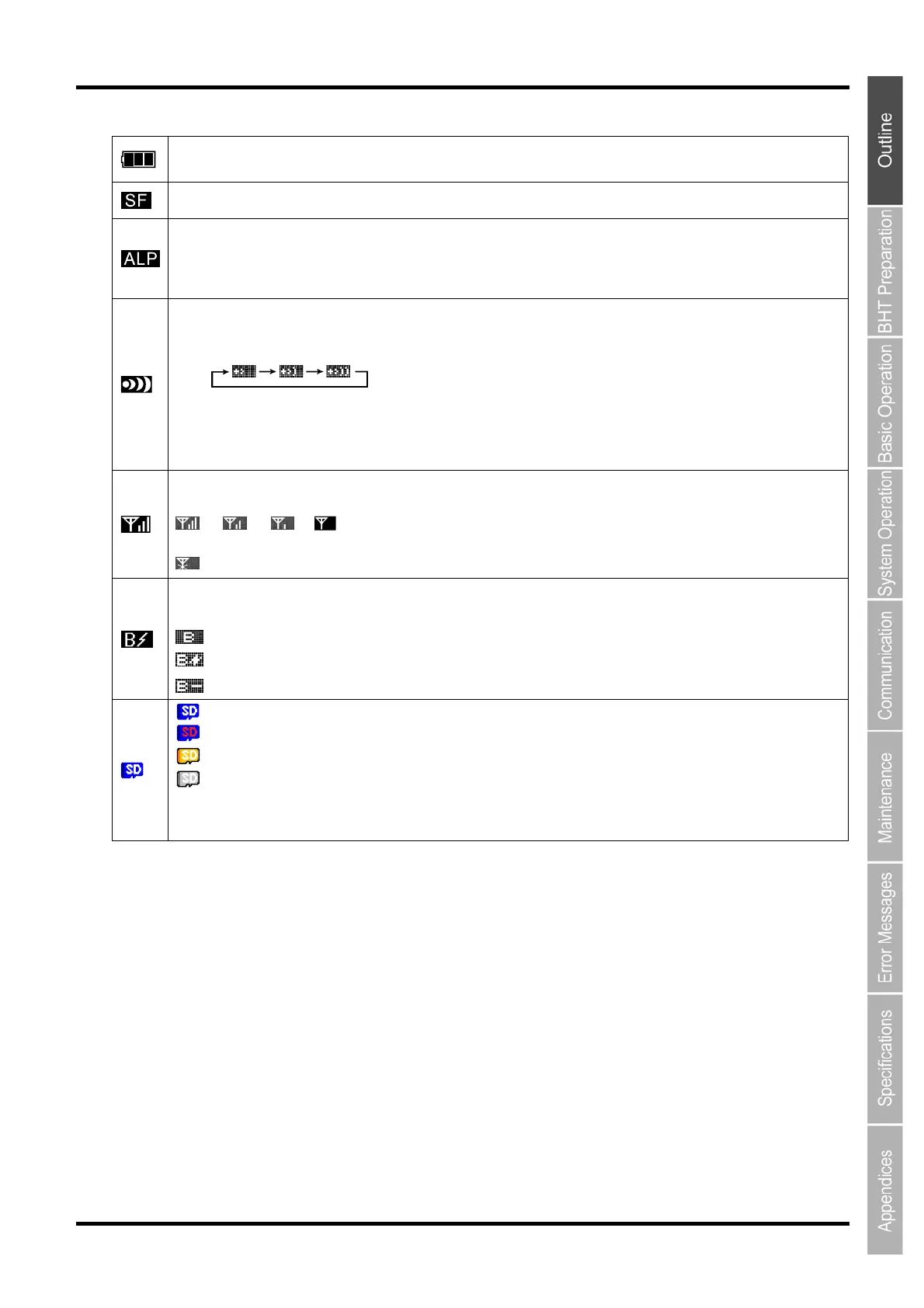
This is the battery icon.
Shows battery level.
Shows that the SF key is pressed when the keys are in the shift-mode.
Shows that the “alphabet entry” mode is set.
Press the SF key to change the “numeric entry” to the “alphabet entry” when the alphabet entry mode is set by the user
program. (See Chapter 7.2.1 “Programming manual”.)
Alphabet entry is used for setting up the FTP.
Shows that the CU-1311 is connected.
Blinks when the CU-1311 which is not connected tries to connect.
The icons are displayed in the following order,
when;
- No response from the CU-1311.
- Waiting for the connection to the CU-1311.
- Waiting for the disconnection from the CU-1311 .
Shows the radio field strength when the BHT is connected to the access point.
More bars equals the stronger connection
→ → →
Strong Weak
shows that the BHT is not connected to the access point.
Shows the Bluetooth
®
status.
The icon changes according to the status of Bluetooth
®
device as follows:
: Shows that the Bluetooth
®
device is turned ON.
: Shows that the Bluetooth
®
device is connected.
: Shows that the Bluetooth
®
device is in lower power consumption mode.
: Shows that the inserted card is valid.
: The SD color becomes red while the card is being accessed.
: Shows that the format is other than FAT32
(Note 1)
.
: Shows that accessing is possible with read-only
(Note 2)
.
Note 1: Use the FAT32 format card.
Note 2: The card data is broken and writing is prevented. Format the card for writing data to it.



 To Next Page