13
Barcode Handy Terminal
Charging with the communication unit (CU-1301, CU-1311 and CU-1321)
or battery charger (CH-1354)
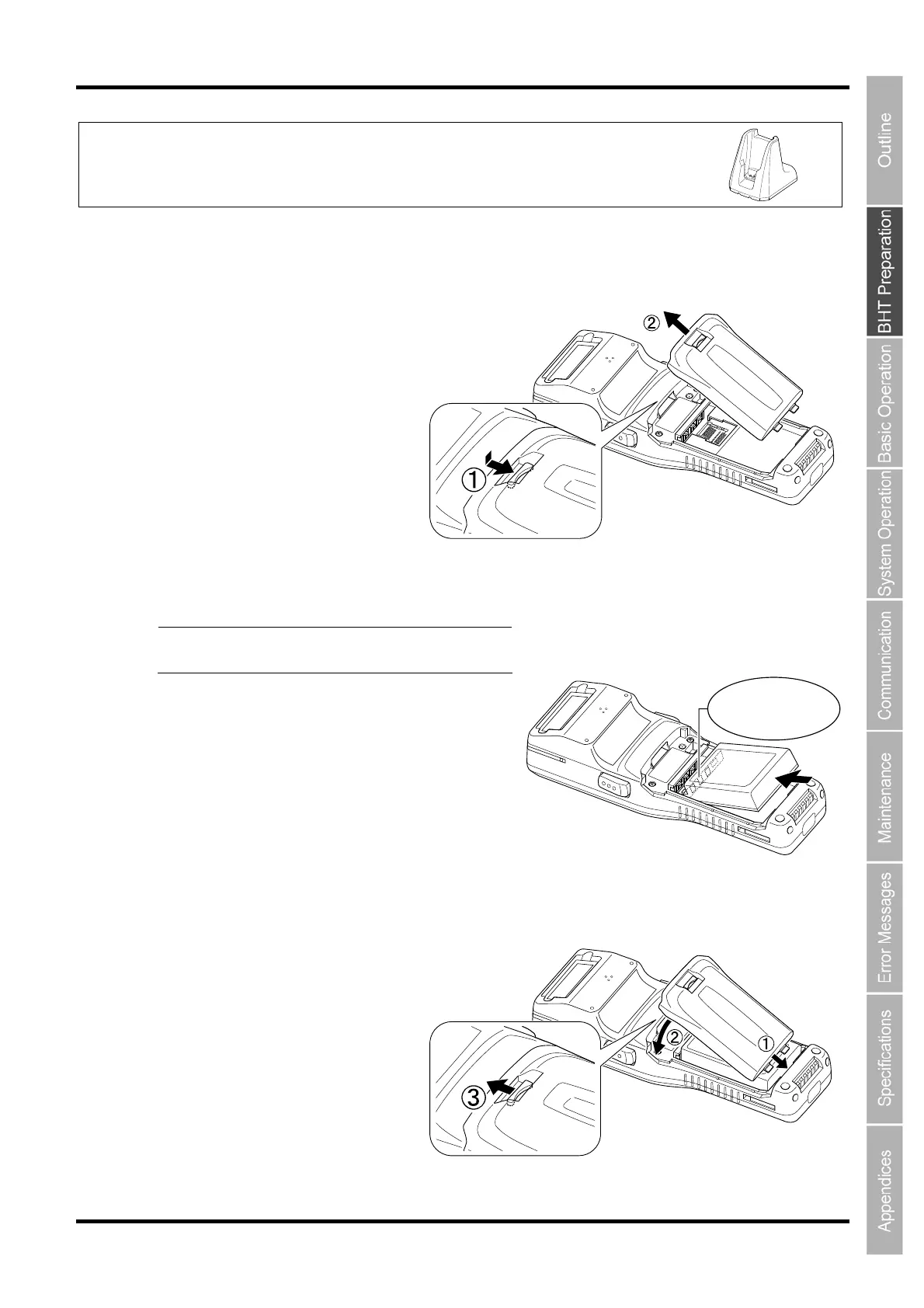
1. Slide the battery cartridge cover release button (1) in the direction indicated by the arrow and
remove the battery cartridge cover (2).
2. Check the battery cartridge terminals and indication on the BHT unit, and then insert the
cartridge in the direction indicated by the arrow.
Point Do not use battery cartridges other than
that specified by DENSO WAVE.
3. Insert the battery cartridge cover tab (1), and then close the battery cartridge cover (2) to lock
the cover in position. Press the battery cover into place until a click is heard.
Terminals



 To Next Page