EPSON WF-C5790/WF-C5790a/WF-C5710/ET-8700/WF-C5210/WF-C5290/WF-C5290a Revision A
Disassembly/assembly Disassembly/Reassembly Procedures 486
Confidential
Printhead
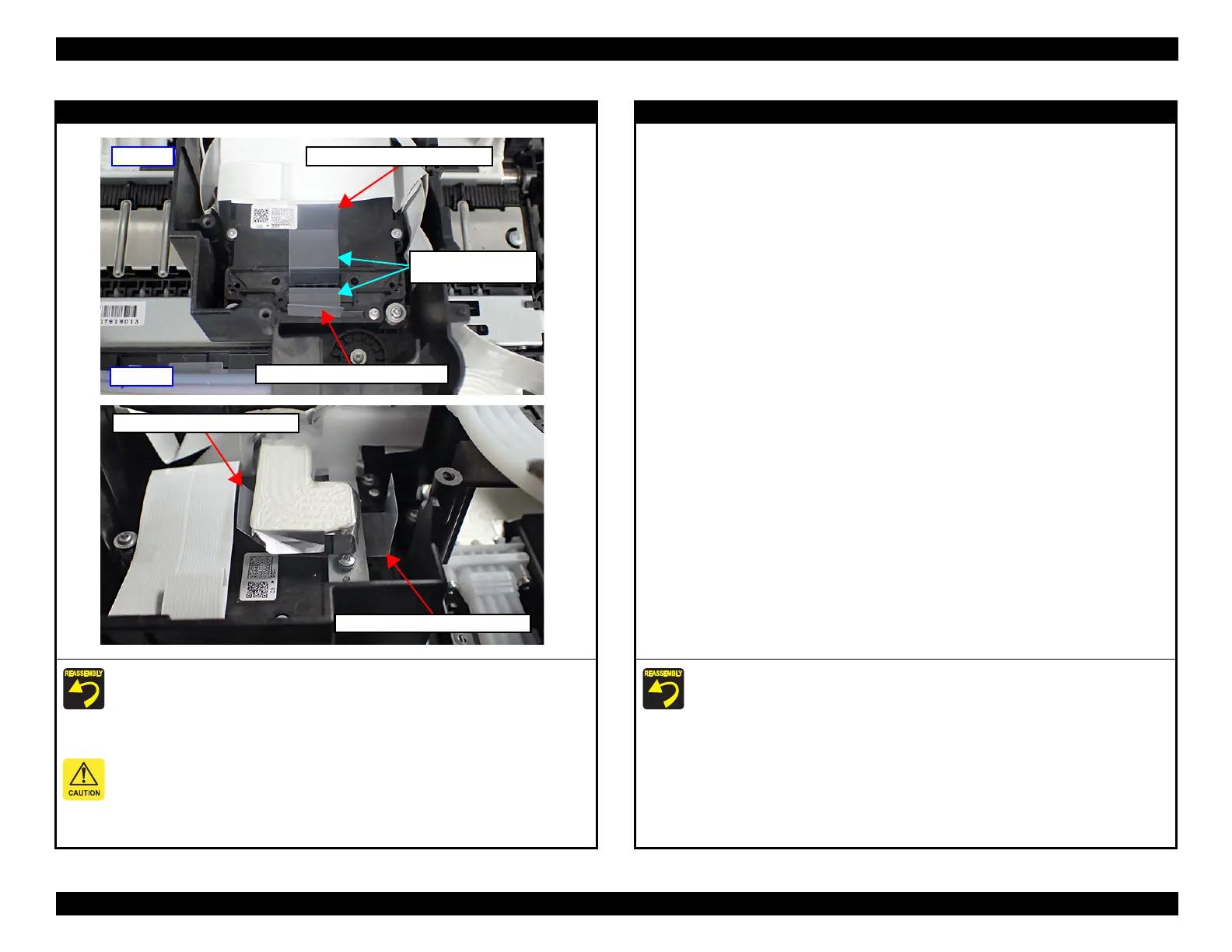
1. Set the ink leak measurement jig to the ink tube connector of the Print Head.
2. Set the Ink Supply Tube to the Printhead.
3. After ink charging, follow the instructions on the Ink leak check (p.563) to remove
the LEAK TESTER SHEET FRONT/REAR, then perform Leak Check
Judgement.
The smoked face of ink leak measurement jig is put toward the upside.
When installing the Ink Supply Tube, make sure to tighten the screws using a torque driver
with the specified torque.
Screw tightening torque: 0.33±0.02Nm
Front side
LEAK TESTER SHEET FRONT
The smoked face is
put toward the upside.
LEAK TESTER SHEET REAR
Rear side
LEAK TESTER SHEET REAR
LEAK TESTER SHEET FRONT
Printhead
After ink charging, follow the instructions on the Ink leak check (p.563) to remove the
LEAK TESTER SHEET FRONT/REAR, then perform Leak Check Judgement.















 To Next Page