Chapter 7 Thin Provisioning Pool Management
7.2 Functions in the Action Area for Thin Provisioning
ETERNUS Web GUI User’s Guide
161
Copyright 2011 FUJITSU LIMITED P2X0-1090-02ENZ0
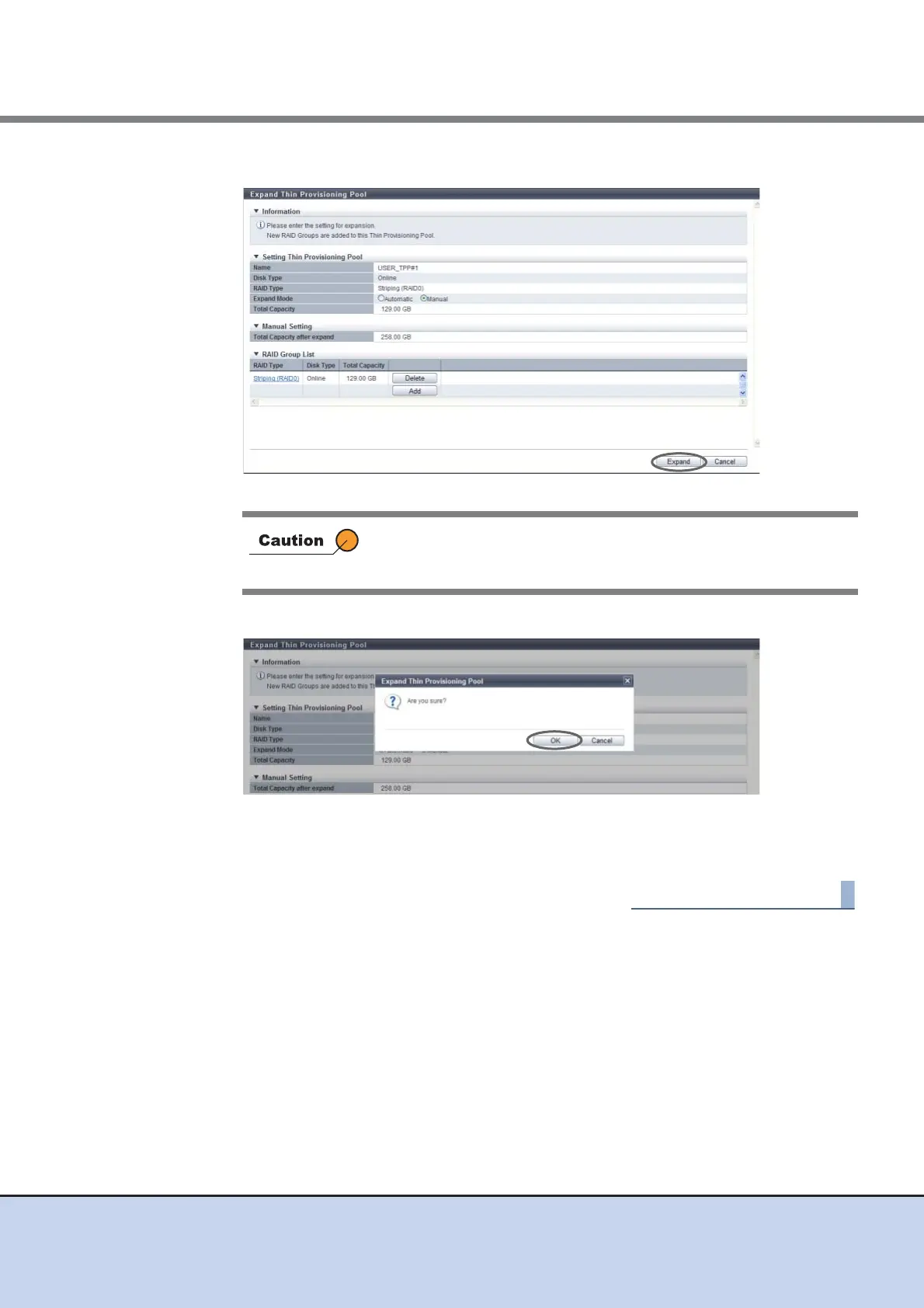
6 After creating a RAID group to be added to the TPP, click the [Expand] button.
→ A confirmation screen appears.
7 Click the [OK] button.
→ Expand Thin Provisioning Pool starts.
8 Click the [Done] button to return to the [Thin Provisioning Pool] screen.
When the total value of TPP capacity after expanded and existing
TPP capacity exceeds the maximum TPP capacity for each model,
an error screen is displayed.



 To Next Page