Chapter 8 Advanced Copy Management
8.2 Functions in the Action Area for Advanced Copy
ETERNUS Web GUI User’s Guide
210
Copyright 2011 FUJITSU LIMITED P2X0-1090-02ENZ0
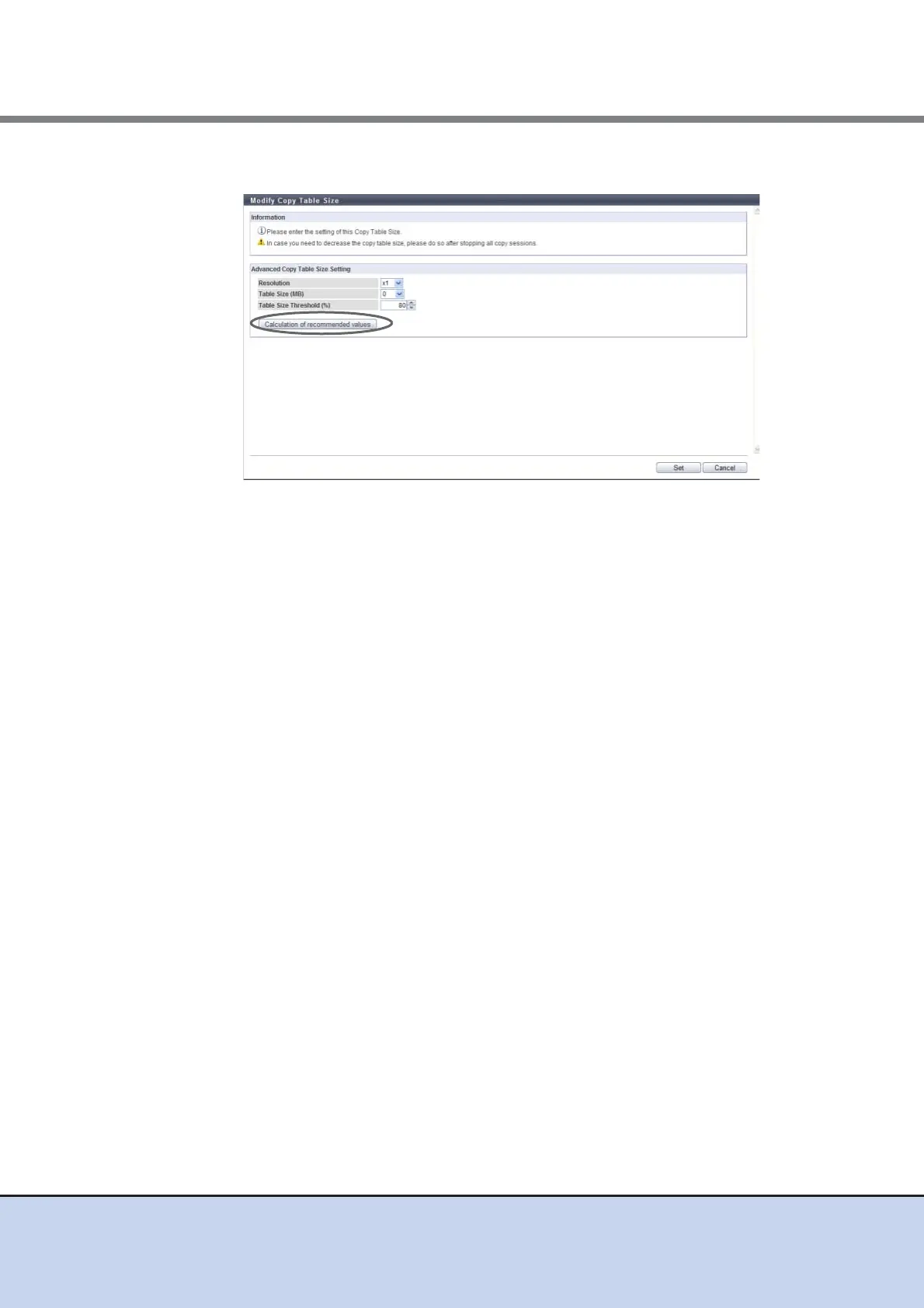
2 Click the [Calculation of recommended values] button.
→ The [Calculation of recommended values] dialog box appears.
3 Enter the necessary information and click the [Calculation] button.
• Total Copy Capacity (Restore OPC is not used)
Enter the total copy capacity (*1) when Restore OPC is not used (unit: GB). The
applicable Advanced Copy types are as follows:
- EC
- REC
- OPC, QuickOPC, SnapOPC, and SnapOPC+ without using Restore OPC
The following input conditions apply:
- ETERNUS DX80 S2/DX90 S2: 0 - 262144GB (256TB)
- ETERNUS DX410 S2: 0 - 524288GB (512TB)
- ETERNUS DX440 S2: 0 - 1048576GB (1024TB)
• Total Copy Capacity (Restore OPC is used)
Enter the total copy capacity (*1) for using Restore OPC (unit: GB).
The applicable Advanced Copy types are as follows:
- OPC, QuickOPC, SnapOPC, and SnapOPC+ using Restore OPC
The following input conditions apply:
- ETERNUS DX80 S2/DX90 S2: 0 - 262144GB (256TB)
- ETERNUS DX410 S2: 0 - 524288GB (512TB)
- ETERNUS DX440 S2: 0 - 1048576GB (1024TB)
• Sessions (Restore OPC is not used)
Enter the total number of sessions (*1) for not using Restore OPC.
The applicable Advanced Copy types are as follows:
- EC
- REC
- OPC, QuickOPC, SnapOPC, and SnapOPC+ without using Restore OPC
The following input conditions apply:
- ETERNUS DX80 S2: 0 - 1024
- ETERNUS DX90 S2: 0 - 2048
- ETERNUS DX410 S2/DX440 S2: 0 - 8192



 To Next Page