Chapter 8 Advanced Copy Management
8.2 Functions in the Action Area for Advanced Copy
ETERNUS Web GUI User’s Guide
209
Copyright 2011 FUJITSU LIMITED P2X0-1090-02ENZ0
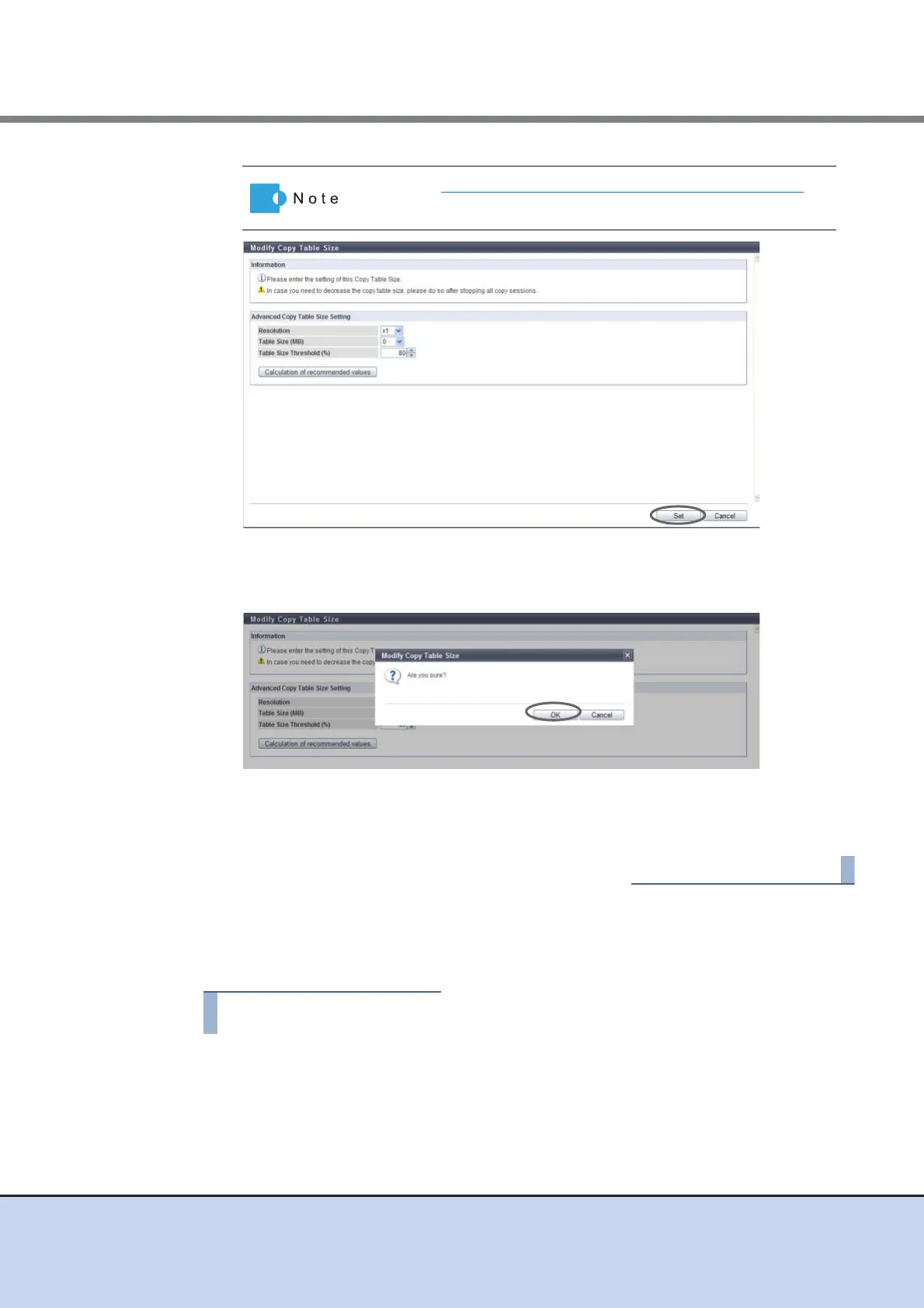
→ A confirmation screen appears.
3 Click the [OK] button.
→ Setting of the copy table size starts.
4 Click the [Done] button to return to the [Setting] screen.
■ Automatically setting the copy table size
Specify the copy table size automatically.
1 Click [Modify Copy Table Size] in [Action].
Refer to "How to Calculate the Copy Table Size" (page 213) for
detailed procedure to calculate the copy table size.



 To Next Page